Introduction
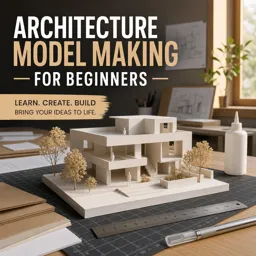
Architecture model making is a fundamental skill in the field of architectural design. By translating ideas from abstract concepts to tangible forms, models serve as vital tools for both communication and exploration throughout the design process. Whether for student projects or professional presentations, model making bridges creativity and technical skill, offering invaluable insight into spaces, structures, and materials.
The Role of Models in Architecture
Architectural models are more than just miniature buildings; they are interactive representations that help designers communicate their vision to clients, collaborators, and stakeholders. They allow for the spatial examination of forms, the study of light and shadow, and the testing of materials and construction methods. Models can range in scale from conceptual massing studies to meticulously detailed replicas of proposed designs.
Types of Architectural Models
- Conceptual Models: Emphasize the main ideas behind a project, often using simple materials and forms.
- Working Models: Used throughout the design process to test ideas and explore alternatives.
- Presentation Models: Highly detailed models intended for client presentations or public exhibitions.
- Site Models: Represent the building’s relationship to its surroundings, including topography and adjacent context.
Materials and Tools
The choice of model making materials varies depending on the project’s purpose and level of detail required. Common materials include:
- Foam board and cardboard for quick studies and massing models.
- Basswood, balsa wood, and acrylic for fine detailing.
- Paper, clay, and recycled materials for conceptual explorations.
- Cutting tools, adhesives, rulers, and tweezers as essential equipment.
Step-by-Step Model Making Process
- Planning: Start by selecting the appropriate scale and materials for your model.
- Drawing Templates: Prepare templates based on scaled drawings for accurate cutting and assembly.
- Cutting and Assembly: Use precision tools for clean cuts and neat joints, assembling the components as shown in the drawings.
- Detailing: Add features such as windows, doors, or landscaping elements as needed for clarity.
- Presentation: Place your model on a base and consider lighting and photographs to enhance its communication.
Best Practices for Successful Architecture Models
- Maintain accuracy and neatness in crafting components.
- Experiment with diverse materials to find the best representation for your design.
- Use color strategically to highlight specific aspects or to maintain abstraction.
- Document your process for future reference and portfolio development.
Conclusion
Architecture model making remains an invaluable part of the design process, offering a tactile means of exploring and sharing design concepts. As digital technologies evolve, the combination of traditional craftsmanship and modern tools continues to enrich architectural creativity and communication. By mastering model making, designers can better articulate their vision and bring their ideas to life in three dimensions.