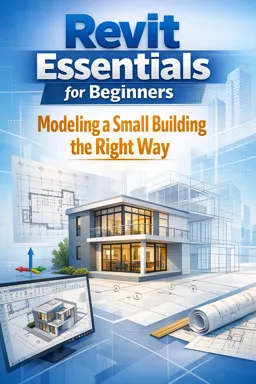
You will learn Rhino’s interface, basic 2D drawing, 3D modeling tools, object editing, layers, and how to create simple architectural forms.


Duration of the online course: 6 hours and 37 minutes
4.5


(2)
Start modeling in 3D today with a free Rhino course: learn the basics fast, build clean shapes, and create portfolio-ready designs with confidence.
Learning 3D modeling can feel intimidating at first, especially when you open a professional tool and face a blank workspace filled with panels, commands, and unfamiliar shortcuts. This beginner-friendly Rhino course is designed to remove that friction and help you start creating from day one. In a clear, practical format, you will get comfortable with the interface, understand how Rhino thinks, and develop the habits that make modeling smoother and more accurate.
Rhino is widely used in architectural design because it balances precision with creative freedom. As you follow the tutorial, you will practice turning simple lines into coherent forms, controlling dimensions, and building clean geometry that is easy to edit. The focus is not on complicated theory, but on learning by doing: you will watch the workflow, repeat it yourself, and gradually build confidence with the essential tools that beginners need most.
Because architectural projects often depend on clarity and accuracy, this course emphasizes a solid foundation you can reuse later, whether your next step is concept development, visualization, or preparing models for presentation. By the end, you should feel able to start a new model without guesswork, navigate your scene efficiently, and make purposeful design decisions as you shape objects in 3D.
As a free online course, it is an easy way to explore Rhino before committing to a longer learning path. If you are a design student, an aspiring architect, or a creative professional adding 3D skills to your toolkit, this introduction can help you move from curiosity to capability and begin producing models you are proud to share.

6 hours and 37 minutes of online video course

Digital certificate of course completion (Free)

Exercises to train your knowledge

100% free, from content to certificate
What will I learn in a free Rhino course for beginners?
You will learn Rhino’s interface, basic 2D drawing, 3D modeling tools, object editing, layers, and how to create simple architectural forms.
Do I need a powerful computer to run Rhino for architectural design?
Rhino runs on most modern Windows and Mac computers, though more RAM and a dedicated graphics card help with larger 3D models.
Can I create architectural models in Rhino without prior CAD experience?
Yes. The course introduces core modeling workflows step by step, including drawing plans, extruding forms, and editing surfaces and solids.
Ready to get started?Download the app and get started today.
Install the app now
to access the course
Over 5,000 free courses
Programming, English, Digital Marketing and much more! Learn whatever you want, for free.

Study plan with AI
Our app's Artificial Intelligence can create a study schedule for the course you choose.

From zero to professional success
Improve your resume with our free Certificate and then use our Artificial Intelligence to find your dream job.
You can also use the QR Code or the links below.



Free CourseUnreal Engine 5 for Architecture Students
5
(1)

3h45m

5 exercises
Free CourseArchitecture Model Making for Beginners
5
(2)
2h57m
12 exercises

Free CourseUrban Design
5
(1)
4h27m
23 exercises
Free CoursePhotoshop for Architects
4.8
(6)
5h46m
12 exercises
Free CourseRevit course for beginners
4.5
(2)
4h01m
9 exercises
Free CourseRevit BIM Training Course for Beginners: Complete Architecture Workflow
4.5
(2)
5h45m
11 exercises
Free CourseAutoCAD for beginners
4.4
(94)
12h24m
26 exercises
Free CourseSketchup for Architecture Students
4
(1)
1h27m
6 exercises
Free CourseAutoCAD complete for beginners
3.4
(5)
2h16m
8 exercises
Free CourseSweet Home 3D tutorials
New
2h09m
14 exercises
Carry knowledge in your pocket.
Download the Cursa app.
There are hundreds of free courses available, with a free certificate of completion that is saved in your mobile image gallery.
Download the app to access the Course Completion Certificate for Free.


+ 10 million
students

Free and Valid
Certificate

60 thousand free
exercises

4.8/5 rating in
app stores

Free courses in
video and ebooks