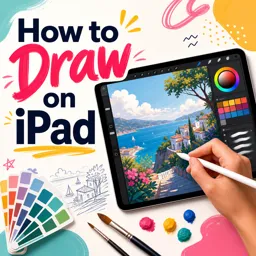
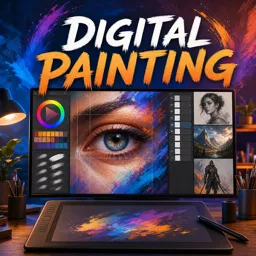
Drawing on a tablet has revolutionized how artists and designers bring their ideas to life. Gone are the days when creating digital art required bulky equipment or limited tools—today, with a tablet and the right technique, you can create stunning illustrations, concept art, comics, and so much more from virtually anywhere.
Choosing the Right Tablet for Drawing
The first step in your digital drawing journey is selecting the right tablet. Factors to consider include:
- Screen Size: Larger screens provide more drawing space but may be less portable.
- Pressure Sensitivity: Higher sensitivity enables more nuanced lines and strokes.
- Stylus Features: Look for a stylus with tilt support, palm rejection, and comfortable grip.
- Operating System Compatibility: Ensure the tablet supports your preferred drawing applications.
Understanding Layering and Brush Techniques
Mastering layers and brushes is essential for creating depth and complexity in your digital artwork:
- Layers: Use multiple layers to separate elements, making editing and adjustments easier.
- Brushes: Experiment with different brush types—pencil, ink, watercolor, and more—to achieve various effects and textures.
- Blending: Utilize blending tools and opacity settings to create smooth transitions between colors.
Tips for Improving Your Digital Drawing Workflow
- Create Custom Shortcuts: Many drawing apps let you assign custom gestures or buttons on your tablet for frequently used tools.
- Organize Your Workspace: Keep your workspace clutter-free by organizing brushes, palettes, and layers.
- Use Reference Images: Working from photos or sketches can aid with accuracy and inspiration.
- Practice Consistently: Regular practice will help you get comfortable with the device and improve your technique over time.
Transforming Your Drawing Style with Digital Tools
Tablet drawing offers tools that traditional media cannot—such as quick undo, resizing, and custom textures. With time, you can incorporate these unique features to elevate your style. Don’t be afraid to explore the full range of digital capabilities, from textured brushes to layer effects, to set your work apart.
Conclusion
Embracing drawing on a tablet opens up a world of creative possibilities. By mastering layering, experimenting with brushes, and refining your workflow, you’ll unleash your artistic potential like never before. Happy drawing!