Procreate calculates the layer limit from your canvas dimensions, DPI, and your iPad’s available memory.

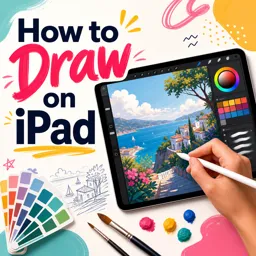
Duration of the online course: 35 minutes
5

(2)
Create stunning iPad art fast with this free drawing course—master Procreate basics, layers, masks, and print-ready settings with confidence.
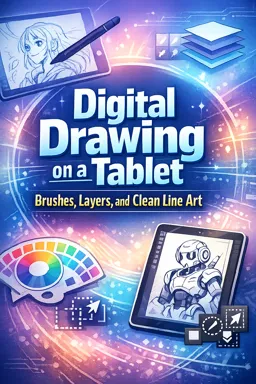
Drawing on iPad can feel intimidating at first: so many brushes, settings, shortcuts, and hidden tools. This free online course helps you move past the learning curve and start creating artwork you’re proud to share. You’ll get a clear, beginner-friendly path into digital illustration using Procreate, one of the most popular drawing apps for creatives who want professional results without a complicated setup.
You’ll learn how to set up your canvas the right way, so your work looks sharp on screen and stays suitable for printing. Understanding resolution, file size, and how Procreate manages performance will help you make smarter decisions before you ever put down your first stroke. From there, you’ll gain confidence navigating essential menus, customizing your workspace, and choosing tools that match your style—whether you’re sketching, painting, lettering, or experimenting with texture.
A major focus is working efficiently with layers: why the layer limit changes, what affects it, and how to keep control as your projects get more complex. You’ll also explore practical methods to preserve quality while staying within technical limits, a key skill for anyone who wants clean edits and flexible revisions. As you progress, you’ll discover ways to refine your workflow so you can iterate quickly, avoid common beginner mistakes, and build habits that make drawing digitally feel natural.
The course also introduces techniques that allow non-destructive editing, including tools that help you control where you can and can’t draw, conceal parts of an image without erasing, and keep your options open as your piece evolves. If you’re curious about bringing simple motion into your artwork, you’ll be guided toward Procreate’s animation support so you can start exploring movement and playful sequences with ease.
By the end, you’ll understand how Procreate works under the hood and how to use that knowledge to produce crisp, polished iPad drawings—whether you’re creating for fun, building a portfolio, or preparing art for print and social media.

35 minutes of online video course

Digital certificate of course completion (Free)

Exercises to train your knowledge

100% free, from content to certificate
How is the maximum number of layers calculated in Procreate?
Procreate calculates the layer limit from your canvas dimensions, DPI, and your iPad’s available memory.
Where can I find Animation Assist in Procreate?
Animation Assist is available in the Actions menu under Canvas, where you can toggle it on for frame-by-frame animation.
How can I hide part of a drawing in Procreate without erasing it?
Use a layer mask to conceal parts of a layer non-destructively while keeping the original artwork editable.
Ready to get started?Download the app and get started today.
Install the app now
to access the course
Over 5,000 free courses
Programming, English, Digital Marketing and much more! Learn whatever you want, for free.

Study plan with AI
Our app's Artificial Intelligence can create a study schedule for the course you choose.

From zero to professional success
Improve your resume with our free Certificate and then use our Artificial Intelligence to find your dream job.
You can also use the QR Code or the links below.



Free CourseOil Painting techniques
5
(1)

23m

4 exercises
Free CoursePerspective Drawing Fundamentals: One, Two and Three-Point Perspective
5
(2)
2h57m
22 exercises
Free CourseArt Fundamentals
5
(3)
13h16m
29 exercises
Free CourseAcrylic Painting Course
5
(5)
135h55m
51 exercises
Free CoursePainting tutorials and lessons
4.9
(47)
5h26m
19 exercises
Free CourseContemporary Art Trends
4.9
(11)
24h51m
18 exercises
Free CourseBeginners Drawing course
4.9
(7)
72h50m
24 exercises
Free CourseDrawing tutorials and lessons
4.8
(124)
4h08m
18 exercises
Free CourseDraw class
4.7

(32)
11h14m
24 exercises
Free CourseDrawing Lessons for Beginners
4.7
(95)
6h22m
23 exercises
Carry knowledge in your pocket.
Download the Cursa app.
There are hundreds of free courses available, with a free certificate of completion that is saved in your mobile image gallery.
Download the app to access the Course Completion Certificate for Free.


+ 10 million
students

Free and Valid
Certificate

60 thousand free
exercises

4.8/5 rating in
app stores

Free courses in
video and ebooks