Creating captivating and challenging levels is one of the most important aspects of 2D game development, capable of transforming a simple concept into an addictive experience. While graphics and mechanics are essential, it’s well-designed levels that keep players engaged, motivated, and eager to return. In this article, we’ll explore the principles and techniques that contribute to memorable level design in 2D games.
Understanding Level Design in 2D Games
Level design involves constructing the game world and its challenges, guiding players through structured or open environments. In 2D games, these elements often play out across platforms, mazes, puzzle rooms, or continuous scrolling scenes. A great level balances difficulty, introduces new mechanics, and offers a satisfying sense of progression.
Key Principles of Effective Level Design
- Clarity and Visual Language: Players should be able to easily distinguish between interactive and decorative elements. Consistent visual cues help prevent confusion and guide the player’s attention to objectives and hazards.
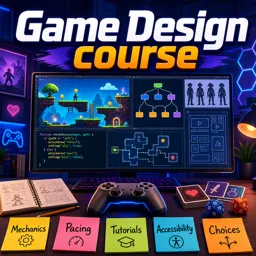
- Pacing and Difficulty Curve: Start with simple challenges and gradually increase complexity. This respects the player’s learning curve while still engaging experienced players.
- Engagement and Variety: Introduce new enemies, power-ups, or puzzles periodically. Avoid repetitive challenges that may lead to boredom.
- Reward Exploration: Include secrets, hidden paths, or collectibles to encourage players to explore beyond the main path, increasing replay value.
- Playtesting and Iteration: Watch how players interact with your levels to identify pain points or exploits and refine the experience accordingly.
Techniques for Designing Memorable 2D Levels
- Sketch Before You Build: Start with rough sketches or diagrams. Map out player movement, enemy placement, platform layouts, and progression flow before building in your game engine.
- Start Simple, Add Layers: Build the basic structure first, then add complexity like moving platforms, destructible environments, or new enemy types.
- Teach Through Gameplay: Use visual cues and environmental design to teach mechanics instead of relying on long tutorials.
- Balance Challenge and Fun: Alternate between easy and hard sections to maintain interest and provide moments of relief.
- Gather Feedback: Let a variety of players test your levels. Observe where they struggle or enjoy the most to improve your designs.
Conclusion
Level design is both an art and a science in 2D game development. By applying clear principles and smart techniques, developers can craft engaging and memorable experiences. Whether you’re building a platformer or a puzzle adventure, thoughtful level creation will set your game apart.