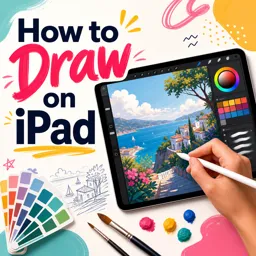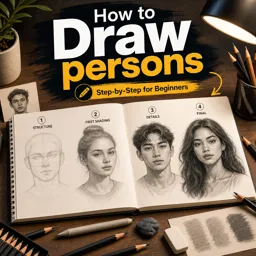

Free ebook on tablet drawing techniques for brushes, layers, clean line art, color, masks, and crisp exports.
Free ebook content
-

Digital Drawing on a Tablet: Workspace, Canvas Setup, and File Basics
+ Exercise: You need to deliver clean line art that will be printed at high quality. Which setup best matches that goal?
-
Digital Drawing on a Tablet: Brush Tools, Brush Libraries, and Controlled Strokes
+ Exercise: When testing brush settings to understand cause and effect, which approach best isolates what a single parameter change does to your strokes?
-
Digital Drawing on a Tablet: Stabilization, Smoothing, and Clean Line Confidence
+ Exercise: When should you turn stabilization up versus down to keep lines clean without losing control and character?


-
Digital Drawing on a Tablet: Layers for Sketch, Ink, Flats, and Effects
+ Exercise: You want to add shadows while keeping your base colors and edges clean and editable. Which workflow best matches a non-destructive layer setup?
-
Digital Drawing on a Tablet: Selections for Fast Edits and Perfect Edges
+ Exercise: You want to fill a silhouette with a flat color while keeping the edge perfectly clean (no fuzzy halo). Which setup best matches that goal?
-
Digital Drawing on a Tablet: Masks and Clipping to Keep Edges Clean Without Overworking
+ Exercise: In a workflow that uses both layer masks and clipping masks, what is the main advantage of editing the Base Flat with a layer mask after you have already added several clipped shading/highlight layers?
-
Digital Drawing on a Tablet: Sketch-to-Line Workflow That Stays Clear and Flexible
+ Exercise: In a clear and flexible sketch-to-line workflow, what is the best approach when you notice the arm length is wrong during the construction shapes phase?
-
Digital Drawing on a Tablet: Clean Line Art Techniques (Line Weight, Tapers, and Corners)
+ Exercise: When one form overlaps another in clean line art, what line-weight change best clarifies which form is in front?
-
Digital Drawing on a Tablet: Flat Colors, Shading, and Simple Rendering with Layer Control
+ Exercise: When your flat colors create a thin white “halo” around anti-aliased line art, which approach best fixes it early so shading won’t reveal messy edges?
-
Digital Drawing on a Tablet: Finishing, Exporting, and Delivering Crisp Results
+ Exercise: When preparing a crisp web export from a master digital drawing, which workflow best preserves clean line edges and consistent color?
About the free ebook
Digital Drawing on a Tablet: Brushes, Layers, and Clean Line Art
Build a reliable digital drawing workflow with this free ebook for tablet artists. Learn how to set up a canvas and files that suit your illustration goals, organize a comfortable workspace, and make confident marks with brush tools.
Draw with control and clarity
Explore brush libraries, controlled strokes, stabilization, and smoothing settings to make line work feel intentional rather than hesitant. Practical guidance on pressure, tapers, corners, and line weight helps you create clean, expressive outlines while retaining the character of your sketch.
Use layers without losing flexibility
Discover a clear layer structure for sketches, ink, flat colors, shading, and effects. The ebook explains how selections, masks, and clipping methods protect edges and make revisions faster, so you can adjust artwork without repeatedly redrawing it.
Turn sketches into polished illustrations
Develop a flexible sketch-to-line process, apply flat colors and simple rendering, and prepare finished artwork for export. You will learn practical habits for keeping files editable and delivering crisp results for sharing, portfolios, or creative projects.
What you will practice
- Choosing and controlling brushes for smooth strokes
- Creating cleaner line art with stabilization and deliberate line weight
- Managing layers, selections, masks, and clipping areas
- Adding color and shading while preserving clean edges
- Exporting artwork with appropriate clarity and file control
No specific drawing app is required. The techniques focus on common tablet drawing tools and can be adapted to many digital art applications.
How can brush stabilization improve tablet line art?
Stabilization smooths hand movement, helping strokes look cleaner and more confident while you draw.
What layer setup works for a digital illustration?
Keep sketches, ink, flat colors, shading, and effects on separate layers for easier editing and control.
How do clipping masks keep coloring inside line art?
A clipping layer limits paint to the visible pixels of the layer beneath it, preserving clean edges.
This ebook includes:

10 content chapters

Digital certificate of course completion (Free)

Exercises to train your knowledge

100% free, from content to certificate
Ready to get started?

 recommended
In the app you will also find...

Over 5,000 free courses
Programming, English, Digital Marketing and much more! Learn whatever you want, for free.

Study plan with AI
Our app's Artificial Intelligence can create a study schedule for the course you choose.

From zero to professional success
Improve your resume with our free Certificate and then use our Artificial Intelligence to find your dream job.
You can also use the QR Code or the links below.