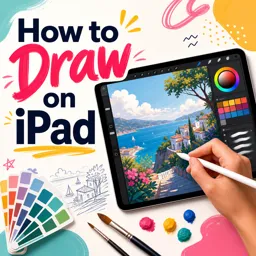


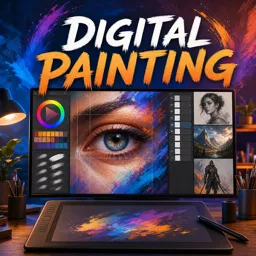
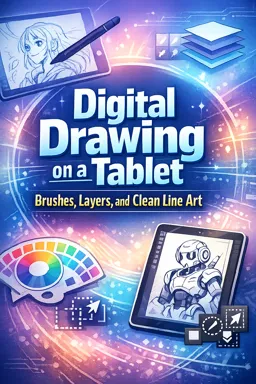
Start with basic sketching, learn your app’s brushes and layers, and practice drawing simple shapes daily.

2

1



Mastering Tablet Drawing Techniques: Unlocking Your Creative Potential
Master digital drawing by learning layering, brush techniques, and workflow tips to boost your style and creativity on any tablet.

How to Choose the Best Tablet for Digital Drawing: A Comprehensive Guide
Learn how to pick the perfect digital drawing tablet by comparing types, features, and top models to match your artistic needs and style.

Essential Apps for Drawing on Tablets: From Procreate to Clip Studio Paint
Discover top tablet drawing apps like Procreate for versatility, Clip Studio Paint for comics, and free options like MediBang Paint for beginners. Choose the best for your art!

Getting Started with Digital Drawing: Tips for Beginners on Tablets
Begin your digital drawing journey on tablets by choosing the right device and stylus. Master basic tools, practice shapes, and explore tutorials for steady improvement!
Discover free online courses on how to draw on a tablet and develop practical digital art skills through accessible, structured learning. These educational courses are suitable for beginners who want to understand digital drawing fundamentals and for artists seeking to improve illustration techniques, creative workflows, and control of drawing applications. Study at your own pace while learning how to transform ideas into polished digital artwork.
The course selection introduces essential concepts for drawing on Android tablets, iPads, and other compatible devices. Educational lessons may explore line quality, sketch construction, shapes, proportions, perspective, light, shadow, color theory, composition, and visual storytelling. You can also learn how to use digital brushes, layers, selection tools, opacity settings, blending modes, and other resources commonly found in tablet drawing software.
All courses listed on this page are free and include exercises designed to support active learning and practical skill development. Instead of studying theory alone, learners can apply techniques directly on a tablet, repeat demonstrations, and build a personal practice routine. The courses also offer free certification, allowing you to document your learning achievement after completing the required educational activities.
These learning opportunities are valuable for students, hobbyists, illustrators, designers, content creators, and anyone interested in digital art education. No advanced artistic background is required to begin. With a tablet, a stylus when available, and regular practice, you can progress from basic marks and simple sketches to more detailed illustrations and digital paintings.
To access the lessons, exercises, and free certification, it is necessary to install the Cursa application. Android learners can use Download for Android through Google Play. Apple users can use Download for iOS / iPhone through the App Store.
Choose a free tablet drawing course, follow the educational content in sequence, complete the exercises, and practice consistently. Start learning digital illustration today and turn your tablet into a versatile tool for artistic study, visual communication, and creative expression.
How can I learn to draw on a tablet?
Start with basic sketching, learn your app’s brushes and layers, and practice drawing simple shapes daily.
Do I need an iPad to draw digitally?
No. You can draw on any compatible drawing tablet, Android tablet, or touchscreen device with a suitable stylus and app.
What is the best app for drawing on an iPad?
Popular iPad drawing apps include Procreate, Adobe Fresco, and Clip Studio Paint. The best choice depends on your preferred tools and workflow.
What should beginners learn first in digital drawing?
Learn canvas controls, brush settings, layers, undo tools, basic shading, and clean line art techniques.
How do layers help when drawing on a tablet?
Layers keep sketches, line art, colors, and shadows separate, so you can edit one part without changing the rest of the drawing.
How can I make clean line art on a tablet?
Use a stabilizer or smoothing feature, zoom in when needed, choose a consistent brush, and draw confident strokes.
Are digital painting courses useful for traditional artists?
Yes. They help traditional artists adapt their drawing skills to digital brushes, color tools, layers, and tablet workflows.

Complete any course and issue your certificate via the app — at no cost.

Download the app! to have access to more than 4,000 Online Courses + Certificate, all free!
Download the app! 100% free courses.


Carry knowledge in your pocket.
Download the Cursa app.
There are hundreds of free courses available, with a free certificate of completion that is saved in your mobile image gallery.
Download the app to access the Course Completion Certificate for Free.


+ 10 million
students

Free and Valid
Certificate

60 thousand free
exercises

4.8/5 rating in
app stores

Free courses in
video and ebooks



What are people saying about free online courses of Draw on tablet
Yvonne Obi
so detailed. I love how it is broken down and easy to follow
CourseDigital Painting