Configure CORS in Django to allow the Vite development URL, create DRF API endpoints, and call them from React through a reusable Axios instance.

Duration of the online course: 5 hours and 10 minutes
New
Build job-ready full-stack skills with a free course: create a Django REST backend and a React frontend, add CRUD, validation, and a polished UI.
Turn a blank folder into a working full-stack web application by connecting a Python Django backend to a modern React frontend. This course is designed for learners who want practical backend development experience without staying stuck in theory. You will see how a real project comes together end to end: configuring the server, preparing the database, exposing clean APIs, and consuming them from a responsive user interface.
On the backend side, you will set up Django the right way, run the initial database setup, design models that represent real data, and apply changes safely through migrations. You will then build API endpoints using Django REST Framework so a separate frontend can fetch and update data reliably. Along the way you will understand what enables cross-origin requests in development so your frontend and backend can communicate smoothly during local testing.
On the frontend side, you will create a React application with Vite for a fast development workflow, then add page navigation with React Router so your app behaves like a multi-page product while staying a single-page application. You will also work with Material UI components to create a clean navigation menu and user-friendly forms, making the interface feel professional instead of purely functional.
Once the foundation is in place, you will wire the two layers together using Axios, including a reusable setup that keeps requests consistent and easy to maintain. You will implement complete CRUD features: creating records from React into Django, validating input with a dedicated schema-based approach, listing records in a rich data table, editing existing entries with the correct HTTP methods, and removing items through an API that supports targeted deletion.
By the end, you will have the confidence to build and iterate on your own full-stack projects, understand the responsibilities of backend APIs versus frontend presentation, and recognize the patterns that make web apps scalable and maintainable.

Explore free online Python courses and build in-demand programming skills at your own pace. Learn Python basics, data analysis, automation, web development, and more through flexible beginner-friendly lessons. Enroll today, study from anywhere, and earn a free certificate to showcase your Python skills and boost your career.

Explore the best free online React JS courses and learn to build fast, interactive web applications with hands-on lessons for beginners and aspiring developers. Study React components, hooks, state, props, routing, and modern front-end development at your own pace. Enroll today for free training and earn a certificate to showcase your React JS skills.

Explore free online Django courses with certificates and learn to build secure, scalable web applications using Python. Master Django fundamentals, models, views, templates, databases, APIs, authentication, and deployment through flexible lessons designed for beginners and aspiring developers. Start learning Django online for free and earn a certificate.

Explore free online Full Stack Web Development courses with certificates and learn to build modern, responsive websites and applications. Develop job-ready skills in HTML, CSS, JavaScript, front-end frameworks, back-end programming, databases, APIs, Git, and deployment through flexible, self-paced training for beginners and aspiring developers.

5 hours and 10 minutes of online video course

Digital certificate of course completion (Free)

Exercises to train your knowledge

100% free, from content to certificate
How do I connect a React Vite frontend to a Django REST Framework backend?
Configure CORS in Django to allow the Vite development URL, create DRF API endpoints, and call them from React through a reusable Axios instance.
What Django commands create database tables after adding new models?
Run "python manage.py makemigrations" to create migration files, then "python manage.py migrate" to apply them and create or update database tables.
How does a React app create, edit, and delete Django database records?
React submits forms to DRF endpoints using POST to create, PUT or PATCH to update, and DELETE to remove a specific record.
Ready to get started?Download the app and get started today.
Install the app now
to access the course
Over 5,000 free courses
Programming, English, Digital Marketing and much more! Learn whatever you want, for free.

Study plan with AI
Our app's Artificial Intelligence can create a study schedule for the course you choose.

From zero to professional success
Improve your resume with our free Certificate and then use our Artificial Intelligence to find your dream job.
You can also use the QR Code or the links below.



Free CourseBackend REST API
5

(9)

5h24m

25 exercises
Free CourseNodeJS complete
5
(1)
1h30m
12 exercises
Free CourseAPIs
5
(5)
4h32m
20 exercises
Free CourseFlask
5
(1)
8h50m
14 exercises
Free CourseDjango for Everybody
5
(1)
18h32m
Free CoursePython Django Full Stack Developer
5
(2)
14h23m
27 exercises
Free CourseMaster Vue JS API
5
(-4)
6h14m
6 exercises
Free CoursePython Fast API
4.8
(5)
1h34m
14 exercises
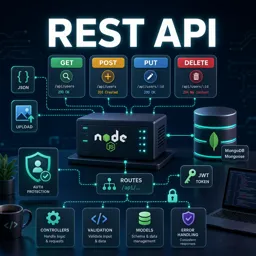
Free CourseREST API
4.7

(6)
4h14m
10 exercises
Free CourseNodeJS for beginners
4
(1)
6h51m
32 exercises
Carry knowledge in your pocket.
Download the Cursa app.
There are hundreds of free courses available, with a free certificate of completion that is saved in your mobile image gallery.
Download the app to access the Course Completion Certificate for Free.


+ 10 million
students

Free and Valid
Certificate

60 thousand free
exercises

4.8/5 rating in
app stores

Free courses in
video and ebooks