The course covers HTML, CSS, Bootstrap, JavaScript, DOM, jQuery, Python, Django, templates, models, forms, authentication, permissions, and deployment-oriented full-stack concepts.

Duration of the online course: 14 hours and 23 minutes
5

(1)
Build job-ready web apps with a free full-stack Django course—learn backend skills, forms, auth, and responsive UI with hands-on projects and quizzes.
Step into modern web development by building real, usable applications from the ground up with Python and Django. This free online course is designed for learners who want practical full-stack skills: not just understanding how websites work, but being able to create them end to end with clean structure, interactive pages, and a solid backend. You will start by connecting the big picture of web requests and responses to the tools you will use every day, then quickly move into creating pages that look good, behave well, and serve dynamic content.
On the frontend side, you will gain confidence writing semantic HTML and styling it with CSS in a way that scales across multiple pages. You will work with responsive layouts and common UI patterns, using Bootstrap where it speeds up development without sacrificing maintainability. As you progress, you will add interactivity using JavaScript, learning core language concepts and the DOM so your pages can respond to user actions. You will also see how to integrate scripts correctly into templates, keeping your project organized as it grows.
The backend focus centers on Django fundamentals and the request flow that powers real sites. You will learn how URLs connect to views, how templates render dynamic pages, and how models represent data in a database. The course emphasizes workflows used in professional projects, including creating and migrating models, structuring apps, and handling form submissions securely. Authentication is treated as an essential skill: you will implement user registration, login, logout, and role-based access so that different users can see different content appropriately.
To help you learn efficiently, the course includes quick checks and exercises that reinforce key ideas right when they matter. By the end, you will be able to design and build a full-stack Django web app with a responsive interface, interactive behavior, and a backend that handles data and users reliably—skills that translate directly into portfolio projects and entry-level backend development opportunities.

Explore free online Python courses and build in-demand programming skills at your own pace. Learn Python basics, data analysis, automation, web development, and more through flexible beginner-friendly lessons. Enroll today, study from anywhere, and earn a free certificate to showcase your Python skills and boost your career.

Explore free online Django courses with certificates and learn to build secure, scalable web applications using Python. Master Django fundamentals, models, views, templates, databases, APIs, authentication, and deployment through flexible lessons designed for beginners and aspiring developers. Start learning Django online for free and earn a certificate.

Explore free online Full Stack Web Development courses with certificates and learn to build modern, responsive websites and applications. Develop job-ready skills in HTML, CSS, JavaScript, front-end frameworks, back-end programming, databases, APIs, Git, and deployment through flexible, self-paced training for beginners and aspiring developers.

14 hours and 23 minutes of online video course

Digital certificate of course completion (Free)

Exercises to train your knowledge

100% free, from content to certificate
What technologies are covered in the Python Django Full Stack Developer course?
The course covers HTML, CSS, Bootstrap, JavaScript, DOM, jQuery, Python, Django, templates, models, forms, authentication, permissions, and deployment-oriented full-stack concepts.
How does the course teach Django URL routing, models, and database migrations?
It explains routing requests with urls.py and views, defining data with Django models, and creating tables using makemigrations followed by migrate.
Does the course include Django login, registration, logout, and user permissions?
Yes. It includes user registration, login and logout workflows, authentication, user roles, permissions, authorization, and access-controlled pages.
Ready to get started?Download the app and get started today.
Install the app now
to access the course
Over 5,000 free courses
Programming, English, Digital Marketing and much more! Learn whatever you want, for free.

Study plan with AI
Our app's Artificial Intelligence can create a study schedule for the course you choose.

From zero to professional success
Improve your resume with our free Certificate and then use our Artificial Intelligence to find your dream job.
You can also use the QR Code or the links below.



Free CourseBackend REST API
5
(9)

5h24m

25 exercises
Free CourseNodeJS complete
5
(1)
1h30m
12 exercises
Free CourseAPIs
5
(5)
4h32m
20 exercises
Free CourseFlask
5
(1)
8h50m
14 exercises
Free CourseDjango for Everybody
5
(1)
18h32m
Free CourseMaster Vue JS API
5
(-4)
6h14m
6 exercises
Free CoursePython Fast API
4.8
(5)
1h34m
14 exercises
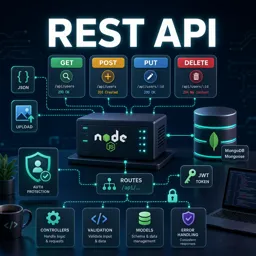
Free CourseREST API
4.7

(6)
4h14m
10 exercises
Free CourseNodeJS for beginners
4
(1)
6h51m
32 exercises
Free CourseAPIs for beginners
3.3
(3)
3h07m
Carry knowledge in your pocket.
Download the Cursa app.
There are hundreds of free courses available, with a free certificate of completion that is saved in your mobile image gallery.
Download the app to access the Course Completion Certificate for Free.


+ 10 million
students

Free and Valid
Certificate

60 thousand free
exercises

4.8/5 rating in
app stores

Free courses in
video and ebooks