Install Python and the FastAPI dependencies, create a virtual environment, then run the app with Uvicorn using the reload option for automatic updates.

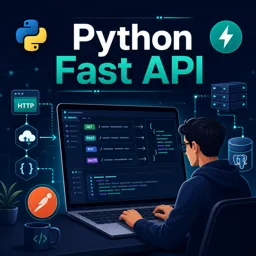
Duration of the online course: 1 hours and 34 minutes
5

(4)
Build REST APIs with FastAPI and Python, from setup to PostgreSQL integration. Free course to practice GET/POST/PUT/DELETE, validation and status codes.
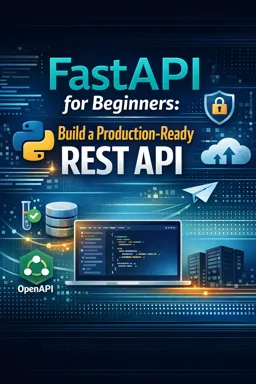
Learn to build modern backend services by creating real REST APIs with Python and FastAPI. This free online course guides you from the first concept of what an API is to the moment your application can persist data in a PostgreSQL database. Along the way, you will practice the essentials that backend developers use daily: designing endpoints, handling requests safely, validating input, returning clear responses, and testing everything with the right tools.
You start by setting up a productive development environment in Visual Studio Code and understanding what you need to run Python reliably. From there, you create a virtual environment so each project stays clean, repeatable, and easy to share. Once the FastAPI app is running, you see how a development server behaves, why hot reload speeds up iteration, and how routing works when multiple functions compete for the same path.
As you build your API, you will work with common HTTP methods and learn when to choose each one. You will create endpoints for reading, creating, updating, and deleting resources, while also learning the practical difference between GET and POST, and the purpose of PUT for updates. To make your API more professional, you will apply schema validation so your application can reject bad data early and consistently, reducing bugs and making behavior predictable for clients.
Testing becomes second nature as you use Postman to send requests and inspect responses. You will interpret HTTP response status codes to communicate outcomes clearly, including what it means when a response intentionally has no content. Finally, you will connect your API to PostgreSQL and manage the database using pgAdmin. With database operations and proper commits, your data survives server restarts and your API moves closer to production-ready behavior.
By the end, you will have the confidence to spin up a FastAPI project from scratch, structure endpoints sensibly, and connect persistent storage, giving you a strong foundation for backend development, portfolio projects, and further learning in Python web services.

Explore free online PostgreSQL courses designed to help beginners and developers master databases, SQL queries, data modeling, administration, performance tuning, and security. Learn PostgreSQL at your own pace with practical lessons, flexible study options, and an included certificate to showcase your skills and advance your database career.

Explore the best free online Postman courses and learn API testing, development, automation, collections, environments, and REST workflows at your own pace. Build practical skills with beginner-friendly lessons and hands-on projects, then earn a certificate to showcase your Postman expertise and advance your software career.

Explore the best free FastAPI online courses and learn to build fast, modern Python APIs from beginner to advanced level. Master routing, validation, authentication, databases, testing, and deployment through practical lessons. Enroll today, study at your own pace, and earn a certificate to showcase your FastAPI development skills.

Explore free online Python courses and build in-demand programming skills at your own pace. Learn Python basics, data analysis, automation, web development, and more through flexible beginner-friendly lessons. Enroll today, study from anywhere, and earn a free certificate to showcase your Python skills and boost your career.

1 hours and 34 minutes of online video course

Digital certificate of course completion (Free)

Exercises to train your knowledge

100% free, from content to certificate
How do I create and run a FastAPI project in Visual Studio Code?
Install Python and the FastAPI dependencies, create a virtual environment, then run the app with Uvicorn using the reload option for automatic updates.
What is the difference between GET, POST, PUT, and DELETE requests in FastAPI?
GET retrieves data, POST creates data, PUT updates existing data, and DELETE removes data through API endpoints.
How does FastAPI connect to PostgreSQL and prevent data loss after a server restart?
FastAPI connects to PostgreSQL to store application data persistently, so records remain available after the server restarts.
Ready to get started?Download the app and get started today.
Install the app now
to access the course
Over 5,000 free courses
Programming, English, Digital Marketing and much more! Learn whatever you want, for free.

Study plan with AI
Our app's Artificial Intelligence can create a study schedule for the course you choose.

From zero to professional success
Improve your resume with our free Certificate and then use our Artificial Intelligence to find your dream job.
You can also use the QR Code or the links below.



Free CourseBackend REST API
5
(9)

5h24m

25 exercises
Free CourseNodeJS complete
5
(1)
1h30m
12 exercises
Free CourseAPIs
5
(5)
4h32m
20 exercises
Free CourseFlask
5
(1)
8h50m
14 exercises
Free CourseDjango for Everybody
5
(1)
18h32m
Free CoursePython Django Full Stack Developer
5
(2)
14h23m
27 exercises
Free CourseMaster Vue JS API
5
(-4)
6h14m
6 exercises
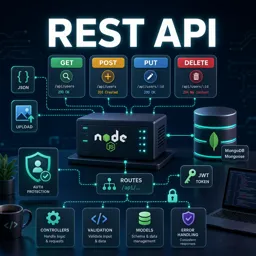
Free CourseREST API
4.7

(6)
4h14m
10 exercises
Free CourseNodeJS for beginners
4
(1)
6h51m
32 exercises
Free CourseAPIs for beginners
3.3
(3)
3h07m
Carry knowledge in your pocket.
Download the Cursa app.
There are hundreds of free courses available, with a free certificate of completion that is saved in your mobile image gallery.
Download the app to access the Course Completion Certificate for Free.


+ 10 million
students

Free and Valid
Certificate

60 thousand free
exercises

4.8/5 rating in
app stores

Free courses in
video and ebooks
Course comments: Python Fast API
Anishkumar
good easy to practice
Ishwar Talokar
Awesome contents.