Duration of the online course: 5 hours and 24 minutes
5
(9)
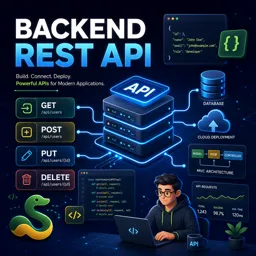
Launch your backend skills with a free REST API course: build Django endpoints, auth, permissions, and deploy to AWS to boost your developer profile.
In this free course, learn about
Set up a Python/Django dev environment with Git, Vagrant/VirtualBox, and virtualenv
Create and structure a Django project (SRC dir), manage dependencies via requirements.txt
Use Git fundamentals: .gitignore, staging/committing changes, and pushing code to GitHub
Understand Django models, custom user models/managers, migrations, and Django admin setup
Build REST APIs with DRF using APIViews, serializers, and CRUD (POST/PUT/PATCH/DELETE)
Use ViewSets, routers, and detail views; implement standard actions (create/retrieve/update/destroy)
Design a Profiles API with ModelViewSet and register endpoints via URL routing
Add authentication & permissions, token-based auth, and set headers (e.g., via ModHeader)
Implement search/filtering for profiles using DRF filters
Create a login API endpoint and use correct HTTP methods for authentication
Build a profile feed/status update API with models, serializers, permissions, and private access
Deploy Django to AWS EC2 using scripts/configs and uWSGI; configure allowed hosts and test
About the free online course
Learn how to design and build a production-ready backend REST API with Python and Django REST Framework, using the same workflow and tools you will meet in real development teams. This free online course guides you from a clean project setup to an API that supports authentication, permissions, searching, and reliable data persistence, giving you a practical foundation to create services that power web and mobile apps.
You will start by preparing a professional development environment and version-controlled project, then move into Django fundamentals that matter most for backend work: configuring a project, managing dependencies, and working with database migrations. From there, you will focus on building APIs the right way, understanding how requests flow through URLs, views, and serializers, and how CRUD operations map to REST endpoints. Along the way, you will develop confidence working with HTTP methods and testing your endpoints as you iterate.
A key part of modern APIs is controlling access. You will implement token-based authentication, build permission rules that protect user data, and enforce secure behaviors for features like profile management and private feeds. You will also add practical enhancements such as search capabilities, so your API feels complete and usable in a real product.
Finally, you will connect your learning to deployment by preparing your application for an AWS environment. You will see how a backend is pushed to a remote repository, configured for server execution, and launched on an EC2 instance, bridging the gap between local development and an internet-accessible service. By the end, you will have the mindset and hands-on experience to build, secure, and deploy RESTful backends that are ready to support real users.
Course content
Video class: Build a Backend REST API with Python01m
Exercise: What is the version of Django used in the updated course on Udemy?
Video class: 01 Introduction01m
Video class: 02 How to take this course01m
Video class: 03 Technologies used05m
Video class: 04 Installing Git, VirtualBox, Vagrant, Atom and ModHeader08m
Video class: 05 Creating a workspace07m
Video class: 06 Creating a Git project08m
Exercise: _What is a git ignore file and what is its purpose?
Video class: 07 Creating a Vagrantfile02m
Video class: 08 Configuring our Vagrant Box05m
Video class: 09 Running and connecting to our dev server03m
Exercise: _What command do you use to start a Vagrant server?
Video class: 10 Running a hello world script05m
Exercise: How do you run a HelloWorld script on a Vagrant server?
Video class: 11 Create Python Virtual Environment06m
Video class: 12 Install required Python packages03m
Exercise: _What is the name and version of the first Python package we need to install for our project?
Video class: 13 Create a new Django project04m
Exercise: What is the purpose of creating the SRC directory in the Django project setup?
Video class: 14 Enable our app in the Django settings file03m
Video class: 15 Saving our requirements03m
Exercise: _What is the purpose of the requirements.txt file in a Python project?
Video class: 16 Test and commit our changes05m
Video class: 17 What are Django models?00m
Video class: 18 Create our user database model15m
Exercise: _What is the purpose of creating a custom user model in Django?
Video class: 19 Add a user model manager09m
Exercise: What is the first step to create a custom UserProfileManager in Django?
Video class: 20 Set our custom user model01m
Video class: 21 Create migrations and sync DB07m
Exercise: _What is the purpose of database migrations in Django?
Video class: 22 Creating a superuser02m
Video class: 23 Enable Django Admin02m
Video class: 24 Test Django Admin03m
Exercise: _What is the command to start the development server for Django admin?
Video class: 25 What is an APIView?03m
Video class: 26 Create first APIView05m
Video class: 27 Configure view URLs06m
Exercise: _What is the purpose of the URL dispatcher in Django?
Video class: 28 Testing our APIView05m
Video class: 29 Create a serializer03m
Video class: 30 Add POST method to APIView08m
Exercise: _What is the purpose of adding the serializer to the API view in Django Rest Framework?
Video class: 31 Test POST function02m
Video class: 32 Add PUT, PATCH and DELETE methods04m
Video class: 33 Test the PUT, PATCH and DELETE methods02m
Exercise: _What is the command to add all the new files that have been added to the project in Git?
Video class: 34 What is a ViewSet02m
Video class: 35 Create a simple ViewSet03m
Video class: 36 Add URL router04m
Exercise: _What is the advantage of using a viewset over an API view in Django REST framework?
Video class: 37 Testing our ViewSet02m
Video class: 38 Add create, retrieve, update, partial update and destroy functions08m
Video class: 39 Test ViewSet04m
Exercise: _What is a detail view in Django Rest Framework?
Video class: 40 Plan our profiles API02m
Video class: 41 Create user profile serializer08m
Video class: 42 Create profiles ViewSet02m
Exercise: _What is the purpose of the model viewset in Django rest framework?
Video class: 43 Register profile ViewSet with the URL router01m
Video class: 44 Test creating a profile05m
Video class: 45 Create permission class07m
Video class: 46 Add authentication and permissions to ViewSet03m
Video class: 47 Test new permissions02m
Video class: 48 Add search profiles feature02m
Exercise: _What is the purpose of adding the rest framework filters module to the user profile viewset?
Video class: 49 Test searching profiles03m
Video class: 50 Create login API ViewSet05m
Video class: 51 Test login API02m
Exercise: _What is the HTTP method that should be used to login to the API?
Video class: 52 Set token header using ModHeader extension07m
Video class: 53 Plan profile feed API01m
Video class: 54 Add new Model Item05m
Exercise: _What is the purpose of the ProfileFeedItem model?
Video class: 55 Create and run model migration02m
Video class: 56 Add profile feed model to admin01m
Video class: 57 Create profile feed item serializer03m
Exercise: _What is the reason for setting the user_profile field as read-only in the ProfileFeedItemSerializer?
Video class: 58 Create ViewSet for our profile feed item04m
Video class: 59 Test Feed API03m
Video class: 60 Add permissions for feed API05m
Exercise: _What is the purpose of adding permissions to the user profile feed view set in this lesson?
Video class: 61 Test feed API permissions04m
Video class: 62 Restrict viewing status updates to logged in users only01m
Video class: 63 Test new private feed02m
Exercise: _What happens when the authorization token is removed from the User Profile feed list in Google Chrome?
Video class: 64 Introduction to deploying our app to AWS01m
Video class: 65 Pushing our project to GitHub07m
Video class: 66 Add deployment script and configs to our project08m
Exercise: _What is uWSGI and why do we need it to deploy our application on AWS?
Video class: 67 Create and launch an EC2 instance08m
Video class: 68 Download and run server setup script04m
Video class: 69 Create superuser and test server04m
Exercise: _What is the reason for not installing virtualenvwrapper on a production server?
Video class: 70 Add domain to allowed list and push update04m
How do Django REST Framework ViewSets simplify CRUD API development?
ViewSets group create, list, retrieve, update, partial update, and delete actions in one class, while routers generate the related URLs.
Why create a custom user model at the start of a Django REST API project?
A custom user model lets the API use tailored fields and authentication behavior from the beginning, avoiding difficult database changes later.
How is token authentication used to protect a Django profile feed API?
Clients send an authentication token in the request header, and permission classes restrict profile-feed actions and private status updates to authenticated users.
Ready to get started?Download the app and get started today.













Course comments: Backend REST API
Ubaid Ullah
excellent.