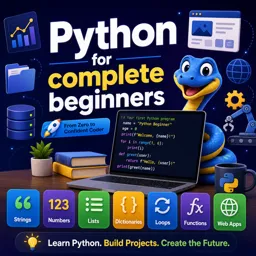
Every program you will ever write needs a way to store and work with information — a user’s name, a price, a score, a list of items. In Python, that job starts with two fundamental ideas: variables and data types. Understanding them well is the first real step toward becoming comfortable with programming. In this guide, we will break down both concepts in plain language, with simple examples you can try yourself.
What is a variable?
A variable is a name that points to a value stored in the computer’s memory. Think of it as a labeled box: you put something inside and give the box a name, so you can find and use that value later. In Python, creating a variable is as simple as writing a name, an equals sign, and a value:
name = "Anna"
age = 25
price = 9.99
Here, name, age, and price are variables. Whenever you use the word name later in your code, Python knows you mean the value "Anna". One of Python’s most beginner-friendly features is that you do not have to declare the type of a variable in advance — Python figures it out automatically from the value you assign.
Rules for naming variables
Choosing clear variable names makes your code much easier to read. Python has a few rules and conventions:
- Names can contain letters, numbers, and underscores, but cannot start with a number.
- Names are case-sensitive:
ageandAgeare two different variables. - You cannot use spaces; use underscores instead, like
first_name. - Avoid Python’s reserved words, such as
if,for, orclass. - Prefer descriptive names:
total_priceis clearer thantp.
The main data types in Python
A data type describes what kind of value a variable holds and what you can do with it. Python has several built-in types, but beginners should focus on a handful of essential ones.
Integers (int)
Integers are whole numbers, positive or negative, without a decimal point — for example 10, 0, or -42. They are used for counting, indexing, and any situation where fractions are not needed.
Floating-point numbers (float)
Floats are numbers with a decimal point, such as 9.99 or 3.14. They are ideal for prices, measurements, and calculations that require precision beyond whole numbers.
Strings (str)
A string is a sequence of characters — text — wrapped in single or double quotes, like "Hello" or 'Python'. Strings are used for names, messages, and any kind of textual data. You can join them, search them, and transform them in many ways.
Booleans (bool)
A boolean has only two possible values: True or False. Booleans are the backbone of decision-making in programs, powering conditions like “if the user is logged in” or “if the price is above zero.”
| Type | Example | Typical use |
|---|---|---|
| int | 25 | Counting, indexes, ages |
| float | 9.99 | Prices, measurements |
| str | “Anna” | Text, names, messages |
| bool | True | Conditions and logic |
Checking and converting types
Sometimes you need to know what type a variable holds. Python’s built-in type() function tells you:
age = 25
print(type(age))   # <class 'int'>
You can also convert values from one type to another, a process called type casting. This is common when you read input from a user, because that input always arrives as a string:
age_text = "25"
age_number = int(age_text)   # now it is an integer
Useful conversion functions include int(), float(), and str(). Just be careful: trying to convert text that is not a number, like int("hello"), will cause an error.
Dynamic typing: a Python superpower
Python is a dynamically typed language, which means a variable can hold a value of one type now and a different type later. For instance, you could set data = 10 and then, further down, write data = "ten", and Python will happily accept both. This flexibility makes Python quick to write and forgiving for beginners. The trade-off is that you must stay aware of what type a variable currently holds, because the language will not warn you in advance the way some other languages do. A good habit is to keep each variable dedicated to a single kind of value whenever possible, which keeps your programs predictable and easier to debug.
Common beginner mistakes
- Forgetting quotes around text: writing
name = Annainstead ofname = "Anna"makes Python look for a variable called Anna and fail. - Mixing numbers and text: trying to add a number to a string directly causes an error; convert one of them first.
- Reusing a name by accident: assigning a new value overwrites the old one, so double-check before reusing a variable name.
Why this matters
Mixing types incorrectly is one of the most common sources of bugs for beginners. For example, adding a number to a string will not work the way you might expect. Understanding types helps you predict how your code will behave and how to fix problems when they appear. As you progress, you will also meet more advanced structures like lists, tuples, and dictionaries, which build directly on these basics.
Conclusion
Variables and data types are the building blocks of Python. Variables give names to the information your program handles, and data types define what that information is and how it can be used. Once these ideas click, everything else — conditions, loops, and functions — becomes much easier to learn. The best way to make them stick is to practice: open a Python environment and experiment with your own variables. If you would like structured, step-by-step lessons, take a look at the free programming and Python courses at Cursa and keep building your skills at your own pace.