Create a Tk root window, add widgets such as labels and buttons, arrange them with a layout manager, and start the event loop with mainloop().

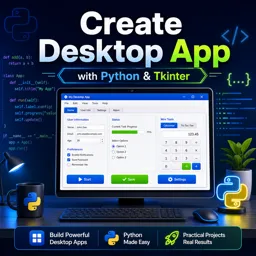
Duration of the online course: 5 hours and 33 minutes
5

(1)
Build a desktop app with Python: create GUI windows, buttons, menus and dialogs. Take this free course and practice with real widgets and mini-apps.
Transform your Python skills into real desktop applications by learning how to design and program graphical interfaces from the ground up. In this free online course, you will move beyond scripts that only run in the terminal and start creating interactive windows that users can click, type into, and navigate comfortably. The focus is practical: you will see how a desktop interface is assembled, how events drive behavior, and how small design choices influence usability.
You will work hands-on with the core building blocks of desktop GUI development: labels, buttons, text inputs, checkboxes, radio buttons, scales, list boxes, text areas, and dialogs that open or save files. You will also learn how to show feedback to the user through message boxes, pick colors with a chooser, and organize a growing interface using frames, tabs, menus, and responsive layouts. Along the way, you will gain a clear understanding of geometry management, how to place elements cleanly, and how to structure windows so your app remains maintainable as it evolves.
As your confidence grows, you will explore richer interaction through keyboard and mouse events, including dragging elements, moving images with keys, and drawing on a canvas. This opens the door to animations and visual components that make desktop apps feel dynamic instead of static. You will apply these concepts in engaging mini-projects that reinforce what you learn by turning widgets into working features, such as a clock display, a functional calculator, and classic games that demonstrate state management, event loops, and UI updates in action.
By the end, you will be able to prototype and build your own Python desktop app interfaces, connect user actions to program logic, and assemble polished windows that feel like real software. Whether you are learning for personal productivity tools, portfolio projects, or a step toward professional development, this course gives you a practical pathway to creating desktop applications with confidence.

Explore free online Desktop Application Development courses with certificates and learn to build powerful software for Windows, macOS, and Linux. Gain practical skills in programming, user interface design, databases, debugging, and deployment through flexible, beginner-friendly lessons that help advance your developer career.

Explore free online Tkinter courses and learn to build Python desktop applications with practical, beginner-friendly lessons. Master widgets, layouts, events, menus, forms, and GUI design at your own pace. Enroll today, develop job-ready programming skills, complete hands-on projects, and earn a certificate with every course.

Explore free online Python courses and build in-demand programming skills at your own pace. Learn Python basics, data analysis, automation, web development, and more through flexible beginner-friendly lessons. Enroll today, study from anywhere, and earn a free certificate to showcase your Python skills and boost your career.

5 hours and 33 minutes of online video course

Digital certificate of course completion (Free)

Exercises to train your knowledge

100% free, from content to certificate
How do I create a basic desktop GUI application with Python Tkinter?
Create a Tk root window, add widgets such as labels and buttons, arrange them with a layout manager, and start the event loop with mainloop().
How can I open and save files in a Python Tkinter desktop app?
Use tkinter.filedialog: askopenfilename() lets users select a file, while asksaveasfilename() opens a save-file dialog.
How do I add tabs, progress bars, and message boxes in Tkinter?
Use ttk.Notebook for tabs, ttk.Progressbar for progress indicators, and tkinter.messagebox to display alerts, confirmations, or errors.
Ready to get started?Download the app and get started today.
Install the app now
to access the course
Over 5,000 free courses
Programming, English, Digital Marketing and much more! Learn whatever you want, for free.

Study plan with AI
Our app's Artificial Intelligence can create a study schedule for the course you choose.

From zero to professional success
Improve your resume with our free Certificate and then use our Artificial Intelligence to find your dream job.
You can also use the QR Code or the links below.



Free CourseLearn Python
5
(3)

13h00m

17 exercises
Free CourseJava Programming
5
(4)
9h15m
48 exercises
Free CourseRuby on Rails
5
(7)
9h39m
34 exercises
Free CoursePython Ultimate Course: Learn Python from Scratch
5
(2)
12h31m
42 exercises
Free CourseJava
4.8
(56)
22h17m
28 exercises
Free CourseC# Sharp for beginner
4.8
(37)
3h55m
15 exercises
Free CourseC++ as your first Programming Language
4.8
(108)
5h12m
23 exercises
Free CourseJava for beginners
4.8
(183)
26h50m
49 exercises
Free CourseComputer science and Java
4.8
(65)
9h15m
31 exercises
Free CourseMachine Learning
4.7

(121)
25h09m
20 exercises
Carry knowledge in your pocket.
Download the Cursa app.
There are hundreds of free courses available, with a free certificate of completion that is saved in your mobile image gallery.
Download the app to access the Course Completion Certificate for Free.


+ 10 million
students

Free and Valid
Certificate

60 thousand free
exercises

4.8/5 rating in
app stores

Free courses in
video and ebooks