Free Course Image Computer science and Java

Free online courseComputer science and Java

Duration of the online course: 9 hours and 15 minutes

4.75

StarStarStarStarStar

(65)

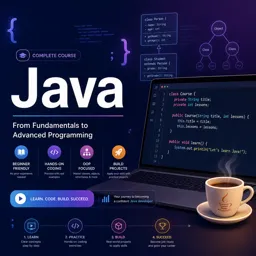
Learn computer science and Java with Teclado's free online course. Start from basics to advanced Java concepts, including OOP, data structures, and algorithms.

In this free course, learn about

  • Course Introduction and Foundations of Computer Science
  • Computer Architecture and Data Representation
  • History of Programming and Java Setup
  • Java Basics: Structure, Data Types, and Console I/O
  • Object-Oriented Programming and Control Flow in Java
  • Algorithms and Boolean Logic
  • Strings, Arrays, and Collections in Java
  • Object-Oriented Project: DVD Store
  • Inheritance and Linked Data Structures
  • Queues, Stacks, Sets, and Tree-Based Data Structures

Course Description

The "Computer Science and Java" course is an extensively designed educational program that solidifies foundational concepts of computer science while honing Java programming skills. The meticulously planned coursework spans 9 hours and 15 minutes, offering an immersive learning experience for both beginners and those looking to refine their skills. With an impressive average rating of 5 out of 5 stars, this course stands as a testament to its high quality and relevancy in the Information Technology sphere, particularly within the Multipurpose Programming Languages subcategory which also includes Python, Ruby, and C.

Throughout the course, students embark on a sequential journey beginning with an introduction to the instructor and coursework layout. Initial modules demystify the abstract concept of computer science, presenting it as an accessible field of study for everyone. Learners then explore the fundamental components that make up computers, including CPUs, RAM, buses, and graphics adapters.

A unique blend of theoretical understanding and practical application sets this course apart. After grounding students in basic computer architecture and the history of programming and Java, the course transitions into a hands-on phase. This phase begins with software installation and an introduction to the Eclipse Integrated Development Environment (IDE), a vital tool for any Java developer.

Beyond the basics, the course delves into key Java concepts such as comments, statements, and methods, enriched with practical programming videos that contextualize these ideas. This pedagogical approach enables students to learn by doing, which is crucial for mastering programming languages.

As learners progress, the course comprehensively addresses data types, control structures like if statements and loops, and the critical paradigm of Object-Oriented Programming (OOP). These topics are delivered through a combination of theoretical lessons and coding assignments that promote active engagement.

The curriculum further broadens to cover user input, algorithms, boolean values, strings, characters, and array handling in Java. Real-world assignments such as creating a DVD store application, or programming user input interfaces, provide practical scenarios to apply learned concepts, enhancing problem-solving skills.

More advanced topics include data structures like linked lists, queues, stacks, sets, and binary trees, supported by intensive programming exercises. By the end of the course, students can confidently tackle complex tasks such as node deletion in binary trees, demonstrating a command over both Java syntax and effective data handling techniques.

The course's thoughtfully structured evaluations ensure that knowledge retention and practical skills are continuously assessed and refined. This iterative learning and evaluation process help solidify understanding and proficiency in Java programming.

Overall, "Computer Science and Java" serves as a robust educational toolkit that expertly balances theoretical foundations with practical execution, culminating in a well-rounded and deeply satisfying learning experience for aspiring programmers.

Course content

  • Video class: Computer Science for Everyone - 1 - About the instructor and the course 02m
  • Exercise: What is the primary teaching approach in the computer science course?
  • Video class: Computer Science for Everyone - 2 - What is computer science? 03m
  • Exercise: What are the key aspects of computer science?
  • Video class: Computer Science for Everyone - 3 - About computers 03m
  • Exercise: What event led to the term 'bug' being used for computer errors?
  • Video class: Computer Science for Everyone - 4 - What is programming? 03m
  • Exercise: What is the primary role of an algorithm in programming?
  • Video class: Computer Science for Everyone - 5 - Types of programming languages 08m
  • Exercise: Why are there many programming languages?
  • Video class: Computer Science for Everyone - 6 - Parts of a computer 05m
  • Exercise: Which computer component is used for temporary data storage?
  • Video class: Computer Science for Everyone - 7 - The CPU 07m
  • Exercise: _What is the purpose of the ALU and FPU in a processor?
  • Video class: Computer Science for Everyone - 8 - The RAM 05m
  • Exercise: How many bytes are in a gigabyte?
  • Video class: Computer Science for Everyone - 9 - The Buses 04m
  • Exercise: What is the maximum RAM limitation for a 32-bit computer?
  • Video class: Computer Science for Everyone - 10 - Graphics adapters 03m
  • Exercise: _What is a graphics card?
  • Video class: Computer Science for Everyone - 11 - Binary, bits, and bytes 04m
  • Exercise: What is the decimal equivalent of the binary number 101010?
  • Video class: Computer Science for Everyone - 12 - What is ASCII? 05m
  • Exercise: What is the ASCII code for the character 'a'?
  • Video class: Computer Science for Everyone - 13 - History of programming 05m
  • Exercise: _What was the first programming language used in the very first electronic digital computers?
  • Video class: Computer Science for Everyone - 14 - History of Java 03m
  • Exercise: What was Java's original intended use?
  • Video class: Computer Science for Everyone - 15 - Installing the necessary software 02m
  • Exercise: What are the initial steps to set up a Java development environment?
  • Video class: Computer Science for Everyone - 16 - Introduction to Eclipse 04m
  • Exercise: _What is the purpose of the JRE system library folder in Eclipse?
  • Video class: Computer Science for Everyone - 17 - Comments, Statements, and Methods in Java 05m
  • Exercise: What are comments in Java?
  • Video class: Computer Science for Everyone - 18 - Comments, Statements, and Methods (programming video) 07m
  • Exercise: What does the "main" method signify in a Java program?
  • Video class: Computer Science for Everyone - 19 - Data types in Java 07m
  • Exercise: _What is the data type that can only have two states: true or false?
  • Video class: Computer Science for Everyone - 20 - Data types (programming video) 07m
  • Exercise: What is a rule for naming variables in Java?
  • Video class: Computer Science for Everyone - 21 - Writing text to the console 03m
  • Video class: Computer Science for Everyone - 22 - Writing text to the console (programming video) 09m
  • Exercise: _What is the method used to print a line to the default output in Java?
  • Video class: Computer Science for Everyone - 23 - Object-Oriented Programming 08m
  • Video class: Computer Science for Everyone - 24 - More on programming blocks 09m
  • Video class: Computer Science for Everyone - 25 - OOP (programming video) 15m
  • Video class: Computer Science for Everyone - 26 - User input in Java 03m
  • Video class: Computer Science for Everyone - 27 - User input in Java (programming video) 11m
  • Video class: Computer Science for Everyone - 28 - If statements in Java 07m
  • Exercise: _What is an if statement in Java and how does it work?
  • Video class: Computer Science for Everyone - 29 - If statements in Java (programming video) 07m
  • Video class: Computer Science for Everyone - 30 - While loops in Java 03m
  • Video class: Computer Science for Everyone - 31 - While loops in Java (programming video) 06m
  • Exercise: _What is a while loop in Java and how is it used?
  • Video class: Computer Science for Everyone - 32 - For loops in Java 02m
  • Video class: Computer Science for Everyone - 33 - For loops in Java (programming video) 05m
  • Video class: Computer Science for Everyone - 34 - Algorithms 05m
  • Exercise: _What is an algorithm?
  • Video class: Computer Science for Everyone - 35 - What are algorithms used for? 02m
  • Video class: Computer Science for Everyone - 36 - Constructing algorithms 04m
  • Video class: Computer Science for Everyone - 37 - Constructing algorithms (programming video) 08m
  • Video class: Computer Science for Everyone - 38 - Boolean values 04m
  • Video class: Computer Science for Everyone - 39 - Boolean values (programming video) 06m
  • Video class: Computer Science for Everyone - 40 - Strings and characters 06m
  • Exercise: _What is the reason why we don't compare strings with equals equals in Java?
  • Video class: Computer Science for Everyone - 41 - Strings and characters (programming video) 07m
  • Video class: Computer Science for Everyone - 42 - Age program 05m
  • Video class: Computer Science for Everyone - 43 - Age program (programming video) 06m
  • Video class: Computer Science for Everyone - 44 - Arrays in Java 05m
  • Video class: Computer Science for Everyone - 45 - Arrays in Java (programming video) 06m
  • Video class: Computer Science for Everyone - 46 - ArrayLists in Java 08m
  • Exercise: _What is the main advantage of using an ArrayList instead of an array in Java?
  • Video class: Computer Science for Everyone - 47 - ArrayLists in Java (programming video) 07m
  • Video class: Computer Science for Everyone - 48 - Iterating through Arrays with Java 03m
  • Video class: Computer Science for Everyone - 49 - Iterating through Arrays (programming video) 04m
  • Exercise: _What is the correct way to iterate through an array in Java?
  • Video class: Computer Science for Everyone - 50 - Iterating through ArrayLists in Java 05m
  • Video class: Computer Science for Everyone - 51 - Iterating through ArrayLists (programming video) 06m
  • Video class: Computer Science for Everyone - 52 - ASSIGNMENT: creating the DVD class 11m
  • Video class: Computer Science for Everyone - 53 - ASSIGNMENT: creating the Store class 11m
  • Video class: Computer Science for Everyone - 54 - ASSIGNMENT: creating the Controller class 18m
  • Video class: Computer Science for Everyone - 55 - Inheritance in Java 04m
  • Exercise: _What is inheritance in object-oriented programming?
  • Video class: Computer Science for Everyone - 56 - Inheritance in Java (programming video) 11m
  • Video class: Computer Science for Everyone - 57 - Data structures 02m
  • Video class: Computer Science for Everyone - 58 - Creating a Linked List 13m
  • Exercise: _What is a linked list?
  • Video class: Computer Science for Everyone - 59 - Programming the List Node 05m
  • Video class: Computer Science for Everyone - 60 - Programming the Linked List 07m
  • Video class: Computer Science for Everyone - 61 - Programming the List Controller 21m
  • Video class: Computer Science for Everyone - 62 - Creating our own Queue in Java 04m
  • Video class: Computer Science for Everyone - 63 - Programming the Queue Node 02m
  • Video class: Computer Science for Everyone - 64 - Programming the Queue 06m
  • Video class: Computer Science for Everyone - 65 - Programming the Queue controller 07m
  • Video class: Computer Science for Everyone - 66 - Programming the menu 09m
  • Video class: Computer Science for Everyone - 67 - What is a Stack? 02m
  • Exercise: _What is the main difference between a stack and a queue?
  • Video class: Computer Science for Everyone - 68 - Programming our own Stack in Java 08m
  • Video class: Computer Science for Everyone - 69 - What is a Set? 07m
  • Video class: Computer Science for Everyone - 70 - Programming with Sets 14m
  • Video class: Computer Science for Everyone - 71 - What is a Binary Tree? 05m
  • Video class: Computer Science for Everyone - 72 - Programming the Binary Tree Node 04m
  • Video class: Computer Science for Everyone - 73 - How to delete Nodes from Binary Trees? 04m
  • Exercise: _What is the correct way to delete a node from a binary tree that has two children?
  • Video class: Computer Science for Everyone - 74 - Programming our Binary Tree 27m
  • Video class: Computer Science for Everyone - 75 - Programming the deletion of Nodes 27m
  • Video class: Computer Science for Everyone - 76 - Programming the Binary Tree Controller 09m

This free course includes:

9 hours and 15 minutes of online video course

Digital certificate of course completion (Free)

Exercises to train your knowledge

100% free, from content to certificate

Ready to get started?Download the app and get started today.

Install the app now

to access the course
Icon representing technology and business courses

Over 5,000 free courses

Programming, English, Digital Marketing and much more! Learn whatever you want, for free.

Calendar icon with target representing study planning

Study plan with AI

Our app's Artificial Intelligence can create a study schedule for the course you choose.

Professional icon representing career and business

From zero to professional success

Improve your resume with our free Certificate and then use our Artificial Intelligence to find your dream job.

You can also use the QR Code or the links below.

QR Code - Download Cursa - Online Courses

More free courses at Programming Languages ( Python, Ruby, Java, C )

Download the App now to have access to + 3300 free courses, exercises, certificates and lots of content without paying anything!

  • 100% free online courses from start to finish

    Thousands of online courses in video, ebooks and audiobooks.

  • More than 48 thousand free exercises

    To test your knowledge during online courses

  • Valid free Digital Certificate with QR Code

    Generated directly from your cell phone's photo gallery and sent to your email

Cursa app on the ebook screen, the video course screen and the course exercises screen, plus the course completion certificate

+ 9 million
students

Free and Valid
Certificate

60 thousand free
exercises

4.8/5 rating in
app stores

Free courses in
video and ebooks