jQuery Plugins: Extending Web Functionality With Ease

Discover how jQuery plugins extend web functionality, from sliders to form validation, and learn how to use or create your own with ease.

Share on Linkedin Share on WhatsApp

Estimated reading time: 2 minutes

Article image jQuery Plugins: Extending Web Functionality With Ease

What Are jQuery Plugins?

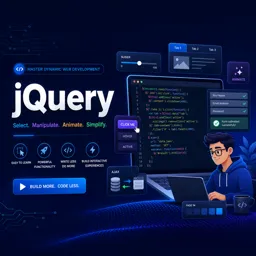
jQuery plugins are reusable scripts that extend the core functionality of the jQuery library. They allow developers to add features such as sliders, date pickers, or form validation without writing code from scratch. This makes it easy to enhance user interfaces and create more dynamic, interactive websites.

HOW JQUERY PLUGINS WORK

At their core, jQuery plugins are JavaScript functions added to the library’s $.fn object. This lets you call them directly on a jQuery object:

$("selector").myPlugin(options);

Most plugins accept customizable options, ensuring flexibility while maintaining jQuery’s chainable design.

HOW TO FIND AND USE JQUERY PLUGINS

Thousands of jQuery plugins are available on the official plugins site and repositories like GitHub. To integrate one:

  • Download or use a CDN link for the plugin.
  • Reference the plugin file after loading jQuery in your HTML.
  • Initialize it in your script, passing any options as needed.

This straightforward process makes plugins easy to adopt in almost any project.

POPULAR JQUERY PLUGINS AND USE CASES

Some widely used plugins include:

  • Slick Slider: Creates responsive and customizable carousels.
  • jQuery UI: Adds widgets, effects, and interactions like drag-and-drop.
  • Form Validation: Simplifies input checks and error handling.
  • Lightbox: Provides sleek modal displays for images and content.

CREATING YOUR OWN JQUERY PLUGIN

If no existing plugin meets your needs, you can build one yourself. Simply define a function on $.fn and return this to maintain chaining:

$.fn.myPlugin = function(options) {
  // Plugin logic
  return this;
};

This approach gives you full control over functionality while keeping consistency with jQuery’s style.

CONCLUSION

jQuery plugins are a powerful way to extend website functionality with minimal effort. By using existing plugins or creating your own, you can save time, improve efficiency, and deliver richer user experiences.

A Step-by-Step Guide to Implementing Basic Service Workers in Your Web Projects

Learn how to implement basic service workers to cache resources, enable offline access, and improve the performance of your web projects.

How Service Workers Enhance Offline Web Experiences

Learn how Service Workers improve offline web experiences, optimize performance, and enhance user engagement in modern web applications.

Leveraging Service Workers for Improved Web Performance and Security

Discover how Service Workers boost web performance, enhance security, and enable offline features for faster, more reliable web applications.

Comparing Serverless Platforms: Choosing the Right Solution for Your Project

Learn how to compare serverless platforms and choose the right solution for your project by evaluating features, scalability, pricing, and integrations.

How Serverless Computing Simplifies Web Server Management

Discover how serverless computing simplifies web server management, offering automatic scaling, cost efficiency, and faster deployment for modern web applications.

Top Benefits of Adopting Serverless Solutions for Modern Web Applications

Explore the top benefits of serverless solutions for web applications, including scalability, cost efficiency, security, and faster time-to-market.

Understanding Serverless Architecture: A New Paradigm in Cloud Computing

Discover serverless architecture and learn how cloud-based, event-driven computing enables scalable, cost-efficient, and rapid application development.

Getting Started with PHP: Building Your First Dynamic Website

Learn PHP basics and build your first dynamic website with server-side scripting, form handling, and database integration for beginners.