Scrum is widely known for its application in software development, but it can also be an effective framework for managing non-technical projects. From marketing campaigns to event planning, Scrum’s focus on collaboration, adaptability, and continuous improvement makes it a versatile tool. Here’s how you can apply Scrum principles to manage non-technical projects successfully.
1. Understand the Scrum Framework
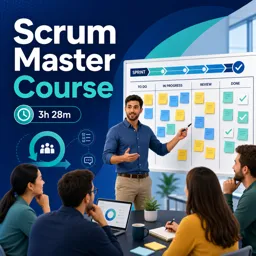
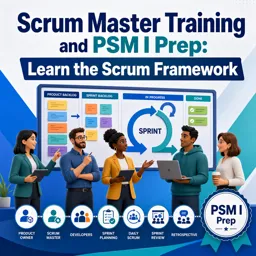
Scrum is an agile framework that breaks down projects into small, manageable tasks. It’s based on iterative cycles called sprints, where teams work on a specific set of deliverables. Even in non-technical projects, this iterative approach can help teams focus on completing tasks efficiently and adjusting plans as needed.
Key Scrum Elements:
- Product Backlog: A prioritized list of tasks or deliverables.
- Sprint: A time-boxed iteration (usually 1-4 weeks) where specific tasks are completed.
- Daily Stand-Ups: Short meetings to discuss progress, blockers, and next steps.
- Sprint Review and Retrospective: Meetings held at the end of each sprint to review progress and identify improvements.
2. Identify and Prioritize Deliverables
In non-technical projects, the product backlog consists of deliverables related to the project. For example, if you’re managing a marketing campaign, your backlog might include tasks like designing ads, writing content, and scheduling social media posts. Prioritize tasks based on their importance and deadlines.
3. Break Projects into Sprints
Non-technical projects benefit from the sprint structure of Scrum. By breaking the project into sprints, you can focus on completing smaller tasks within a specific timeframe. For example, in event planning, one sprint might involve finalizing the venue, while another focuses on securing vendors. This helps prevent overwhelm and ensures steady progress.
4. Facilitate Daily Stand-Up Meetings
Daily stand-up meetings are a key aspect of Scrum, even for non-technical teams. These quick meetings allow team members to share updates, discuss challenges, and adjust priorities as needed. In non-technical projects, this practice encourages open communication and ensures that everyone stays aligned with the project goals.
5. Conduct Sprint Reviews and Retrospectives
At the end of each sprint, hold a sprint review to assess progress. In non-technical projects, this could involve reviewing campaign results, evaluating event logistics, or assessing the completion of deliverables. Following the review, conduct a retrospective to discuss what went well and what could be improved for the next sprint.
6. Adapt and Adjust
Scrum emphasizes flexibility. In non-technical projects, unexpected changes are common, and Scrum’s iterative nature allows teams to adapt. For example, if a marketing campaign isn’t generating the desired results, the team can quickly adjust the strategy in the next sprint based on feedback and data.
Conclusion
Scrum is a flexible framework that can be successfully applied to non-technical projects. By using sprints, daily stand-ups, and sprint reviews, teams can manage projects more effectively, stay organized, and quickly adapt to changes. Whether you’re running a marketing campaign or organizing an event, Scrum’s collaborative and iterative approach can help you achieve your project goals.