
Free ebook on securing home Wi‑Fi, routers, smart devices, DNS settings, remote access, and ongoing network monitoring.
Free ebook content
-

Home Network Threats and Security Priorities
+ Exercise: When deciding what to fix first in a home network, which approach best matches the recommended security priorities?
-
Router Access and Account Hardening
+ Exercise: Which approach best reduces the risk of exposing your router administration interface to the public internet while still allowing occasional management when away from home?
-
Wi‑Fi Encryption and Password Strategy
+ Exercise: A home has a mix of modern devices and a few older ones that cannot join WPA3-only Wi-Fi. Which approach best maintains security without permanently weakening the entire network?


-
Guest Networks and Safer Device Onboarding
+ Exercise: Which setup best preserves the security goal of a guest network while still allowing visitors to use the internet?
-
Firmware Updates and Secure Configuration Backups
+ Exercise: Which approach best supports a safer router firmware update by reducing the impact of unexpected setting changes or resets?
-
DNS Choices, Filtering, and Anti‑Phishing Protections
+ Exercise: In a home network using a local DNS filtering service, which setup best preserves network-wide filtering while still encrypting DNS traffic beyond the home network?
-
IoT Risk Reduction and Network Segmentation Concepts
+ Exercise: In a segmented home network, what is the main security benefit of using a default-deny policy between IoT and Trusted zones?
-
Safe Remote Access and Disabling Risky Exposures
+ Exercise: Which approach best reduces risk when you need to access devices on your home network while away?
-
Ongoing Monitoring, Checkups, and Incident Response at Home
+ Exercise: When a device you do not recognize appears on your home network, what is the best immediate action according to a practical incident response approach?
About the free ebook
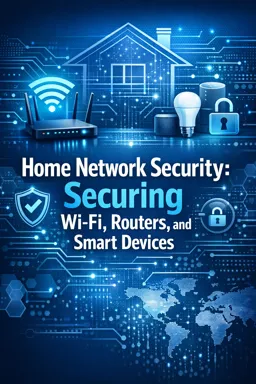
Home Network Security: Securing Wi‑Fi, Routers, and Smart Devices
This free ebook helps households reduce common cyber risks across routers, wireless networks, computers, phones, and connected smart devices. Learn how attackers target weak passwords, outdated firmware, exposed remote-management features, and poorly protected Wi‑Fi.
Build a safer home network
Start by identifying the devices and services that matter most, then apply practical protections that are realistic to maintain. The ebook explains how to strengthen router administrator accounts, choose modern Wi‑Fi encryption, create resilient passwords, and use guest networks to limit unnecessary access.
Protect connected devices and everyday browsing
Smart TVs, cameras, speakers, plugs, and other IoT products can increase convenience while expanding your attack surface. Discover ways to isolate higher-risk devices, review permissions, manage updates, and make safer DNS and filtering choices to reduce phishing and malicious-site exposure.
Maintain security over time
Home network security is not a one-time setup. Use regular checkups to review connected devices, install firmware updates, verify backups, and spot unexpected changes. The ebook also covers safer remote access and the first actions to take if you suspect a device or account has been compromised.
Key practical outcomes
- Harden router accounts and wireless settings
- Separate guests and smart devices where appropriate
- Reduce risky internet-facing services
- Create a repeatable monitoring and response routine
Apply these principles to make your home network more private, reliable, and resistant to common attacks.
Which Wi‑Fi security setting should I use at home?
Use WPA3 when available, or WPA2-AES on older equipment. Avoid WEP, WPA, and open networks.
Should smart home devices be on a separate network?
Yes. A guest or segmented network can limit what IoT devices can reach if one is compromised.
Why should router remote administration be disabled?
It reduces internet-facing attack opportunities. Enable remote access only when necessary and use secure methods.
This ebook includes:

9 content chapters

Digital certificate of course completion (Free)

Exercises to train your knowledge

100% free, from content to certificate
Ready to get started?

 recommended
In the app you will also find...

Over 5,000 free courses
Programming, English, Digital Marketing and much more! Learn whatever you want, for free.

Study plan with AI
Our app's Artificial Intelligence can create a study schedule for the course you choose.

From zero to professional success
Improve your resume with our free Certificate and then use our Artificial Intelligence to find your dream job.
You can also use the QR Code or the links below.