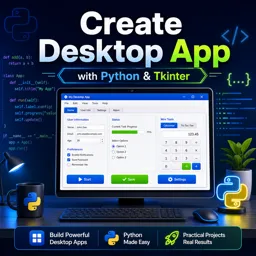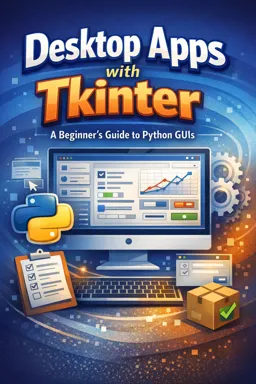

Free ebook on building Python desktop apps with Tkinter, from layouts and widgets to events, dialogs, validation, and packaging.
Free ebook content
-

Getting Started with Python Tkinter Desktop GUIs
+ Exercise: In a basic Tkinter app, what is the main purpose of calling root.mainloop()?
-
Designing Tkinter Windows and Application Structure
+ Exercise: In a class-based Tkinter app, what is the main benefit of storing widgets and Tkinter variables as instance attributes (for example, self.name_entry and self.name_var) and implementing callbacks as instance methods?
-
Tkinter Layouts: pack(), grid(), and place() for Desktop Apps
+ Exercise: In a resizable Tkinter form built with grid(), what combination ensures that input fields grow wider and a multi-line Notes widget also grows taller when the window is resized?


-
Core Tkinter Widgets: Labels, Buttons, Entries, Text, and Variables
+ Exercise: In a Tkinter form, what is the recommended way to reset inputs and update the UI when widgets are bound to Tkinter variables?
-
Event Handling in Tkinter: Commands, bind(), and Keyboard/Mouse Events
+ Exercise: You want Ctrl+S to work as a global “save” shortcut anywhere in a Tkinter app, and you also want to prevent the key press from triggering other default behaviors. Which approach best fits this requirement?
-
Menus, Toolbars, and Status Bars in Tkinter Desktop Interfaces
+ Exercise: In a Tkinter app that shows “Ctrl+S” next to File → Save, what must you do to ensure pressing Ctrl+S actually triggers the save action and updates the status bar?
-
Dialogs and File Operations with Tkinter (Open/Save, Messages, Color/Font)
+ Exercise: In a Tkinter note editor, what is the correct way to handle the Save As action when the user may cancel the dialog?
-
Input Validation and User Feedback in Tkinter Forms
+ Exercise: In a Tkinter form, why should you still validate on submit even if you use trace_add for real-time feedback?
-
Organizing a Maintainable Tkinter App: Frames, Reusable Components, and MVC-like Patterns
+ Exercise: In a maintainable multi-page Tkinter app using an MVC-like approach, which design best reduces coupling between pages while sharing state safely?
-
Packaging and Distributing a Tkinter Desktop App
+ Exercise: When a packaged Tkinter app works on your development computer but fails on a “clean” machine, what is the main reason clean testing is important?
About the free ebook
Desktop Apps with Tkinter: A Beginner’s Guide to Python GUIs
Build practical desktop software with Python’s built-in Tkinter GUI toolkit. This free ebook explains how to move from command-line scripts to responsive windows, forms, menus, dialogs, and distributable applications.
Create clear, usable Python interfaces
Learn how Tkinter applications are structured, how windows and frames support clean design, and how layout managers place interface elements reliably. Work with essential widgets such as labels, buttons, entry fields, text areas, and Tkinter variables.
Make applications interactive
Explore button commands, keyboard and mouse bindings, form validation, and user feedback. You will also see how desktop apps handle common interface features, including menus, toolbars, status bars, message boxes, file open/save dialogs, and color or font selection.
Write maintainable and shareable apps
Develop habits for organizing larger Tkinter projects with reusable components, frames, and MVC-like patterns. The ebook also introduces packaging so a Python Tkinter program can be prepared for distribution as a desktop application.
What you will be able to do
- Design Python desktop windows using pack(), grid(), and place().
- Collect and validate user input in GUI forms.
- Respond to events from buttons, keyboards, and the mouse.
- Organize Tkinter code for easier maintenance.
- Package a finished desktop app for users.
Use this guide as a hands-on foundation for creating desktop interfaces with Python and Tkinter.
How do pack(), grid(), and place() differ in Tkinter?
pack() arranges widgets by side, grid() uses rows and columns, and place() positions widgets with coordinates.
How can a Tkinter app open and save files?
Tkinter provides file dialog tools that let users select files and locations through native-style open and save windows.
What is needed to distribute a Tkinter desktop application?
You typically package the Python app and its dependencies into a runnable executable for the target operating system.
This ebook includes:

10 content chapters

Digital certificate of course completion (Free)

Exercises to train your knowledge

100% free, from content to certificate
Ready to get started?

 recommended
In the app you will also find...

Over 5,000 free courses
Programming, English, Digital Marketing and much more! Learn whatever you want, for free.

Study plan with AI
Our app's Artificial Intelligence can create a study schedule for the course you choose.

From zero to professional success
Improve your resume with our free Certificate and then use our Artificial Intelligence to find your dream job.
You can also use the QR Code or the links below.