grid arranges widgets in rows and columns, pack places them against container sides, and place uses explicit coordinates.

Duration of the online course: 3 hours and 3 minutes
New
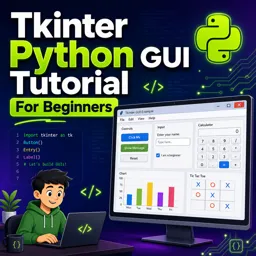
Build Python desktop apps fast with this free Tkinter course—buttons, forms, menus, database, and charts. Learn GUI skills and earn a certificate-ready portfolio.
Create real desktop applications with Python instead of stopping at scripts and command-line programs. This free online course helps beginners turn Python knowledge into practical GUI skills using Tkinter, so you can design interfaces people actually enjoy using. You will learn how to structure a window, place and align elements cleanly, and make the app respond to user actions with confident event handling.
Along the way, you will gain comfort working with the widgets that show up in everyday software: buttons, text inputs, dropdowns, radio buttons, checkboxes, dialogs, and image support. You will also build the habits that make GUI development smoother, such as separating the interface from the logic and using variables that keep the UI and your code in sync. The result is code that is easier to extend, debug, and maintain as your projects grow.
To move beyond simple forms, the course guides you through building menu-driven interfaces and working with multiple windows, which is essential for more professional desktop workflows. You will also connect a Tkinter interface to an SQLite database, enabling your apps to store, retrieve, and update information reliably. This is a powerful step toward business-ready utilities such as small admin tools, trackers, and data entry apps.
Practice is built into the learning experience through hands-on creations that feel like real products: a simple paint-style drawing tool, a complete tic-tac-toe game, and a functional calculator. You will also explore how to embed Matplotlib charts inside a Tkinter window, opening the door to dashboards, reporting tools, and data visualization apps. By the end, you will have the confidence to prototype your own desktop ideas quickly, strengthen your portfolio, and apply your skills to personal projects or entry-level software opportunities.

Explore free online Python courses and build in-demand programming skills at your own pace. Learn Python basics, data analysis, automation, web development, and more through flexible beginner-friendly lessons. Enroll today, study from anywhere, and earn a free certificate to showcase your Python skills and boost your career.

Explore free online Tkinter courses and learn to build Python desktop applications with practical, beginner-friendly lessons. Master widgets, layouts, events, menus, forms, and GUI design at your own pace. Enroll today, develop job-ready programming skills, complete hands-on projects, and earn a certificate with every course.

Explore free online Desktop Application Development courses with certificates and learn to build powerful software for Windows, macOS, and Linux. Gain practical skills in programming, user interface design, databases, debugging, and deployment through flexible, beginner-friendly lessons that help advance your developer career.

3 hours and 3 minutes of online video course

Digital certificate of course completion (Free)

Exercises to train your knowledge

100% free, from content to certificate
How do Tkinter grid, pack, and place geometry managers position widgets?
grid arranges widgets in rows and columns, pack places them against container sides, and place uses explicit coordinates.
How can I connect a Tkinter application to an SQLite database?
Use Python's sqlite3 module to connect to a database, run parameterized SQL queries, commit changes, and display results in Tkinter widgets.
How do I embed a Matplotlib graph in a Tkinter GUI?
Create the figure and add it to the window with FigureCanvasTkAgg, then draw the canvas inside a Tkinter frame or window.
Ready to get started?Download the app and get started today.
Install the app now
to access the course
Over 5,000 free courses
Programming, English, Digital Marketing and much more! Learn whatever you want, for free.

Study plan with AI
Our app's Artificial Intelligence can create a study schedule for the course you choose.

From zero to professional success
Improve your resume with our free Certificate and then use our Artificial Intelligence to find your dream job.
You can also use the QR Code or the links below.



Free CourseLearn Python
5

(3)

13h00m

17 exercises
Free CourseJava Programming
5
(4)
9h15m
48 exercises
Free CourseRuby on Rails
5
(7)
9h39m
34 exercises
Free CourseCreate Desktop App
5
(4)
5h33m
30 exercises
Free CoursePython Ultimate Course: Learn Python from Scratch
5
(2)
12h31m
42 exercises
Free CourseJava
4.8
(56)
22h17m
28 exercises
Free CourseC# Sharp for beginner
4.8
(37)
3h55m
15 exercises
Free CourseC++ as your first Programming Language
4.8
(108)
5h12m
23 exercises
Free CourseJava for beginners
4.8
(183)
26h50m
49 exercises
Free CourseComputer science and Java
4.8
(65)
9h15m
31 exercises
Carry knowledge in your pocket.
Download the Cursa app.
There are hundreds of free courses available, with a free certificate of completion that is saved in your mobile image gallery.
Download the app to access the Course Completion Certificate for Free.


+ 10 million
students

Free and Valid
Certificate

60 thousand free
exercises

4.8/5 rating in
app stores

Free courses in
video and ebooks