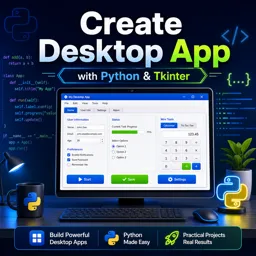



Tkinter is Python’s standard library for building desktop graphical user interfaces, including windows, buttons, forms, and menus.

3

1



A Beginner’s Guide to Tkinter Widgets: Designing Interactive Interfaces in Python
Learn to build interactive Python apps with Tkinter by exploring core widgets, layout tools, and event handling in a beginner-friendly way.

Customizing Tkinter: Enhancing the Look and Feel of Python GUIs
Customize Tkinter GUIs with themes, styles, icons, and modern layouts to build polished and user-friendly Python desktop applications.

Exploring Tkinter: Building GUI Applications with Python
Learn how to build desktop apps using Tkinter in Python, from core widgets to a simple project example and best practices.

Mastering Event Handling in Tkinter: Building Interactive Python Applications
Learn how to use Tkinter event handling to build responsive Python applications with mouse, keyboard, and window interactions.
Learn how to create graphical user interfaces in Python with this selection of free online Tkinter courses. These educational courses are designed for students, beginner programmers, developers, and anyone interested in building practical desktop applications. Study essential Tkinter concepts, strengthen your Python programming knowledge, and develop valuable software development skills at no cost.
Tkinter is Python’s standard library for graphical user interface development. Through structured lessons, you can learn how to create windows, organize layouts, display information, process user input, and add interactive components. The courses are completely free, include exercises for practical learning, and offer free certification after course completion.
Each Tkinter course supports active learning through educational content and exercises. By practicing interface creation and solving programming activities, students can improve logical reasoning, understand event-driven programming, and gain confidence in developing functional Python applications. Course topics may support projects such as calculators, forms, management systems, productivity tools, and educational software.
These free Tkinter courses are suitable for Python beginners, computer science students, technology learners, teachers, and professionals seeking additional programming skills. Basic Python knowledge may be useful, but the available learning options cover introductory and more practical subjects, allowing each student to choose an appropriate course for their educational goals.
In addition to free lessons, the courses provide free certification and include exercises that help reinforce the material. A course certificate can demonstrate continuing education, complement a résumé, support an academic portfolio, and document your commitment to learning Python GUI development.
To access and study the courses, it is necessary to install the Cursa application. Android users can install it through Google Play by selecting Download for Android. Apple users can access the App Store by selecting Download for iOS / iPhone.
Choose a free online Tkinter course, complete the educational lessons and exercises, and earn your free certificate. Start studying today to expand your Python knowledge and build interactive desktop interfaces through practical, accessible, and career-focused online learning.
What is Tkinter used for in Python?
Tkinter is Python’s standard library for building desktop graphical user interfaces, including windows, buttons, forms, and menus.
Is Tkinter good for beginners learning GUI development?
Yes. Tkinter is beginner-friendly, included with most Python installations, and ideal for learning GUI fundamentals.
Do I need to install Tkinter separately?
Usually no. Tkinter comes with standard Python installations, though some Linux systems may require a separate package.
What can I build with a Tkinter course?
You can build desktop apps such as calculators, data-entry forms, to-do lists, file utilities, and simple management tools.
How do Tkinter widgets work?
Widgets are interface elements such as labels, buttons, entry fields, and frames that you place inside a Tkinter window.
What will I learn in a Tkinter Python GUI tutorial?
You will typically learn window creation, layouts, widgets, event handling, menus, dialogs, and organizing desktop applications.
Can Tkinter create cross-platform desktop applications?
Yes. Tkinter applications can run on Windows, macOS, and Linux when Python and Tkinter are available.

Complete any course and issue your certificate via the app — at no cost.

Download the app! to have access to more than 4,000 Online Courses + Certificate, all free!
Download the app! 100% free courses.


Carry knowledge in your pocket.
Download the Cursa app.
There are hundreds of free courses available, with a free certificate of completion that is saved in your mobile image gallery.
Download the app to access the Course Completion Certificate for Free.


+ 10 million
students

Free and Valid
Certificate

60 thousand free
exercises

4.8/5 rating in
app stores

Free courses in
video and ebooks