
Exercises
Challenge your understanding of advanced motion graphics techniques with this quiz for designers, animators, and digital creatives. Explore essential concepts behind polished animation, including motion blur, 3D effects from 2D layers, keyframing, easing functions, vector graphics, seamless loops, Bezier handles, parallax scrolling, pre-compositions, and animated masks. Whether you work in After Effects, another motion design application, or are expanding your animation skills, these questions help you assess how well you understand the tools and principles used to create smooth, dynamic, professional motion graphics.
Answer the questions below and check the explanation for each answer.
0/10 answered
Auto audio on: the next questions will be read aloud when you click Continue.
Motion blur adds a level of realism and smoothness to motion graphics, as it mimics the natural way that human eyes perceive movement. It helps in making transitions and animations appear more fluid.
The Camera tool allows you to manipulate 2D layers in a 3D space, giving depth to your compositions and enabling dynamic camera movements.
Keyframing is used to animate changes to a specific property over time, enabling the creation of dynamic motion graphics by setting key points and values.
Easing functions apply gradual speeding up or slowing down to animations, offering more natural and visually appealing movement transitions.
Vector graphics are resolution-independent and do not pixelate. They are defined by mathematical paths, allowing them to scale without losing quality.
Loop expressions are an effective way to seamlessly repeat or cycle animations, providing fluid transitions between start and end points.
Bezier handles allow you to tweak the curvature and trajectory of animated paths, giving you precision control over the movement in your graphics.
Parallax scrolling makes use of different movement speeds of background and foreground layers to create an illusion of depth and dynamic engagements.
'Pre-compose' allows you to group multiple layers into a single composition, making complex animations more manageable and organized.
Shape path keyframes allow you to animate the movement and transformation of masks over time, which can be used to reveal or hide elements dynamically.
Free CourseBlender 3.0 basics course
5

(10)

4h48m

23 exercises
Free CourseBlender Tutorials
5
(1)
9h21m
27 exercises
Free CourseBlender 3D Animation for Beginners: Complete Tutorial Series
5
(1)
3h27m
14 exercises
Free Course3D modeling
4.8
(69)
27h29m
23 exercises
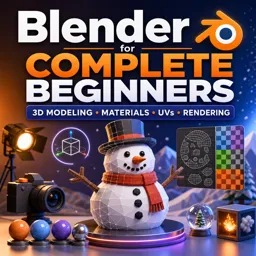
Free CourseBlender for Complete Beginners: Learn 3D Modeling, Materials, UVs and Rendering
4
(1)
5h55m
14 exercises
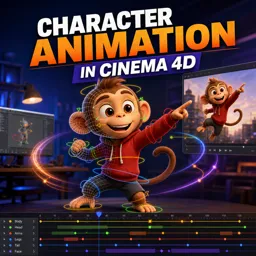
Free CourseCharacter Animation in Cinema 4D
New
3h22m
5 exercises
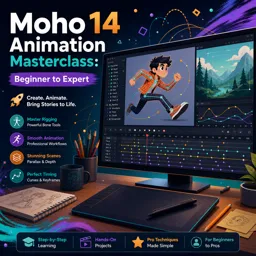
Free CourseMoho 14 Animation Masterclass: Beginner to Expert
New
6h08m
36 exercises
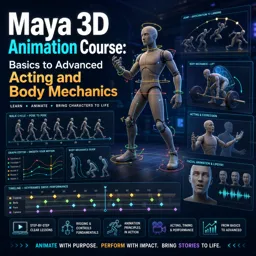
Free CourseMaya 3D Animation Course: Basics to Advanced Acting and Body Mechanics
New
8h32m
18 exercises
Thousands of online courses in video, ebooks and audiobooks.
To test your knowledge during online courses
Generated directly from your cell phone's photo gallery and sent to your email

Download our app via QR Code or the links below:.



Carry knowledge in your pocket.
Download the Cursa app.
There are hundreds of free courses available, with a free certificate of completion that is saved in your mobile image gallery.
Download the app to access the Course Completion Certificate for Free.


+ 10 million
students

Free and Valid
Certificate

60 thousand free
exercises

4.8/5 rating in
app stores

Free courses in
video and ebooks