UV unwrapping flattens a 3D model into a 2D layout so image textures can be placed accurately on its surface.

Duration of the online course: 5 hours and 55 minutes
New
Build 3D skills fast with this free Blender course—model, UV unwrap, add materials and render polished scenes to kickstart your 3D design portfolio.
Step into 3D creation with confidence, even if you have never opened Blender before. This beginner-friendly course is designed to remove the early friction that stops many new artists: confusing controls, unfamiliar modes, and a crowded interface. You will learn how to navigate the viewport smoothly, understand where objects appear when you add them, and build solid habits with shortcuts and workflow choices that make Blender feel intuitive rather than overwhelming.
As you progress, you will move from simple shapes to real modeling decisions, developing an eye for clean forms and efficient editing. You will get comfortable switching between Object Mode and Edit Mode, organizing your scene, and using the Outliner to control visibility with purpose while keeping your final render in mind. The hands-on project approach keeps things practical, helping you connect each tool to a real result rather than isolated features.
To bring your models to life, you will explore the fundamentals of materials and how to preview them effectively before committing to a lighting setup. You will learn why UV unwrapping matters, how it supports accurate texturing, and how to approach texture maps in a way that avoids common beginner mistakes. Along the way, you will also see how procedural textures can add detail quickly and how to fix issues like stretched noise by choosing the right coordinates.
The course goes beyond static modeling by introducing techniques that add realism and style, including cloth behavior, particle systems for surface effects like fuzz, and thoughtful camera and scene setup. Finally, you will learn to render a single image properly and understand the practical differences between rendering approaches when balancing quality and speed. By the end, you will have a clearer workflow for modeling, shading, and rendering—strong foundations you can build on for animation, 3D design work, or a portfolio-ready creative path.

Explore free online Blender courses with certificates and learn 3D modeling, animation, rendering, sculpting, texturing, and visual effects at your own pace. Whether you are a beginner or want to sharpen your creative skills, these flexible Blender classes offer practical training to help you build impressive projects and advance your portfolio.

Explore free online 3D animation courses with certificates and learn essential skills in 3D modeling, character animation, rigging, texturing, lighting, rendering, and visual effects. Study at your own pace, build portfolio-ready projects, and gain practical expertise for careers in animation, games, film, and digital design.

5 hours and 55 minutes of online video course

Digital certificate of course completion (Free)

Exercises to train your knowledge

100% free, from content to certificate
What is the purpose of UV unwrapping in Blender?
UV unwrapping flattens a 3D model into a 2D layout so image textures can be placed accurately on its surface.
Which Blender render engine is ray-traced and more realistic than the real-time option?
Cycles is Blender’s ray-traced render engine. It typically produces more realistic lighting but renders slower than Eevee.
What color space should Roughness and Normal maps use in Blender?
Set Roughness and Normal texture maps to Non-Color, since they contain data rather than color information.
Ready to get started?Download the app and get started today.
Install the app now
to access the course
Over 5,000 free courses
Programming, English, Digital Marketing and much more! Learn whatever you want, for free.

Study plan with AI
Our app's Artificial Intelligence can create a study schedule for the course you choose.

From zero to professional success
Improve your resume with our free Certificate and then use our Artificial Intelligence to find your dream job.
You can also use the QR Code or the links below.



Free CourseBlender 3.0 basics course
5

(9)

4h48m

23 exercises
Free CourseBlender Tutorials
5
(1)
9h21m
27 exercises
Free CourseBlender 3D Animation for Beginners: Complete Tutorial Series
5
(1)
3h27m
14 exercises
Free Course3D modeling
4.8
(69)
27h29m
23 exercises
Free CourseCharacter Animation in Cinema 4D
New
3h22m
5 exercises
Free CourseMoho 14 Animation Masterclass: Beginner to Expert
New
6h08m
36 exercises
Free CourseMaya 3D Animation Course: Basics to Advanced Acting and Body Mechanics
New
8h32m
18 exercises
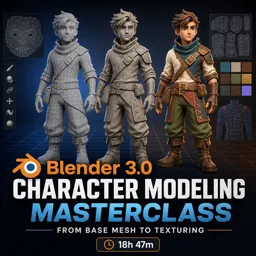
Free CourseBlender 3.0 Character Modeling Masterclass: From Base Mesh to Texturing
New
18h47m
43 exercises
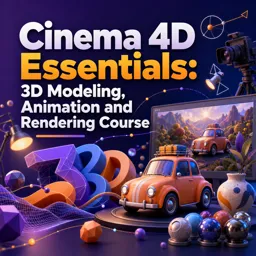
Free CourseCinema 4D Essentials: 3D Modeling, Animation and Rendering Course
New
15h12m
30 exercises
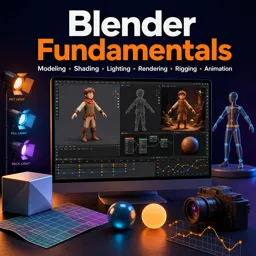
Free CourseBlender Fundamentals: Learn Modeling, Shading, Lighting, Rendering, Rigging and Animation
New
4h59m
39 exercises
Carry knowledge in your pocket.
Download the Cursa app.
There are hundreds of free courses available, with a free certificate of completion that is saved in your mobile image gallery.
Download the app to access the Course Completion Certificate for Free.


+ 10 million
students

Free and Valid
Certificate

60 thousand free
exercises

4.8/5 rating in
app stores

Free courses in
video and ebooks