Introduction
The shift toward remote work has revolutionized how organizations operate. As managing remote employees becomes the new normal, technology plays a pivotal role in facilitating collaboration, productivity, and accountability. In this article, we explore essential technologies that empower businesses to effectively manage their remote workforce.
Communication Platforms
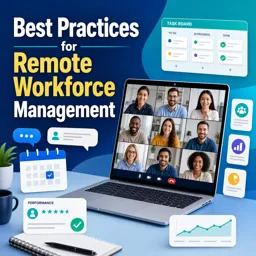
Effective communication is the cornerstone of successful remote workforce management. Platforms like Slack, Microsoft Teams, and Zoom provide robust tools for real-time messaging, video conferencing, and file sharing. These solutions help bridge geographical gaps, keeping employees connected and engaged.
Project and Task Management Tools
Visibility over projects and tasks is critical in remote settings. Tools such as Trello, Asana, and Monday.com enable managers to assign tasks, set deadlines, monitor progress, and collaborate seamlessly. Their dashboards and tracking features ensure alignment and accountability across teams.
Time Tracking and Productivity Monitoring
To balance productivity without micromanagement, organizations use apps like Toggl, RescueTime, and Harvest. These tools track billable hours, analyze work patterns, and highlight areas for improvement, providing valuable insights for both employees and managers.
Cloud-Based Document Management
Remote document storage and collaboration are simplified with cloud platforms like Google Workspace and Dropbox. These services provide secure access to files from anywhere, maintain version control, and enable real-time teamwork on documents and spreadsheets.
Employee Engagement and Wellbeing Tools
Maintaining morale and wellbeing is crucial in remote environments. Platforms such as Officevibe and TinyPulse offer anonymous feedback channels, pulse surveys, and employee recognition programs. They empower HR teams to monitor engagement and address concerns proactively.
Cybersecurity Solutions
Protecting company data is paramount with remote workforces. Tools like VPNs, endpoint protection, and multi-factor authentication (MFA) secure sensitive information against cyber threats, ensuring employees can work safely from any location.
Conclusion
The right combination of technologies is essential for managing a productive, engaged, and secure remote workforce. By adopting and continuously optimizing these tools, organizations can enhance the remote work experience for managers and employees alike, setting the stage for sustained success.