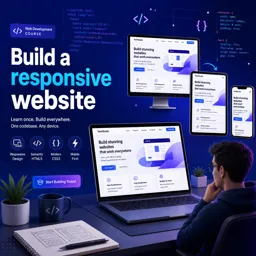
Progressive Web Apps (PWAs) have redefined how developers approach modern web experiences. By merging the best of native mobile apps and traditional websites, PWAs provide users with fast, reliable, and engaging interfaces that work across all devices.
Introduction to Progressive Web Apps
PWAs deliver app-like experiences directly in the browser, with offline support, faster performance, and seamless cross-platform functionality—all while maintaining the reach and simplicity of web technologies.
What Makes an App “Progressive”?
PWAs use progressive enhancement, ensuring that core functionality works for all users, regardless of browser or device. Additional features, such as offline capabilities and push notifications, activate when supported by the user’s environment.
Key Features of Progressive Web Apps
- Responsive Design: Adapts to any device, from desktops to smartphones.
- Offline Support: Service workers cache resources for use without an internet connection.
- Installable: Can be added to a device’s home screen, mimicking a native app.
- Push Notifications: Engage users with timely updates.
- Secure: Delivered via HTTPS to ensure data integrity and user safety.
How Progressive Web Apps Work
PWAs are built with standard web technologies—HTML, CSS, and JavaScript—but rely on two key components for their advanced capabilities:
- Web App Manifest: Defines how the app appears when installed.
- Service Workers: Manage caching, offline functionality, and background processes.
Benefits for Developers and Businesses
- A single codebase serves both web and app users.
- Reduced development and maintenance costs compared to native apps.
- Improved performance, engagement, and reach across platforms.
Best Practices for Developing PWAs
- Follow an offline-first strategy for better reliability.
- Use responsive layouts to ensure compatibility across devices.
- Update cached resources regularly for fresh content.
- Track performance and optimize using analytics.
- Ensure accessibility for users with disabilities.
Getting Started
To build a PWA, start by making your website responsive, add a manifest.json file, and register service workers for offline support. Development frameworks like Angular, React, or Vue can streamline the process.
Conclusion
Progressive Web Apps represent the future of web development, offering users seamless experiences while simplifying deployment for developers. By embracing PWA technologies, you can elevate your projects and deliver faster, more engaging, and more reliable applications.