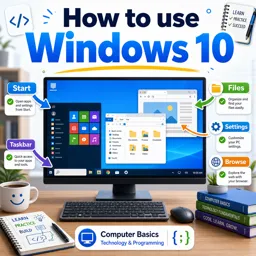

Free ebook covering Windows desktop, Start menu, settings, files, apps, screenshots, printing, and everyday maintenance tasks.
Free ebook content
-

Windows Desktop Basics: Icons, Shortcuts, and the Taskbar
+ Exercise: You want to remove clutter from your desktop without deleting the original file or app. Which desktop item is designed for this purpose?
-
Start Menu and Search: Finding Apps, Files, and System Tools
+ Exercise: You want to quickly open a program on Windows without scrolling through the app list. What is the most efficient method described?
-
Managing Windows: Resize, Snap, Switch, and Multitask
+ Exercise: You want to hide an app window from the desktop without closing it so you can bring it back later from the taskbar. Which window control should you use?


-
File Explorer Essentials: Folders, Downloads, and Basic File Tasks
+ Exercise: You want to keep a photo file both on a USB drive and also store a copy in the Pictures folder on your PC. Which action best matches this goal?
-
Settings Navigation: System, Devices, Network, and Updates
+ Exercise: If text and icons look too small on your Windows screen but the image is still sharp, which setting should you try adjusting first?
-
Installing and Uninstalling Apps: Safe Sources and Clean Removal
+ Exercise: Which action best helps ensure a downloaded Windows installer is legitimate before you run it?
-
Default Apps and File Associations: Choosing What Opens Your Files
+ Exercise: You want all PDF files to open in a dedicated PDF reader instead of the browser. What is the recommended system-wide way to change this in Windows?
-
Screenshots and Screen Captures: Capture, Save, and Share
+ Exercise: You want to capture only a small part of the screen (for privacy) and then paste it into an email. Which method best fits this goal?
-
Printing Basics: Printers, Print Dialogs, and Troubleshooting Simple Issues
+ Exercise: If nothing is printing and several jobs are waiting, what is a fast first action you can take in Windows to fix the issue?
-
Personalization and Everyday Maintenance: Theme, Notifications, and Storage
+ Exercise: You want to reduce interruptions without permanently turning off all notifications. Which setting is designed to do this by limiting notifications only during certain times or situations?
About the free ebook
Microsoft Windows Basics: Desktop, Start Menu, Settings, and Everyday Tasks
Build practical confidence using a Windows computer with this free ebook on essential desktop skills. Learn how to recognize desktop icons, use shortcuts, work with the taskbar, and open the tools you need without losing track of your work.
Work efficiently with Windows
Discover how the Start menu and search help you locate apps, documents, and system tools quickly. Practice resizing, snapping, and switching between windows to make multitasking clearer and more productive. You will also learn everyday File Explorer actions, including organizing folders, finding downloads, and handling basic file tasks.
Control settings, apps, and files
Navigate key Windows settings for system options, devices, network connections, and updates. Understand safer ways to install applications, remove apps cleanly, and choose default apps for common file types. These skills help you keep your computer organized and make files open in the programs you prefer.
Handle common daily tasks
Use built-in tools to capture screenshots, save or share screen images, and manage basic printing tasks. The ebook also explains personalization options such as themes and notifications, along with simple storage and maintenance habits that support a smoother Windows experience.
Practical skills for everyday computer use
- Use the desktop, taskbar, Start menu, and search effectively.
- Manage windows, folders, downloads, and common files.
- Adjust settings and maintain apps, printers, storage, and notifications.
This resource focuses on clear, repeatable actions you can use for study, work, communication, and home computing.
How do I snap two windows side by side in Windows?
Drag a window to the left or right edge of the screen, then select another open window to fill the remaining space.
How can I change the default app for a file type in Windows?
Open Settings, go to Apps and Default apps, then choose the app or file extension you want to change.
Where are screenshots saved in Windows?
Screenshots taken with Windows key plus Print Screen are usually saved in the Pictures folder under Screenshots.
This ebook includes:

10 content chapters

Digital certificate of course completion (Free)

Exercises to train your knowledge

100% free, from content to certificate
Ready to get started?

 recommended
In the app you will also find...

Over 5,000 free courses
Programming, English, Digital Marketing and much more! Learn whatever you want, for free.

Study plan with AI
Our app's Artificial Intelligence can create a study schedule for the course you choose.

From zero to professional success
Improve your resume with our free Certificate and then use our Artificial Intelligence to find your dream job.
You can also use the QR Code or the links below.