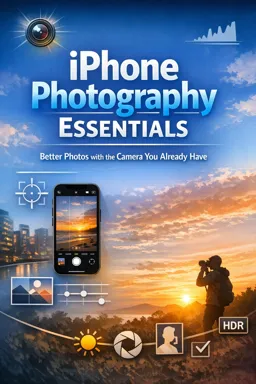

Free ebook on iPhone photography essentials: improve focus, lighting, composition, motion shots, Portrait mode, HDR, and natural edits.
Free ebook content
-

iPhone Photography Essentials: Setting Up Your Camera for Better Photos
+ Exercise: You want sharper iPhone photos in low light without extra gear. Which setup choice best reduces blur caused by tapping the shutter?
-
iPhone Photography Essentials: Tap-to-Focus and Exposure Control
+ Exercise: In a backlit scene (subject in front of a bright window), what is the best way to keep your subject in focus and prevent the brightness from changing when you recompose?
-
iPhone Photography Essentials: Composition Tools That Improve Every Shot
+ Exercise: You want your iPhone photo to feel more intentional by reducing distractions without changing any camera settings. Which action best matches the recommended “fast fixes” approach?


-
iPhone Photography Essentials: Working with Natural Light Indoors and Outdoors
+ Exercise: When taking an indoor portrait using window light, which setup best helps you get a soft, flattering side-light look while controlling shadows?
-
iPhone Photography Essentials: Portrait Mode and Creating Subject Separation
+ Exercise: To get a more natural-looking background blur in iPhone Portrait mode, which change is most reliable?
-
iPhone Photography Essentials: HDR and High-Contrast Scenes
+ Exercise: In a high-contrast iPhone photo where the sky or window view is important, what is the recommended first step to avoid a “cheap” looking result?
-
iPhone Photography Essentials: Capturing Motion, Sharpness, and Timing
+ Exercise: In a dim indoor scene, your photos are consistently soft and slightly blurry. Which action is most likely to improve sharpness quickly?
-
iPhone Photography Essentials: Simple Editing in Photos for Clean, Natural Results
+ Exercise: Why is it recommended to adjust Warmth and Tint before increasing Saturation or Vibrance when editing in the Photos app?
-
iPhone Photography Essentials: Everyday Shooting Workflows for Common Scenes
+ Exercise: When a photo set is meant to feel “finished” instead of becoming a messy camera roll, what should you do immediately after shooting in these workflows?
About the free ebook
iPhone Photography Essentials: Better Photos with the Camera You Already Have
Turn everyday moments into more polished photographs using the iPhone already in your pocket. This free ebook explains the practical camera choices that make images look sharper, brighter, more balanced, and more intentional.
Build stronger shots before you press the shutter
Learn how to prepare your camera, choose where to focus, and adjust exposure for the scene. Clear guidance on composition helps you frame people, places, food, pets, and everyday details with greater confidence.
Use light, timing, and camera features with purpose
Discover how natural light changes a photo indoors and outdoors, when Portrait mode can create pleasing subject separation, and how HDR can help retain detail in bright skies and dark shadows. You will also explore practical ways to photograph movement while keeping your subject as sharp as possible.
Create natural-looking finished photos
Good photography does not have to rely on complicated editing. The ebook introduces simple adjustments in the Photos app to refine brightness, color, crop, and detail without making an image look overprocessed.
What you will gain
- More control over focus and exposure
- Better composition for common scenes
- Practical approaches to challenging light
- Cleaner edits and repeatable shooting habits
No specialist camera equipment is required. Apply these techniques to the moments you photograph every day and make the most of your iPhone camera.
How do I lock focus and exposure on an iPhone camera?
Tap and hold on your subject until AE/AF Lock appears, then adjust exposure with the sun icon if needed.
When should I use HDR on an iPhone?
Use HDR for high-contrast scenes, such as a bright sky behind a darker subject, to preserve more highlight and shadow detail.
How can I make iPhone photos look natural when editing?
Make small adjustments to exposure, highlights, shadows, color, and crop, then avoid excessive sharpening or saturation.
This ebook includes:

9 content chapters

Digital certificate of course completion (Free)

Exercises to train your knowledge

100% free, from content to certificate
Ready to get started?

 recommended
In the app you will also find...

Over 5,000 free courses
Programming, English, Digital Marketing and much more! Learn whatever you want, for free.

Study plan with AI
Our app's Artificial Intelligence can create a study schedule for the course you choose.

From zero to professional success
Improve your resume with our free Certificate and then use our Artificial Intelligence to find your dream job.
You can also use the QR Code or the links below.