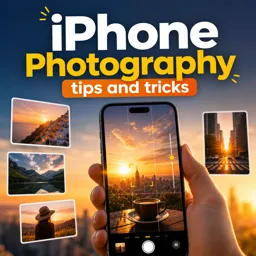
Live Photos records a moment just before and after you press the shutter, creating a short moving photo with sound.

Duration of the online course: 16 minutes
4

(1)
Shoot sharper, more creative iPhone photos with this free course—master smart camera features, framing tips, and quick techniques for better shots fast.
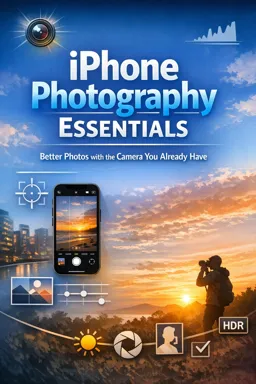
Great photos are often about noticing light, timing, and composition—not owning expensive gear. This free online course helps you get more from the camera you already carry, turning everyday moments into images that look intentional, clean, and share-worthy. You’ll learn practical iPhone photography tips and tricks designed to improve your results immediately, whether you’re capturing travel memories, family moments, street scenes, or content for social media.
Instead of relying on luck, you’ll build simple habits that make a visible difference: spotting better angles, choosing the right moment, and using the iPhone’s built-in tools the way they were meant to be used. You’ll explore features that help you capture action and fleeting expressions by preserving what happens just before and after you tap the shutter, so you can pick the best frame without missing the moment. You’ll also see how a quick press-and-hold can create a short video clip, giving you an easy way to add motion when a still photo can’t tell the whole story.
Composition is a major focus, especially framing that guides the viewer’s eye. You’ll learn how to activate on-screen guides that support the Rule of Thirds, making it easier to create balanced, professional-looking shots without overthinking. The goal is to train your eye so that strong framing becomes natural—useful for landscapes, portraits, food photography, and product photos alike.
By the end, you’ll feel more confident using iOS camera features and making fast creative choices in real-world situations. If you want an accessible, practical way to upgrade your iPhone photography, this course gives you a clear path from random snapshots to consistent, polished images you’ll be proud to share.

16 minutes of online video course

Digital certificate of course completion (Free)

Exercises to train your knowledge

100% free, from content to certificate
What is Live Photos on an iPhone camera, and what does it capture?
Live Photos records a moment just before and after you press the shutter, creating a short moving photo with sound.
How do I record video by holding the iPhone camera shutter button?
In Photo mode, press and hold the shutter button to use QuickTake video; release it to stop recording.
Which iPhone camera setting helps with the Rule of Thirds?
Turn on Grid in Settings > Camera to display grid lines that help position subjects using the Rule of Thirds.
Ready to get started?Download the app and get started today.
Install the app now
to access the course
Over 5,000 free courses
Programming, English, Digital Marketing and much more! Learn whatever you want, for free.

Study plan with AI
Our app's Artificial Intelligence can create a study schedule for the course you choose.

From zero to professional success
Improve your resume with our free Certificate and then use our Artificial Intelligence to find your dream job.
You can also use the QR Code or the links below.



Free CourseBeginners Guide of Photography and Videography
5
(5)

4h24m

15 exercises
Free CourseArchitectural Photography Basics
5
(1)
3h19m
11 exercises
Free CourseLearn Photography for beginners
5
(4)
4h01m
Free CourseBeginning Photography Fundamentals
5
(1)
6h50m
6 exercises
Free CoursePhotography complete course
5
(5)
10h30m
39 exercises
Free CourseBeginners Guide to Photography
4.9
(122)
3h23m
14 exercises
Free CourseWedding photography
4.8
(38)
4h49m
21 exercises
Free CoursePhotography complete course
4.8
(156)
2h36m
9 exercises
Free CoursePhotography for Beginners Quick Course
4.5

(2)
39m
13 exercises
Free CourseLearn Photography
New
2h24m
10 exercises
Carry knowledge in your pocket.
Download the Cursa app.
There are hundreds of free courses available, with a free certificate of completion that is saved in your mobile image gallery.
Download the app to access the Course Completion Certificate for Free.


+ 10 million
students

Free and Valid
Certificate

60 thousand free
exercises

4.8/5 rating in
app stores

Free courses in
video and ebooks