Use `min-h-screen`, which applies a minimum height of 100vh.

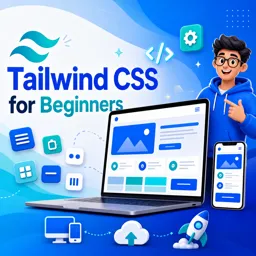
Duration of the online course: 3 hours and 1 minutes
New
Build modern, responsive UIs faster with this free Tailwind CSS course—learn utilities, menus, config, and deploy skills, plus a shareable certificate.
Create clean, responsive interfaces without wrestling with endless custom CSS. This free online Tailwind CSS course is designed for beginners who want a practical way to style websites quickly, confidently, and with a workflow that fits real projects. Instead of memorizing long style rules, you will learn how utility-first classes help you build consistent layouts, spacing, typography, and components directly in your HTML—making changes fast and keeping design decisions clear.
From the first steps, you will understand how Tailwind is structured and why its approach is popular in modern web development teams. You will practice key fundamentals that remove common beginner friction, such as setting full-viewport layouts, loading Tailwind layers correctly, and using positioning patterns that make pseudo-elements behave predictably. As you progress, the course guides you through building a complete website project so you can connect the theory to a realistic outcome and start building a portfolio piece you can refine.
You will also work with interactive UI patterns that employers and clients expect, including a polished animated hamburger icon and a mobile menu that opens and closes smoothly with JavaScript. Along the way, you will learn which utility classes are typically toggled to control visibility and layout states, and how to structure your markup so those behaviors stay maintainable as a site grows.
To round out your skills, the course introduces configuration and deployment essentials, helping you understand how to customize Tailwind for your project and ship optimized builds. You will see how to ensure Tailwind still generates classes that appear only in JavaScript, preventing missing styles in production. By the end, you will be ready to apply Tailwind CSS to new sites with a faster workflow, better consistency, and the confidence to go from idea to deployed page.
Explore free online CSS courses designed to help beginners and aspiring web developers master styling, layouts, responsive design, Flexbox, Grid, animations, and modern best practices. Learn at your own pace, build practical front-end skills, and earn a certificate with every course to showcase your CSS expertise.

Explore free online TailwindCSS courses designed to help you build modern, responsive websites faster. Learn utility-first CSS, layouts, components, customization, and best practices through flexible, self-paced lessons. Enroll today, sharpen your front-end development skills, and earn a certificate upon completion at no cost.

Explore free online Responsive Web Design courses and learn to build mobile-friendly, accessible websites that look great on every screen. Master HTML, CSS, flexible layouts, media queries, and modern design best practices at your own pace. Enroll today, develop job-ready web skills, and earn a certificate with every course you complete.

3 hours and 1 minutes of online video course

Digital certificate of course completion (Free)

Exercises to train your knowledge

100% free, from content to certificate
Which Tailwind CSS class makes the body fill at least the full viewport height?
Use `min-h-screen`, which applies a minimum height of 100vh.
What should be added to input.css to load Tailwind CSS layers?
Add `@tailwind base;`, `@tailwind components;`, and `@tailwind utilities;`.
How do I ensure Tailwind generates utility classes used only in JavaScript?
Include the relevant JavaScript file paths in the `content` array of `tailwind.config.js`.
Ready to get started?Download the app and get started today.
Install the app now
to access the course
Over 5,000 free courses
Programming, English, Digital Marketing and much more! Learn whatever you want, for free.

Study plan with AI
Our app's Artificial Intelligence can create a study schedule for the course you choose.

From zero to professional success
Improve your resume with our free Certificate and then use our Artificial Intelligence to find your dream job.
You can also use the QR Code or the links below.




Free CourseLaravel
5

(2)

4h04m

20 exercises

Free CourseProgressive Web Application PWA for Beginners
5
(5)
3h24m
15 exercises

Free CourseLearn Laravel in 30 Days: Beginner to Pro
5
(1)
17h00m
30 exercises

Free CoursePHP for Beginners: Learn PHP, MySQL, MVC, Routing, Authentication and Testing
5
(1)
10h45m
49 exercises

Free CourseLaravel Full Course: Build, CRUD, Auth, Email and Deploy to Live Server
5
(1)
3h52m
15 exercises

Free CourseWeb Development Foundations: HTML, CSS, Git and Command Line
5
(3)
14h11m
37 exercises

Free CourseCSS Complete Tutorial
5
(1)
8h30m
49 exercises

Free CoursePHP for Beginners: Learn PHP, MySQL and Login Systems
5
(3)
10h49m
29 exercises

Free CourseJavaScript for beginners
4.9
(27)
1h40m
2 exercises

Free CourseUmbraco CMS
4.9
(22)
6h21m
19 exercises
Carry knowledge in your pocket.
Download the Cursa app.
There are hundreds of free courses available, with a free certificate of completion that is saved in your mobile image gallery.
Download the app to access the Course Completion Certificate for Free.


+ 10 million
students

Free and Valid
Certificate

60 thousand free
exercises

4.8/5 rating in
app stores

Free courses in
video and ebooks





