Tailwind CSS is a utility-first CSS framework that lets you build custom interfaces by combining small, prebuilt utility classes directly in your HTML.

4


Free CourseFront-End
New

2h08m

8 exercises
Free CourseTailwind CSS for Beginners
New
3h01m
5 exercises
Free CourseTailwind CSS Design: Utility-First Responsive UI Components
New
3h04m
19 exercises
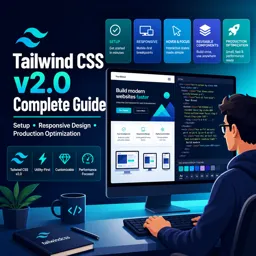
Free CourseTailwind CSS v2.0 Complete Guide: Setup, Responsive Design and Production Optimization
New
1h35m
9 exercises

Customizing Your Design System with TailwindCSS: Extending for Scalability
Customize TailwindCSS to build a scalable design system with extended colors, utilities, tokens, and plugins tailored to your project’s needs.

Getting Started with TailwindCSS: A Beginner’s Guide
Learn how to install and use TailwindCSS with core utilities and config tips to start building responsive, custom-styled websites faster.

Mastering Responsive Design with TailwindCSS: Techniques and Examples
Learn responsive design with TailwindCSS using breakpoints, layout tools, and visibility classes to build seamless, mobile-first interfaces.

Optimizing Your Workflow with TailwindCSS: Tips and Best Practices
Boost productivity with TailwindCSS using custom configs, plugins, @apply, and PurgeCSS for faster, scalable, and maintainable UI development.
Discover free online TailwindCSS courses designed to help students, beginner developers, and experienced programmers master modern web design. This educational collection introduces the utility-first CSS framework through structured lessons, practical examples, and exercises that reinforce each concept. Learn how to create responsive, accessible, and visually engaging websites while developing valuable front-end development skills.
These free TailwindCSS courses cover essential topics such as framework installation, project configuration, utility classes, colors, typography, spacing, borders, layouts, Flexbox, CSS Grid, breakpoints, responsive design, states, transitions, and component creation. Depending on the selected course, you may also study customization, reusable design systems, dark mode, optimization, and integration with popular development tools.
Lessons allow learners to study at their own pace and revisit important subjects whenever necessary. Included exercises provide opportunities to practice class selection, page structure, responsive interfaces, navigation menus, cards, forms, buttons, dashboards, and landing pages. This practice-based learning approach helps transform theoretical knowledge into practical web development ability.
Every course listed on this page is free and includes exercises to support active learning. The courses also offer free certification, allowing students to document their educational progress after completing the required content. A free TailwindCSS certificate can complement a resume, professional profile, academic record, or development portfolio.
| Learning Feature | Included |
|---|---|
| Online TailwindCSS lessons | Free |
| Practical exercises | Included |
| Course certification | Free certification |
| Learning format | Self-paced |
To access the free courses, complete the exercises, and obtain free certification, it is necessary to install the Cursa application. Android students can use Download for Android on Google Play. Apple users can use Download for iOS / iPhone on the App Store.
Choose a free online course, follow the educational lessons, practice with the included exercises, and strengthen your understanding of efficient CSS development. Start learning TailwindCSS today and gain practical knowledge for building polished, responsive web interfaces.
What is Tailwind CSS?
Tailwind CSS is a utility-first CSS framework that lets you build custom interfaces by combining small, prebuilt utility classes directly in your HTML.
Is Tailwind CSS good for beginners?
Yes. Beginners can quickly create layouts, spacing, colors, typography, and responsive designs while learning practical CSS concepts.
Do I need to know CSS before learning Tailwind CSS?
Basic CSS knowledge is helpful, especially for understanding flexbox, grid, positioning, spacing, and responsive breakpoints, but you can learn Tailwind alongside CSS.
How does Tailwind CSS handle responsive design?
Tailwind uses responsive prefixes such as sm:, md:, lg:, xl:, and 2xl: to apply utility classes at different screen sizes.
What will I learn in a Tailwind CSS course?
Typical courses cover installation, utility classes, layouts, flexbox, grid, responsive design, customization, reusable components, and production optimization.
How do I install Tailwind CSS in a project?
Tailwind is commonly installed with npm, configured using a tailwind.config.js file, and compiled through a build tool such as PostCSS, Vite, or a framework integration.
How can I optimize Tailwind CSS for production?
Configure Tailwind to scan your template files for class names so unused utilities are removed from the final CSS build, reducing file size.

Complete any course and issue your certificate via the app — at no cost.

Download the app! to have access to more than 4,000 Online Courses + Certificate, all free!
Download the app! 100% free courses.


Carry knowledge in your pocket.
Download the Cursa app.
There are hundreds of free courses available, with a free certificate of completion that is saved in your mobile image gallery.
Download the app to access the Course Completion Certificate for Free.


+ 10 million
students

Free and Valid
Certificate

60 thousand free
exercises

4.8/5 rating in
app stores

Free courses in
video and ebooks