The course focuses on NumPy for arrays and numerical computing, plus SciPy for linear algebra, statistics, interpolation, optimization, and integration.

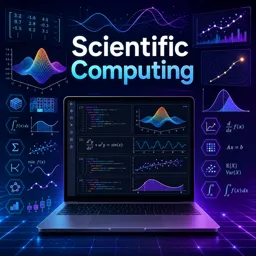
Duration of the online course: 8 hours and 37 minutes
New
Build in-demand Python skills for data, science and engineering—learn NumPy, SciPy and Jupyter in a free online course with practical exercises.
Scientific computing turns real-world questions into clear, testable answers using code. In this free online course, you will learn how to use Python as a practical tool for analysis, simulation, and problem solving across science, engineering, and data-driven work. Rather than treating programming as an abstract topic, the learning path is designed to help you think computationally: represent data correctly, choose efficient operations, and build reusable workflows that you can apply to new projects.
You will start by setting up a productive environment with Jupyter Notebook, where code, notes, and results live side by side. From there, you will strengthen core Python skills that matter for computation, including variables, data types, and structures, then move into control flows and functions so you can automate repetitive work and express logic cleanly. Along the way, short exercises help you validate concepts immediately and build confidence writing code that is both readable and reliable.
The course then focuses on NumPy, the foundation of modern scientific Python. You will work with arrays, indexing and slicing, reshaping, and array manipulation so you can model datasets and numerical signals efficiently. A key theme is performance and clarity: understanding why array-based computing can outperform basic lists and how vectorized thinking can simplify complex calculations. You will also learn broadcasting, including more advanced patterns, to combine arrays of different shapes without unnecessary loops.
Next, you will explore SciPy and its core modules to extend your toolbox: linear algebra for solving systems, statistics for distributions and hypothesis testing, interpolation for smoother curves and better visualizations, optimization for fitting models to data, and integration for computing areas and accumulated quantities. By the end, you will have a structured, practical workflow for tackling computational tasks in Python and a stronger foundation for further study in data science, machine learning, research computing, and technical roles that value numerical problem solving.

Explore free online Python courses and build in-demand programming skills at your own pace. Learn Python basics, data analysis, automation, web development, and more through flexible beginner-friendly lessons. Enroll today, study from anywhere, and earn a free certificate to showcase your Python skills and boost your career.

Explore free online Scientific Computing courses and build practical skills in numerical methods, data analysis, mathematical modeling, simulation, algorithms, and high-performance computing. Learn at your own pace with flexible lessons for beginners and advanced learners, and earn a certificate to showcase your scientific computing expertise.

8 hours and 37 minutes of online video course

Digital certificate of course completion (Free)

Exercises to train your knowledge

100% free, from content to certificate
What Python libraries are used for scientific computing in this course?
The course focuses on NumPy for arrays and numerical computing, plus SciPy for linear algebra, statistics, interpolation, optimization, and integration.
How does NumPy broadcasting help with scientific data analysis?
Broadcasting lets NumPy perform operations on compatible arrays of different shapes without manually repeating data, making calculations faster and cleaner.
Which SciPy tools are covered for solving scientific computing problems?
The course covers scipy.linalg for linear systems, scipy.stats for statistical analysis, scipy.interpolate for interpolation, scipy.optimize for curve fitting, and scipy.integrate for numerical integration.
Ready to get started?Download the app and get started today.
Install the app now
to access the course
Over 5,000 free courses
Programming, English, Digital Marketing and much more! Learn whatever you want, for free.

Study plan with AI
Our app's Artificial Intelligence can create a study schedule for the course you choose.

From zero to professional success
Improve your resume with our free Certificate and then use our Artificial Intelligence to find your dream job.
You can also use the QR Code or the links below.



Free CourseLearn Python
5

(3)

13h00m

17 exercises
Free CourseJava Programming
5
(4)
9h15m
48 exercises
Free CourseRuby on Rails
5
(7)
9h39m
34 exercises
Free CourseCreate Desktop App
5
(4)
5h33m
30 exercises
Free CoursePython Ultimate Course: Learn Python from Scratch
5
(2)
12h31m
42 exercises
Free CourseJava
4.8
(56)
22h17m
28 exercises
Free CourseC# Sharp for beginner
4.8
(37)
3h55m
15 exercises
Free CourseC++ as your first Programming Language
4.8
(108)
5h12m
23 exercises
Free CourseJava for beginners
4.8
(183)
26h50m
49 exercises
Free CourseComputer science and Java
4.8
(65)
9h15m
31 exercises
Carry knowledge in your pocket.
Download the Cursa app.
There are hundreds of free courses available, with a free certificate of completion that is saved in your mobile image gallery.
Download the app to access the Course Completion Certificate for Free.


+ 10 million
students

Free and Valid
Certificate

60 thousand free
exercises

4.8/5 rating in
app stores

Free courses in
video and ebooks