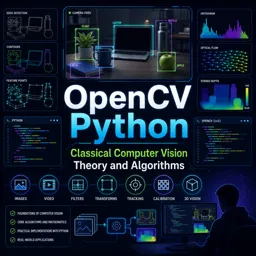
Free Course Image OpenCV Python: Classical Computer Vision Theory and Algorithms

Free online courseOpenCV Python: Classical Computer Vision Theory and Algorithms

Duration of the online course: 9 hours and 29 minutes

New

Free OpenCV Python course covering classical computer vision: image processing, features, matching, tracking, calibration, pose and stereo depth.

In this free course, learn about

  • Setup and Getting Started with Images
  • Video I/O and Pixel Manipulation
  • Color Spaces and Basic Drawing Tools
  • Interactive GUI Controls and Compositing
  • Geometric Image Transformations
  • Histograms and Intensity Enhancement
  • Convolution and Smoothing Filters
  • Thresholding, Morphology, and Edge Detection
  • Multi-Scale Blending, Contours, and Frequency Domain
  • Shape Detection and Segmentation
  • Feature Detection and Description
  • Feature Matching and Object Tracking
  • Camera Geometry, Calibration, and 3D Vision

Course Description

Learn classical computer vision with OpenCV and Python through a practical, theory-backed approach designed for real projects in AI and machine learning. This free course guides you from setting up OpenCV in a modern development workflow to confidently working with images, video, and pixel-level operations.

You will build strong foundations in color spaces, drawing and interaction tools, trackbars, blending, resizing, overlays, and geometric transforms such as translation, rotation, affine, and perspective mapping. From there, deepen your understanding with histograms, equalization techniques, padding, convolution, and widely used denoising and smoothing filters.

Progress into robust image analysis with thresholding methods, morphological processing, gradients, and edge detection, then explore higher-level techniques including pyramid blending, contour analysis, Fourier transforms, template matching, and Hough-based shape detection. The course also introduces segmentation strategies such as watershed and graph-cut approaches for separating objects from complex scenes.

For feature-based vision, study corner detectors and keypoint pipelines, moving through modern descriptors and matching workflows, including homography-based alignment. Finally, connect vision to geometry and motion with object tracking methods, optical flow, camera calibration, pose estimation, epipolar geometry, and stereo depth estimation, helping you bridge from classical algorithms to practical perception systems.

Course content

  • Video class: OpenCV Python Install Using VS Code 02m
  • Exercise: Which Python statement is used to verify that OpenCV is installed correctly by printing its version?
  • Video class: OpenCV Python Images Intro 03m
  • Exercise: In OpenCV, what is the typical channel order for a color pixel?
  • Video class: OpenCV Python Read And Write Images 08m
  • Exercise: When an image is read into OpenCV, what data structure is it represented as?
  • Video class: OpenCV Python Read And Write Videos 12m
  • Exercise: When reading frames from a webcam using OpenCV in Python, which approach correctly allows you to exit the loop and clean up resources?
  • Video class: OpenCV Python Read And Write Pixels 12m
  • Exercise: In OpenCV-Python, what is the correct way to slice a rectangular pixel region from an image array?
  • Video class: OpenCV Python RGB Color Channels 17m
  • Exercise: When displaying a pure blue image created with OpenCV (BGR) using Matplotlib (RGB), what must you do to ensure it appears blue?
  • Video class: OpenCV Python Grayscale 05m
  • Exercise: Which OpenCV approach reads an image directly as grayscale without calling cvtColor?
  • Video class: OpenCV Python HSV Color Space 12m
  • Exercise: In OpenCV, what is the typical range for the Hue (H) channel in the HSV color space?
  • Video class: OpenCV Python Drawing Functions 10m
  • Exercise: In OpenCV drawing functions, what does using a thickness value of -1 typically do (e.g., for cv2.circle or cv2.ellipse)?
  • Video class: OpenCV Python Draw on Images with Mouse 13m
  • Exercise: In an OpenCV drawing app, what is the purpose of calling cv.setMouseCallback(window_name, callback, param)?
  • Video class: OpenCV Python Trackbar 06m
  • Exercise: What is the main purpose of using an OpenCV trackbar in a GUI window?
  • Video class: OpenCV Python Image Blending 08m
  • Exercise: In OpenCV, what does the function cv.addWeighted typically compute for image blending?
  • Video class: OpenCV Python Image Resize 08m
  • Exercise: Which interpolation method uses a sinc-based approach and is described as giving the best resizing result?
  • Video class: OpenCV Python Image Overlay 10m
  • Exercise: In an OpenCV image overlay workflow, what is the main purpose of creating a mask (and often an inverted mask)?
  • Video class: OpenCV Python Image Translation 05m
  • Video class: OpenCV Python Image Rotation 04m
  • Video class: OpenCV Python Image Affine Transform 06m
  • Exercise: Which statement best describes an image affine transform?
  • Video class: OpenCV Python Image Perspective Transform 06m
  • Exercise: In OpenCV, what function computes the mapping matrix used for a perspective transform (homography) from four point pairs?
  • Video class: OpenCV Python Image Histogram 11m
  • Exercise: What does an image histogram represent in OpenCV?
  • Video class: OpenCV Python Histogram Equalization and CLAHE 12m
  • Video class: OpenCV Python 2D Histogram 09m
  • Exercise: In OpenCV-Python, which function is used to compute a 2D histogram for Hue and Saturation from an HSV image?
  • Video class: OpenCV Python Border Padding 07m
  • Exercise: What is a main reason border padding is used before applying convolution to an image?
  • Video class: OpenCV Python 2D Convolution 06m
  • Exercise: In 2D convolution for image smoothing, what does a 3×3 kernel of all ones divided by 9 produce?
  • Video class: OpenCV Python Average Filtering 05m
  • Exercise: What does average filtering do to an image when the kernel size increases?
  • Video class: OpenCV Python Median Filtering 05m
  • Exercise: Why is median filtering especially effective for removing salt-and-pepper noise?
  • Video class: OpenCV Python Gaussian Filtering 10m
  • Exercise: In Gaussian filtering, what does increasing the sigma (σ) value generally do to the output image?
  • Video class: OpenCV Python Bilateral Filtering 06m
  • Exercise: What is the key benefit of bilateral filtering compared to a standard blur?
  • Video class: OpenCV Python Image Thresholding 11m
  • Exercise: In OpenCV, what does the THRESH_BINARY thresholding type do to a grayscale pixel compared to the chosen threshold?
  • Video class: OpenCV Python Adaptive Thresholding 08m
  • Exercise: What is the key idea behind adaptive thresholding compared to global thresholding?
  • Video class: OpenCV Python Otsu Binarization 09m
  • Exercise: What is the key idea behind Otsu's binarization method?
  • Video class: OpenCV Python Morphological Transformations 13m
  • Exercise: In morphological transformations, what is the correct operation order for an opening?
  • Video class: OpenCV Python Histogram Backprojection 12m
  • Exercise: What is the main purpose of histogram back projection in OpenCV?
  • Video class: OpenCV Python Image Gradients 08m
  • Video class: OpenCV Python Canny Edge Detection 09m
  • Exercise: In Canny edge detection, what is the purpose of double thresholding (high and low thresholds)?
  • Video class: OpenCV Python Image Pyramid Blending 15m
  • Exercise: In image pyramid blending, what role does the Laplacian pyramid mainly represent?
  • Video class: OpenCV Python Contours 19m
  • Exercise: In OpenCV, which function is used to detect contours in a binary (thresholded) image?
  • Video class: OpenCV Python Fourier Transform 16m
  • Exercise: In 2D image processing, what does the Fourier transform primarily do?
  • Video class: OpenCV Python Template Matching 15m
  • Exercise: In OpenCV template matching, which methods require choosing the match location using the MINIMUM value (minLoc) rather than the maximum (maxLoc)?
  • Video class: OpenCV Python Hough Line Transform (Line Detection Algorithm Explained Code) 14m
  • Exercise: In the Hough Line Transform workflow, what is the purpose of the threshold parameter passed to cv.HoughLines?
  • Video class: OpenCV Python Hough Circle Transform 10m
  • Exercise: In OpenCV’s Hough Circle Transform, what does the accumulator’s brightest (highest-vote) point represent?
  • Video class: OpenCV Python Watershed Segmentation (Algorithm and Code) 12m
  • Exercise: In OpenCV, what does the Watershed algorithm primarily help with?
  • Video class: OpenCV Python Graph Cut Segmentation 12m
  • Exercise: In OpenCV’s GrabCut workflow, what is the main benefit of graph cut segmentation compared to a one-shot segmentation?
  • Video class: OpenCV Python Harris Corner Detection 08m
  • Exercise: In Harris Corner Detection, what does it indicate when both eigenvalues of the second-moment matrix (M) are large?
  • Video class: OpenCV Python Good Corner Detection (Nonmaximal Supression) 06m
  • Exercise: In OpenCV, what does cv.goodFeaturesToTrack primarily return compared to Harris corner detection output?
  • Video class: OpenCV Python SIFT Feature Detection (SIFT Algorithm Explained Code) 07m
  • Video class: OpenCV Python SURF Feature Detection (SURF Algorithm Explained Code) 09m
  • Exercise: In SURF, what is a key difference from SIFT in how the scale space (octaves) are formed?
  • Video class: OpenCV Python FAST Corner Detection 07m
  • Exercise: In the FAST corner detection method, when is a pixel p classified as a corner?
  • Video class: OpenCV Python BRIEF Feature Descriptor 07m
  • Exercise: Which statement correctly describes BRIEF in OpenCV?
  • Video class: OpenCV Python ORB Feature Detection (ORB Algorithm Explained) 05m
  • Exercise: What does ORB stand for in OpenCV feature detection?
  • Video class: OpenCV Python Feature Matching (Algorithm and Code) 17m
  • Exercise: In feature matching, which distance metric is specifically used for comparing binary descriptors (e.g., ORB) in OpenCV?
  • Video class: OpenCV Python Feature Matching Homography (Algorithm and Code) 13m
  • Exercise: In feature matching with homography, what is the main purpose of using homography (often combined with RANSAC)?
  • Video class: OpenCV Python Meanshift Camshift Object Tracking 08m
  • Exercise: What is the key difference between Mean Shift and Cam Shift for object tracking?
  • Video class: OpenCV Python Optical Flow Object Tracking 10m
  • Video class: OpenCV Python Camera Calibration (Intrinsic, Extrinsic, Distortion) 14m
  • Exercise: Which set of parameters is considered part of the camera intrinsics in OpenCV calibration?
  • Video class: OpenCV Python Pose Estimation for Objects (Algorithm and Code) 08m
  • Exercise: In OpenCV pose estimation, what does cv2.solvePnP primarily compute?
  • Video class: OpenCV Python Epipolar Geometry Stereo Vision 11m
  • Exercise: In OpenCV, which function is used to compute the epipolar lines in the other image given point correspondences and the fundamental matrix?
  • Video class: OpenCV Python Depth Map Stereo Vision for Depth Estimation (Algorithm and Code) 11m
  • Exercise: In stereo vision, what does a depth (disparity) map represent?

This free course includes:

9 hours and 29 minutes of online video course

Digital certificate of course completion (Free)

Exercises to train your knowledge

100% free, from content to certificate

Ready to get started?Download the app and get started today.

Install the app now

to access the course
Icon representing technology and business courses

Over 5,000 free courses

Programming, English, Digital Marketing and much more! Learn whatever you want, for free.

Calendar icon with target representing study planning

Study plan with AI

Our app's Artificial Intelligence can create a study schedule for the course you choose.

Professional icon representing career and business

From zero to professional success

Improve your resume with our free Certificate and then use our Artificial Intelligence to find your dream job.

You can also use the QR Code or the links below.

QR Code - Download Cursa - Online Courses

More free courses at Artificial Intelligence and Machine Learning

Free Ebook + Audiobooks! Learn by listening or reading!

Download the App now to have access to + 5000 free courses, exercises, certificates and lots of content without paying anything!

  • 100% free online courses from start to finish

    Thousands of online courses in video, ebooks and audiobooks.

  • More than 60 thousand free exercises

    To test your knowledge during online courses

  • Valid free Digital Certificate with QR Code

    Generated directly from your cell phone's photo gallery and sent to your email

Cursa app on the ebook screen, the video course screen and the course exercises screen, plus the course completion certificate