In Colab, go to Runtime > Change runtime type and select a GPU hardware accelerator, then move your model and tensors to the CUDA device when available.

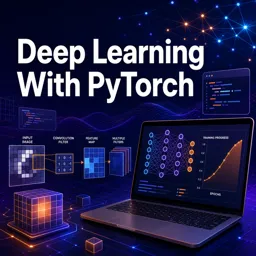
Duration of the online course: 3 hours and 39 minutes
5

(4)
Build deep learning skills fast with a free PyTorch course: tensors, training, evaluation, and CNNs for image classification—plus practical Colab workflows.
Mastering deep learning becomes much easier when you can see every step, run the code yourself, and understand what is happening under the hood. This free online course helps you build that foundation with PyTorch, one of the most widely used frameworks in AI research and production. You will move from core concepts to practical model building, gaining the confidence to turn datasets into working neural networks.
You start by getting comfortable with PyTorch tensors, the building blocks of everything you will train. Instead of treating them like a black box, you learn how data types behave, how reshaping and slicing affect memory, and how tensor math maps to model computations. Along the way, you practice writing clean operations and recognizing patterns such as in-place updates, which can be powerful but also lead to subtle bugs if misunderstood.
With the essentials in place, you will create and train a basic neural network end to end: loading data, defining a forward pass, selecting appropriate tensor types for features and labels, and improving your workflow for faster experimentation using cloud notebooks. You also learn how to properly evaluate models using the right tools to prevent unnecessary gradient tracking, so test metrics reflect real performance rather than training behavior.
The course then expands into convolutional neural networks, the standard approach for image tasks. You build intuition for kernels and filters, understand why convolutional layers are well-suited to vision, and see how pooling reduces spatial dimensions while preserving useful patterns. Using MNIST as a practical benchmark, you will prepare image tensors correctly, train and test a CNN, interpret results, and send brand-new images through the network to obtain predictions.
Finally, you will learn essential production-ready habits: saving and loading models correctly, running inference safely, and structuring a workflow you can reuse for future projects. By the end, you will have a clear path from raw data to trained models, and a practical set of PyTorch skills you can apply to classification problems in machine learning and computer vision.

Explore free online Python courses and build in-demand programming skills at your own pace. Learn Python basics, data analysis, automation, web development, and more through flexible beginner-friendly lessons. Enroll today, study from anywhere, and earn a free certificate to showcase your Python skills and boost your career.

Explore the best free online machine learning courses with certificates and build job-ready AI skills at your own pace. Learn supervised and unsupervised learning, neural networks, data analysis, Python, and real-world model development through beginner-friendly and advanced classes from trusted learning platforms.

Explore the best free online Deep Learning courses and build practical skills in neural networks, CNNs, RNNs, transformers, computer vision, and AI. Learn at your own pace with expert-led lessons, hands-on projects, and real-world examples. Every course is free and includes a certificate to help you advance your career in machine learning and artificial intelligence.

3 hours and 39 minutes of online video course

Digital certificate of course completion (Free)

Exercises to train your knowledge

100% free, from content to certificate
How do I enable GPU acceleration for PyTorch training in Google Colab?
In Colab, go to Runtime > Change runtime type and select a GPU hardware accelerator, then move your model and tensors to the CUDA device when available.
Why should torch.no_grad() be used when evaluating a PyTorch model?
It disables gradient tracking during evaluation, reducing memory use and speeding up inference.
How do I run one new MNIST image through a trained PyTorch CNN?
Format the image as a 4D tensor with shape [1, 1, 28, 28], set the model to eval mode, run it inside torch.no_grad(), and use argmax on the output logits to get the predicted digit.
Ready to get started?Download the app and get started today.
Install the app now
to access the course
Over 5,000 free courses
Programming, English, Digital Marketing and much more! Learn whatever you want, for free.

Study plan with AI
Our app's Artificial Intelligence can create a study schedule for the course you choose.

From zero to professional success
Improve your resume with our free Certificate and then use our Artificial Intelligence to find your dream job.
You can also use the QR Code or the links below.




Free CourseMachine Learning tutorial
5
(2)

10h20m

6 exercises

Free CourseGoogle Prompting Essentials
4.8
(5)
3h24m
10 exercises

Free CourseData Science
4.8

(4)
5h58m
38 exercises

Free CourseArtificial intelligence
4.7
(69)
12h40m
7 exercises
Free CourseFundamentals of Artificial Intelligence
4.6
(11)
25h26m
34 exercises
Free CourseGenerative AI
4.6
(5)
1h43m
11 exercises

Free CourseArtificial Intelligence Masterclass: Search, Logic, Machine Learning and Deep Learning
4.6
(9)
31h57m
57 exercises

Free CourseMachine Learning for complete beginners
4.6
(9)
1h09m
17 exercises

Free CourseGoogle AI Essentials
4.5
(17)
3h40m
13 exercises

Free CourseR programming for Data Science
4.5
(6)
1h07m
6 exercises
Carry knowledge in your pocket.
Download the Cursa app.
There are hundreds of free courses available, with a free certificate of completion that is saved in your mobile image gallery.
Download the app to access the Course Completion Certificate for Free.


+ 10 million
students

Free and Valid
Certificate

60 thousand free
exercises

4.8/5 rating in
app stores

Free courses in
video and ebooks



Course comments: Deep Learning With PyTorch
Sulaiman Ahmed
very nice teaching
Muhammad Yasir
The PyTorch course was clear, practical, and well paced, helping me gain real skills in deep learning. However, I still haven’t received the certifica