

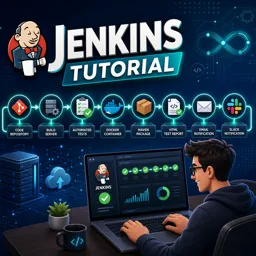
Jenkins is an open-source automation server used to build, test, and deploy software through continuous integration and continuous delivery pipelines.

4



Getting Started With Jenkins: Automate Your Software Testing Workflows
Learn how to use Jenkins to automate your software testing workflows with CI/CD, pipelines, and best practices for reliable and faster releases.

Implementing Continuous Integration with Jenkins: Streamlining Your Software Testing Pipeline
Learn how to implement Continuous Integration with Jenkins to automate, test, and optimize your software testing pipeline for faster and more reliable releases.

Mastering Jenkins Plugins to Supercharge Software Testing Automation
Boost your Jenkins automation with essential plugins. Learn how to select, integrate, and manage plugins for faster and more efficient software testing.

Securing Your Jenkins Pipeline: Best Practices for Safe Software Testing
Learn how to secure your Jenkins pipeline with best practices for access control, credentials management, and monitoring to ensure safe software testing.
Learn Jenkins online with a selection of free Jenkins courses designed for students, developers, DevOps professionals, system administrators, and anyone interested in continuous integration and continuous delivery. These educational courses provide structured lessons, practical examples, and exercises that help you understand how Jenkins can automate software building, testing, deployment, and other stages of the development lifecycle.
Jenkins is one of the most widely used automation servers in modern software engineering. Through these free online courses, you can study essential topics such as Jenkins installation, initial configuration, jobs, pipelines, plugins, build triggers, environment variables, credentials, distributed builds, and integration with version control platforms. Lessons may also introduce CI/CD concepts, automated testing, deployment workflows, Docker, Git, and DevOps best practices.
The courses include exercises that reinforce the educational content and encourage practical learning. By completing activities and reviewing examples, learners can develop the confidence required to create automation workflows, maintain reliable pipelines, troubleshoot common issues, and improve the efficiency of software projects.
All Jenkins courses listed on this page are free. They also offer free certification, allowing learners to document their educational progress after completing the required course content. A certificate can support a professional portfolio, complement a resume, and demonstrate commitment to continuous learning in Jenkins, DevOps, and CI/CD practices.
To access the courses, lessons, exercises, and free certification, it is necessary to install the Cursa application. Android users can obtain the app through Google Play by selecting Download for Android. iPhone users can install it from the App Store by selecting Download for iOS / iPhone.
Start studying today and build valuable Jenkins automation skills at your own pace. Explore the available free Jenkins training, complete the exercises, strengthen your understanding of CI/CD pipelines, and earn free certification through an accessible online learning experience.
What is Jenkins?
Jenkins is an open-source automation server used to build, test, and deploy software through continuous integration and continuous delivery pipelines.
Is Jenkins suitable for beginners?
Yes. Beginner Jenkins courses typically cover installation, jobs, pipelines, plugins, and basic CI/CD concepts.
What will I learn in a Jenkins tutorial?
You can learn how to configure Jenkins, create automated jobs, use Jenkinsfiles, connect source control, and build CI/CD pipelines.
What is a Jenkins pipeline?
A Jenkins pipeline is a defined sequence of automated stages, such as code checkout, build, testing, and deployment.
What is a Jenkinsfile?
A Jenkinsfile is a text file, usually stored with project code, that defines a Jenkins pipeline as code.
Does Jenkins work with Git?
Yes. Jenkins integrates with Git repositories to trigger builds and pipelines when code changes are pushed.
Why use Jenkins for CI/CD?
Jenkins helps teams automate repetitive development tasks, detect issues earlier, and deliver software more reliably.

Complete any course and issue your certificate via the app — at no cost.

Download the app! to have access to more than 4,000 Online Courses + Certificate, all free!
Download the app! 100% free courses.


Carry knowledge in your pocket.
Download the Cursa app.
There are hundreds of free courses available, with a free certificate of completion that is saved in your mobile image gallery.
Download the app to access the Course Completion Certificate for Free.


+ 10 million
students

Free and Valid
Certificate

60 thousand free
exercises

4.8/5 rating in
app stores

Free courses in
video and ebooks