


Development tools are software and platforms that help developers build, test, debug, deploy, and maintain applications.

4


A Beginner’s Guide to Using Git for Version Control
Learn Git basics for version control, including repositories, commits, branching, and workflows, to manage code and collaborate effectively.

Essential Git Workflows: Choosing the Right Strategy for Your Team
Learn essential Git workflows, including Centralized, Feature Branch, Git Flow, Forking, and GitHub Flow, to boost collaboration and streamline development.

Mastering Jenkins Plugins to Supercharge Software Testing Automation
Boost your Jenkins automation with essential plugins. Learn how to select, integrate, and manage plugins for faster and more efficient software testing.

Securing Your Jenkins Pipeline: Best Practices for Safe Software Testing
Learn how to secure your Jenkins pipeline with best practices for access control, credentials management, and monitoring to ensure safe software testing.

Mastering API Monitoring with Postman: Proactive Strategies for Software Testers
Learn how to master API monitoring with Postman. Discover proactive strategies and best practices for software testers to ensure reliable and performant APIs.

Optimizing Your Workflow with Cutting-Edge Development Tools
Boost productivity by using cutting-edge development tools. Streamline workflows, enhance collaboration, and keep your tech stack competitive.

Essential Development Tools Every IT Professional Should Know
Master the key development tools—IDEs, version control, CI/CD, testing, containers—to boost efficiency and collaboration in IT projects.

Understanding the Command Line: A Beginner’s Guide to the Terminal
Learn the basics of the terminal and discover how using the command can increase your productivity and autonomy in the system.
Strengthen your technical education with free online Development Tools courses designed for students, aspiring developers, technology professionals, and anyone interested in improving software development skills. This learning collection introduces essential tools used to write, test, debug, organize, document, and maintain code. Study at your own pace through accessible lessons, practical exercises, and structured educational content.
Development tools help programmers create reliable applications and manage projects efficiently. These free courses may cover integrated development environments, code editors, version control, command-line utilities, debugging resources, build systems, package managers, testing tools, API platforms, database utilities, and collaborative workflows. The lessons support both introductory learning and continued professional development.
Through guided instruction, you can learn how to configure a productive workspace, track source code changes, identify errors, automate routine tasks, test software behavior, and collaborate with development teams. Each course includes exercises that encourage practical application of the concepts studied, helping learners reinforce knowledge and develop confidence.
All courses listed on this page are free. They also include free certification, allowing learners to document their educational progress after completing the required course activities. A certificate can complement a résumé, professional profile, academic portfolio, or personal development plan.
This course collection is suitable for programming students, web developers, software engineers, quality assurance learners, data professionals, IT technicians, and career changers. No matter your current experience level, studying development utilities can improve technical organization, coding productivity, problem-solving ability, and understanding of modern software workflows.
To access and study the courses, it is necessary to install the Cursa application on your mobile device. Android users can install it through Google Play: Download for Android. iPhone users can install it through the App Store: Download for iOS / iPhone.
Choose a free Development Tools course, complete the lessons and exercises, and earn your free certificate. Start learning today to expand your technical knowledge and prepare for academic, personal, or professional software development projects.
What are development tools?
Development tools are software and platforms that help developers build, test, debug, deploy, and maintain applications.
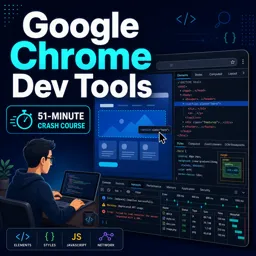
What can I learn from a Google Chrome DevTools course?
You can learn to inspect web pages, debug JavaScript, analyze network requests, edit CSS, and improve website performance.
Is Docker for beginners suitable for people with no container experience?
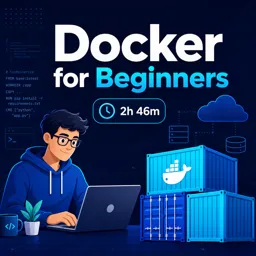
Yes. Beginner Docker courses typically cover images, containers, Dockerfiles, volumes, networking, and basic commands.
What is the difference between Docker and Kubernetes?
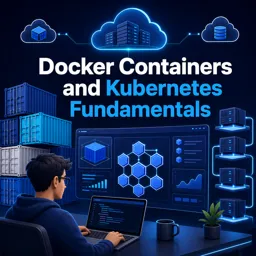
Docker packages applications into containers, while Kubernetes automates the deployment, scaling, and management of containerized applications.
Why should developers learn Docker Containers and Kubernetes fundamentals?
These skills help developers create consistent environments and deploy applications more reliably across teams and infrastructure.
How can ChatGPT be used for DevOps tasks?
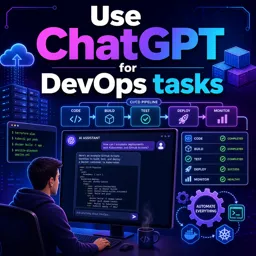
ChatGPT can help draft scripts, explain logs, create configuration files, troubleshoot commands, and automate documentation tasks.
Which development tool course should I take first?
Start with Docker for beginners if you are new to containers, then move to Kubernetes fundamentals, Chrome DevTools, or ChatGPT for DevOps based on your goals.

Complete any course and issue your certificate via the app — at no cost.

Download the app! to have access to more than 4,000 Online Courses + Certificate, all free!
Download the app! 100% free courses.


Carry knowledge in your pocket.
Download the Cursa app.
There are hundreds of free courses available, with a free certificate of completion that is saved in your mobile image gallery.
Download the app to access the Course Completion Certificate for Free.


+ 10 million
students

Free and Valid
Certificate

60 thousand free
exercises

4.8/5 rating in
app stores

Free courses in
video and ebooks