WordPress is a content management system used to build websites, blogs, online stores, portfolios, and business sites.

9

1


Free CourseWordpress for beginners
4.6


(77)

3h19m

35 exercises
Free CourseAdvanced WordPress theme development
4.4
(7)
17h34m
41 exercises
Free CourseWordpress Elementor from basics to advanced
3
(3)
7h40m
19 exercises
Free CourseWordpress for Beginners to Advance
4.4
(5)
11h30m
Free CourseCreate your own theme in Wordpress
New
1h45m
8 exercises
Free CourseWordPress Full Site Editing
New
3h57m
25 exercises
Free CourseWordPress Website Building for Beginners (No-Code)
New
5h54m
32 exercises
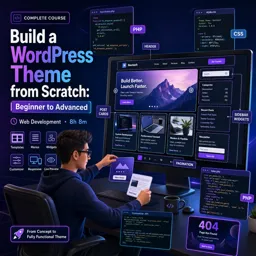
Free CourseBuild a WordPress Theme from Scratch: Beginner to Advanced
New
8h08m
29 exercises
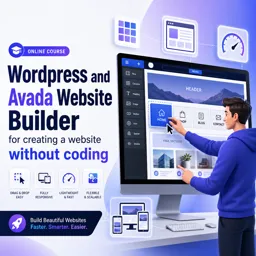
Free CourseWordpress and Avada Website Builder for creating a website without coding
New
2h18m
8 exercises

Essential WordPress Security Practices: Protecting Your Website from Threats
Secure your WordPress site with best practices, from strong logins to backups, HTTPS, and plugins to prevent cyberattacks.

Getting Started with WordPress: Building Your First Website with Ease
Learn how to build and launch your first website with WordPress—no coding needed, just powerful tools and easy customization.

Advanced WordPress Customization: Using Hooks, Filters, and Shortcodes
Master WordPress customization with hooks, filters, and shortcodes. Learn how to create dynamic content, modify site functionality, and improve user experience.

Integrating AI and Machine Learning in WordPress: What’s Possible?
Integrate AI/ML in WordPress for optimized content, enhanced user engagement, SEO, and automation. Explore plugins, APIs, and best practices for smarter websites.
Learn WordPress online with a selection of free educational courses created for beginners, students, content creators, entrepreneurs, and professionals. These WordPress courses teach essential skills for building, customizing, managing, and improving websites without requiring previous programming knowledge. Study at your own pace, complete practical exercises, and receive free certification after finishing eligible courses.
WordPress is one of the most popular content management systems for websites, blogs, online stores, portfolios, and business pages. Through structured lessons and exercises, you can understand the WordPress dashboard, create pages and posts, organize media, select themes, install plugins, configure menus, manage users, and apply fundamental website settings.
Every learner can access these WordPress courses for free. The educational content includes exercises that help reinforce each lesson and encourage practical application. The courses also offer free certification, allowing you to document your learning, strengthen your resume, support professional development, or demonstrate newly acquired WordPress knowledge.
To access and study the courses, it is necessary to install the Cursa application. Android users can install it through Google Play by selecting Download for Android. iPhone users can install it through the App Store by selecting Download for iOS / iPhone. After installation, explore the available lessons, follow your learning plan, complete the exercises, and progress toward your free certificate.
Whether your educational goal is to create a personal blog, manage a company website, develop an online portfolio, or begin learning web design, these free online WordPress courses provide an accessible starting point. Choose a course, study consistently, practice each concept, and build useful digital skills with flexible online education.
What is WordPress and what is it used for?
WordPress is a content management system used to build websites, blogs, online stores, portfolios, and business sites.
Can I learn WordPress without coding experience?
Yes. Beginner WordPress courses teach you to create and manage websites using themes, plugins, and visual page builders without code.
What will I learn in a WordPress course for beginners?
You can learn installation, dashboard navigation, pages and posts, themes, plugins, menus, media management, and website publishing.
How do I create a WordPress website with Elementor?
Install WordPress and the Elementor plugin, choose a theme, then use Elementor’s drag-and-drop editor to design pages and sections.
What is WordPress full site editing?
WordPress Full Site Editing lets you customize templates, headers, footers, pages, and global styles with the block editor.
Can I build a custom WordPress theme from scratch?
Yes. Advanced theme development courses cover WordPress templates, theme files, PHP, CSS, JavaScript, hooks, and custom functionality.
What is Avada Website Builder for WordPress?
Avada is a WordPress theme and visual builder that helps users create responsive websites with prebuilt layouts and no-code design tools.

Complete any course and issue your certificate via the app — at no cost.

Download the app! to have access to more than 4,000 Online Courses + Certificate, all free!
Download the app! 100% free courses.


Carry knowledge in your pocket.
Download the Cursa app.
There are hundreds of free courses available, with a free certificate of completion that is saved in your mobile image gallery.
Download the app to access the Course Completion Certificate for Free.


+ 10 million
students

Free and Valid
Certificate

60 thousand free
exercises

4.8/5 rating in
app stores

Free courses in
video and ebooks













What are people saying about free online courses of Wordpress
Opeyemi Olanike
I don’t understand Hindi . could it be translated to English, please ?
CourseWordpress for Beginners to Advance