INTRODUCTION
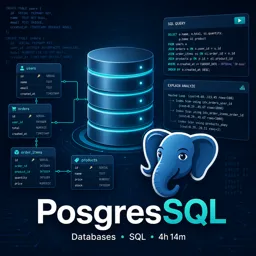
PostgreSQL is renowned for its reliability, extensibility, and robust feature set. With great power comes the responsibility to protect your databases from unauthorized access, data leaks, and malicious attacks. This article explores essential security practices every PostgreSQL user should follow to safeguard sensitive information.
1. AUTHENTICATION AND USER MANAGEMENT
PostgreSQL supports multiple authentication methods, including password, md5, scram-sha-256, and integration with external systems like LDAP or PAM. To enhance security:
- Use strong, unique passwords for all database users.
- Grant users only the minimum required privileges (principle of least privilege).
- Regularly review and remove unnecessary accounts.
- Prefer
scram-sha-256authentication for stronger password hashing.
2. CONNECTION ENCRYPTION
To prevent data interception and unauthorized access, encrypt all communication channels:
- Enable SSL/TLS for client–server connections.
- Use certificates signed by a trusted authority to prevent man-in-the-middle attacks.
- Enforce SSL-only connections using the
hostsslconfiguration.
3. NETWORK SECURITY AND FIREWALLS
Limit access to your PostgreSQL server only to trusted hosts and applications:
- Configure the
pg_hba.conffile to restrict allowed IP addresses. - Place PostgreSQL servers behind firewalls and use private networks when possible.
- Disable remote access if not needed, or use VPNs for secure remote connections.
4. AUDITING AND LOGGING
Auditing and logging help detect unusual behavior and investigate incidents:
- Enable detailed logging of connection attempts, failed authentications, and SQL queries.
- Use tools or extensions to capture and analyze audit logs for compliance.
- Regularly review logs for signs of suspicious activity.
5. UPDATES AND PATCH MANAGEMENT
Security vulnerabilities are discovered regularly in all major software. Keep PostgreSQL up to date to minimize risk:
- Apply security patches and software updates promptly.
- Subscribe to the official PostgreSQL mailing list or security advisories.
- Test updates in a staging environment before deploying to production.
6. DATA ENCRYPTION AT REST
Encrypting data stored on disk adds an extra layer of protection:
- Implement full-disk encryption using your operating system’s tools or hardware capabilities.
- Consider PostgreSQL extensions for column-level encryption if sensitive data needs additional protection.
CONCLUSION
Securing your PostgreSQL database requires a multifaceted approach, including authentication, authorization, network configuration, regular updates, and monitoring. By following these best practices, you can significantly reduce risks and maintain a secure environment for your data. Remember, security is an ongoing process—periodic reviews are essential to adapt to new threats and evolving requirements.