Introduction
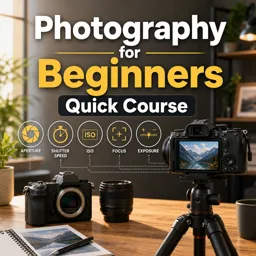
Photography can seem intimidating to beginners due to the technical aspects and jargon involved. However, understanding the basic camera settings is the first step to capturing better photos and tapping into your creativity. This guide will explain the foundational camera settings every beginner should know and how they affect your photos.
1. Aperture
Aperture refers to the size of the opening in your camera lens through which light passes. It’s measured in f-stops (like f/1.8, f/4, or f/11). A lower f-number means a wider opening and more light, resulting in a shallow depth of field and blurred background. Higher f-numbers allow less light and give you a sharper image from foreground to background.
2. Shutter Speed
Shutter speed is the amount of time your camera’s sensor is exposed to light. Measured in seconds or fractions of a second (such as 1/250), faster shutter speeds freeze motion, while slower speeds can create motion blur. For handheld shots, generally use speeds faster than 1/60 to avoid camera shake.
3. ISO
ISO determines your camera sensor’s sensitivity to light. A lower ISO (like 100 or 200) is best for bright conditions and results in less noise or grain. Higher ISO values (like 1600 or 3200) are better for low-light situations but can introduce more noise into your images.
4. White Balance
White balance adjusts the color temperature of your images according to different lighting conditions. Most cameras have presets (daylight, cloudy, tungsten, etc.), and learning when to use them can prevent unnatural color casts in your photos.
5. Focus Modes
Most cameras offer multiple focus modes: single (good for stationary subjects), continuous (ideal for moving subjects), and manual. Understanding when and how to use each mode can help you capture sharp, well-focused images.
Putting It All Together
Experiment with your camera in different environments and lighting conditions to see how aperture, shutter speed, ISO, and white balance interact. Practice using your camera’s controls regularly, and don’t be afraid to make mistakes—learning by doing is the best approach in photography.
Conclusion
Getting comfortable with these basic camera settings is essential for anyone starting their photography journey. Once you master these fundamentals, you’ll be well on your way to developing your unique style and capturing images you can be proud of!