If you’re getting started with software development or data, you’ll quickly run into two big categories of databases: SQL and NoSQL. Choosing between them is one of the first important decisions in many projects. In this guide, you’ll learn what each type is, how they differ, and when to use one over the other.
What is a database?
A database is an organized collection of information that a computer system can store, retrieve, and manage efficiently. Almost every app you use—from social networks to online stores—relies on a database behind the scenes. The way that data is structured and accessed is where SQL and NoSQL take different approaches.
What are SQL databases?
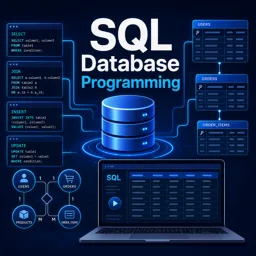
SQL stands for Structured Query Language. SQL databases, also called relational databases, store data in tables made up of rows and columns, much like a spreadsheet. Each table has a defined schema that specifies exactly what columns exist and what type of data they hold.
Tables can be linked together through relationships, which makes SQL databases excellent for structured, consistent data. Popular examples include MySQL, PostgreSQL, Microsoft SQL Server, and SQLite. You interact with them using SQL commands to insert, read, update, and delete records.
What are NoSQL databases?
NoSQL stands for “not only SQL.” These databases were designed for flexibility and large-scale data that doesn’t always fit neatly into tables. Instead of a rigid schema, NoSQL databases can store information in several formats:
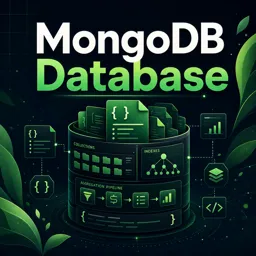
- Document stores: data is kept in flexible, JSON-like documents (for example, MongoDB).
- Key-value stores: simple pairs of a key and its value, great for fast lookups (for example, Redis).
- Column-family stores: optimized for large volumes of data across many servers (for example, Cassandra).
- Graph databases: focused on relationships between data points (for example, Neo4j).
Key differences at a glance
| Aspect | SQL (Relational) | NoSQL (Non-relational) |
|---|---|---|
| Data structure | Tables with rows and columns | Documents, key-value, graphs, and more |
| Schema | Fixed and predefined | Flexible and dynamic |
| Scaling | Usually vertical (a stronger server) | Often horizontal (more servers) |
| Best for | Structured, consistent data | Large, varied, or rapidly changing data |
| Examples | MySQL, PostgreSQL | MongoDB, Redis, Cassandra |
When to use SQL
Relational databases are a strong choice when:
- Your data is well structured and the relationships between records matter.
- Accuracy and consistency are critical, such as in banking or accounting systems.
- You need complex queries that join data from multiple tables.
When to use NoSQL
NoSQL databases shine when:
- Your data structure changes often or varies from record to record.
- You expect to handle very large volumes of data or high traffic.
- You need to scale out across many servers easily.
- Speed and flexibility matter more than rigid consistency.
There’s no single winner
SQL and NoSQL are not rivals so much as different tools for different jobs. Many modern applications even use both—SQL for structured core data and NoSQL for flexible, high-volume workloads. The right choice depends on your project’s needs rather than one being universally “better.”
If you’d like to build practical skills with real database systems, explore the free Databases and programming courses available on Cursa, which walk you through both relational and non-relational tools from the basics.