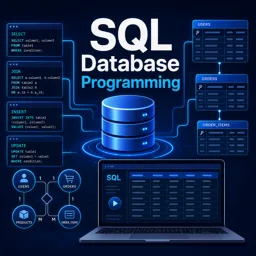
Real databases rarely keep everything in one table. Customers live in one place, orders in another, and products in a third. To answer useful questions such as “which customers have placed orders?”, you need a way to combine those tables. In SQL, that tool is the JOIN. This guide explains how each type works, with small examples you can follow without any special setup.
Why tables are split in the first place
Relational databases separate data into tables to avoid repetition. Instead of writing a customer’s name and address on every order, the order stores only a reference to the customer, usually an ID. That reference is called a foreign key, and it points to the primary key of another table. A JOIN uses these related columns to line rows up side by side.
For the examples below, imagine two small tables. The customers table has the columns id and name. The orders table has id, customer_id and total. Some customers have no orders, and one order might reference a customer that no longer exists in the table.
INNER JOIN: only the matches
An INNER JOIN returns only the rows that have a match in both tables. If a customer has no orders, that customer does not appear. If an order points to a missing customer, that order does not appear either.
SELECT customers.name, orders.total
FROM customers
INNER JOIN orders
  ON customers.id = orders.customer_id;
This is the most common join and a good default when you only care about records that exist on both sides. Writing just JOIN is usually treated as an INNER JOIN.
LEFT JOIN: keep everything from the left table
A LEFT JOIN returns every row from the left table (the one written first), plus matching rows from the right table. When there is no match, the columns from the right table are filled with NULL.
SELECT customers.name, orders.total
FROM customers
LEFT JOIN orders
  ON customers.id = orders.customer_id;
This is perfect for questions like “show all customers and their orders, including customers who have never bought anything.” A classic trick is to find the unmatched rows by adding a filter:
SELECT customers.name
FROM customers
LEFT JOIN orders
  ON customers.id = orders.customer_id
WHERE orders.id IS NULL;
This returns only the customers with no orders at all.
RIGHT JOIN and FULL JOIN
A RIGHT JOIN is the mirror image of a LEFT JOIN: it keeps every row from the right table and fills missing left-side values with NULL. In practice, many developers rewrite RIGHT JOINs as LEFT JOINs by swapping the table order, because reading queries from left to right is easier.
A FULL JOIN (also called FULL OUTER JOIN) keeps all rows from both tables. Matches are combined, and rows without a match on either side appear with NULLs in the missing columns. Not every database supports it directly; MySQL, for example, does not offer a FULL JOIN keyword, and people usually simulate it by combining a LEFT JOIN and a RIGHT JOIN with UNION.
Quick comparison
| Join type | Rows returned | Typical use |
|---|---|---|
| INNER JOIN | Only rows with a match in both tables | Orders with their customers |
| LEFT JOIN | All left rows, matching right rows or NULL | All customers, even those without orders |
| RIGHT JOIN | All right rows, matching left rows or NULL | Same as LEFT with tables swapped |
| FULL JOIN | All rows from both tables | Finding mismatches in either direction |
| CROSS JOIN | Every combination of rows | Generating combinations, such as sizes and colors |
Joining more than two tables
You can chain joins to bring in as many tables as you need. Each JOIN adds another table and its own ON condition. For instance, you might connect customers to orders, and orders to order items. Keep the chain readable by using short table aliases and putting each JOIN on its own line.
SELECT c.name, o.id AS order_id, i.product_name
FROM customers AS c
JOIN orders AS o ON o.customer_id = c.id
JOIN order_items AS i ON i.order_id = o.id;
Common mistakes
- Forgetting the ON condition: without it, some databases produce a CROSS JOIN, multiplying rows and returning far more data than intended.
- Filtering in WHERE after a LEFT JOIN: a condition on the right table in the WHERE clause can silently turn a LEFT JOIN into an INNER JOIN. Put such conditions in the ON clause when you want to keep unmatched rows.
- Ambiguous column names: if both tables have a column called
id, prefix it with the table name or alias. - Duplicated rows: joining on a column that is not unique can multiply results. Check whether the relationship is one-to-one, one-to-many or many-to-many.
- Joining on the wrong columns: make sure data types and meanings match, not only names.
Tips for writing better joins
Start by deciding which table is the “main” one for your question, and place it first. Choose the join type based on whether unmatched rows should be kept. Test with a small sample and compare row counts before and after the join to catch accidental duplication. Finally, index the columns used in join conditions, since foreign key columns are searched very often and indexes can make a large difference in speed.
Conclusion
JOINs are the bridge between tables, and understanding the difference between INNER, LEFT, RIGHT and FULL joins unlocks a huge range of questions you can ask your data. The best way to master them is to practice on small datasets and look at the results carefully. If you want structured practice, explore the database and SQL courses available on Cursa to build confidence step by step.