INTRODUCTION
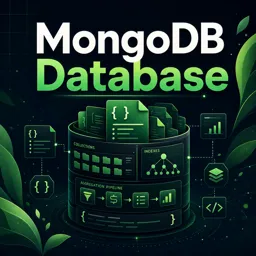
MongoDB is more than just a document-oriented NoSQL database—it has evolved into a powerful platform for building modern applications. One of its standout features is Change Streams, which empower developers to create real-time, event-driven applications. This article explains what Change Streams are, how they work, and how to leverage them to make your applications responsive to database changes as they happen.
WHAT ARE MONGODB CHANGE STREAMS?
Change Streams let applications access real-time updates to data without complex polling or manual tracking. They provide a continuous stream of database change events—such as inserts, updates, deletes, and more—directly to your application.
HOW CHANGE STREAMS WORK
Change Streams are powered by MongoDB’s oplog (operation log) within replica sets. When a change occurs, it is recorded in the oplog. Applications can subscribe to these events at different levels:
- Entire databases
- Specific collections
- Filtered by operation types
This mechanism ensures efficient, event-driven data flows without unnecessary overhead.
SETTING UP CHANGE STREAMS
To start using Change Streams:
- Prerequisites → Use MongoDB 3.6+ with a replica set (a single-node replica set works for development).
- Enable Change Streams → Use a MongoDB driver to watch for changes. Example in Node.js:
const changeStream = collection.watch();
changeStream.on('change', (next) => {
  console.log(next);
});
- Process Events → Each event object includes details about the operation type, affected document, and metadata.
USE CASES FOR CHANGE STREAMS
MongoDB Change Streams are highly versatile and can be applied in various scenarios:
- Real-Time Notifications → Instantly alert users or services when critical data changes.
- Data Synchronization → Keep caches, search indexes, or third-party systems updated automatically.
- Audit Logging → Maintain a complete history of modifications for compliance or analysis.
- Trigger Workflows → Launch jobs, pipelines, or business logic in response to database events.
BEST PRACTICES AND CONSIDERATIONS
To maximize performance and security when using Change Streams:
- Filter Events → Use aggregation pipeline filters to capture only relevant changes.
- Handle Resume Tokens → Save
_idtokens to resume streams after interruptions. - Secure Access → Limit Change Stream usage to authorized apps and users.
- Monitor Performance → Track replica set load and optimize event-handling processes.
CONCLUSION
MongoDB Change Streams simplify the creation of reactive, scalable, and event-driven applications. By leveraging this feature, you can build systems that respond instantly to data changes, enabling modern solutions for real-time notifications, data synchronization, and workflow automation. With simple APIs and robust reliability, Change Streams transform the way developers build dynamic applications.