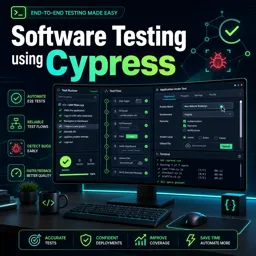
Introduction to Cypress
In the evolving world of Information Technology, ensuring the quality and reliability of web applications has become increasingly important. Cypress stands out as a modern software testing framework designed to make end-to-end testing fast, efficient, and enjoyable for developers and QA engineers. If you’re new to automated testing or looking to improve your web application’s robustness, Cypress can quickly become one of your most valuable tools.
What is Cypress?
Cypress is an open-source testing framework that focuses on automating web browser interactions. Unlike traditional testing tools, Cypress runs directly inside the browser, providing developers with real-time reloading and detailed debugging capabilities. Its architecture offers reliable automation for UI tests, making it easier to catch and resolve bugs before they reach your users.
Key Features of Cypress
- Time Travel: Visually debug your tests step by step with snapshots, helping you understand exactly what happens at each stage.
- Real-Time Reloads: Automatically rerun tests as you make changes to your code, streamlining the feedback loop.
- Consistent Results: Cypress runs within the browser, interacting with your application just like a real user, ensuring tests are reliable.
- Easy Setup: Install Cypress with a simple command and get started with minimal configuration.
- Comprehensive Debugging: Cypress offers readable error messages and stack traces, making issues easier to track down and fix.
How Does Cypress Work?
Cypress operates within the same run-loop as your application. It can control, spy, and stub functions, server responses, or API calls, allowing for deterministic testing. This makes it different from many traditional testing solutions that execute outside the browser and communicate with it remotely.
Cypress tests are written in JavaScript, but it fundamentally differs from other browser automation tools thanks to its architecture and rich UI for test management and debugging.
Basic Setup and Example
- Install Cypress:
npm install cypress --save-dev - Open Cypress:
npx cypress open - Write a Test:
Create a file in thecypress/e2edirectory, for example,sample.spec.js. Here’s a simple example:
describe('My First Test', () => {
  it('Visits the Example Page', () => {
    cy.visit('https://example.com')
    cy.contains('Example Domain')
  })
})
4. Run Your Test:
Use Cypress’s interactive test runner to see the test execute in real time.
Tips for Effective Testing with Cypress
- Structure your test folders and files logically for easier maintenance.
- Leverage Cypress’s built-in commands and create custom commands for repetitive actions.
- Take advantage of fixtures to simulate various data scenarios without relying on backend changes.
- Regularly update dependencies to benefit from performance improvements and new features.
Conclusion
Cypress is an excellent choice for automating end-to-end and integration tests in web applications, helping both developers and QA engineers deliver high-quality software. Its user-friendly architecture, powerful debugging tools, and efficient workflow make it a valuable asset in any software testing toolkit.