Cypress tests are typically written in JavaScript, and TypeScript is also supported with appropriate configuration.

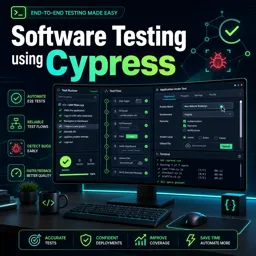
Duration of the online course: 4 hours and 18 minutes
New
Build job-ready web automation skills with this free Cypress course—write fast, reliable end-to-end tests, run via CLI, and level up QA workflows.
Improve your software testing skills by learning how to automate real user flows with Cypress, one of the most popular tools for modern web test automation. This free online course is designed to help you move from manual checks to repeatable, trustworthy end-to-end tests that fit naturally into everyday development. You will understand what makes Cypress different from other automation options, why it can feel faster to run and debug, and how its approach can simplify your workflow when testing web applications.
You will start by setting up Cypress properly and getting comfortable with its ecosystem, including running tests both from the UI and straight from the command line for smoother CI-style execution. Along the way, you will learn how to write your first tests with clear structure, understand how test blocks are organized, and take advantage of editor support so you can work faster with IntelliSense in Visual Studio Code. You will also get practical guidance on troubleshooting common setup issues, such as conflicts caused by antivirus tools, so you can keep your environment stable and productive.
As you progress, the course focuses on the hands-on skills that matter in day-to-day QA and SDET work: identifying elements in a robust way, interacting with forms, and validating behavior with meaningful assertions. You will practice automating common scenarios like registrations and input validation, while learning strategies that make tests less brittle and easier to maintain over time. Cypress also gives you strong visibility into what happened during a run, helping you debug quickly by seeing application state before and after each action.
To round out your automation toolkit, you will work with many UI interactions that often break tests when handled poorly: dropdowns (including dynamic ones), checkboxes, radio buttons, clearing and editing inputs, scrolling behaviors, file uploads, and mouse interactions. You will also learn when standard commands are enough and when adding a lightweight plugin for real browser events can improve realism. By the end, you will be able to create readable Cypress tests that run confidently, provide clear feedback, and support a faster release cycle.

4 hours and 18 minutes of online video course

Digital certificate of course completion (Free)

Exercises to train your knowledge

100% free, from content to certificate
What programming language is used to write Cypress test cases?
Cypress tests are typically written in JavaScript, and TypeScript is also supported with appropriate configuration.
Why is Cypress often faster than Selenium WebDriver for web testing?
Cypress runs directly in the browser alongside the application, reducing the network and driver communication overhead used by Selenium WebDriver.
How do you select dropdown options and checkboxes in Cypress?
Use .select() for native select dropdowns and .check() for checkboxes or radio buttons.
Ready to get started?Download the app and get started today.
Install the app now
to access the course
Over 5,000 free courses
Programming, English, Digital Marketing and much more! Learn whatever you want, for free.

Study plan with AI
Our app's Artificial Intelligence can create a study schedule for the course you choose.

From zero to professional success
Improve your resume with our free Certificate and then use our Artificial Intelligence to find your dream job.
You can also use the QR Code or the links below.




Free CourseSoftware Testing course
5

(1)

10h18m

Free CourseIT Automation
5
(4)
6h20m

9 exercises
Free CourseSoftware Testing full course
5
(2)
4h55m
6 exercises
Free CourseJavaScript Testing
5
(1)
1h00m
6 exercises
Free CourseSoftware testing for begginers
4.7

(214)
1h01m
21 exercises
Free CourseManual Testing in softwares
4.6
(5)
19h40m
4 exercises
Free CourseSoftware testing tutorials
4.4
(44)
8h02m
27 exercises
Free CourseSoftware testing complete
4.2
(9)
10h41m
33 exercises
Free CoursePostman tutorial to test requisitions
4
(1)
1h31m
9 exercises
Free CourseJenkins Tutorial
New
2h40m
7 exercises
Carry knowledge in your pocket.
Download the Cursa app.
There are hundreds of free courses available, with a free certificate of completion that is saved in your mobile image gallery.
Download the app to access the Course Completion Certificate for Free.


+ 10 million
students

Free and Valid
Certificate

60 thousand free
exercises

4.8/5 rating in
app stores

Free courses in
video and ebooks