Install or configure Maven in Jenkins under Global Tool Configuration, then ensure the job or pipeline uses the configured Maven installation.

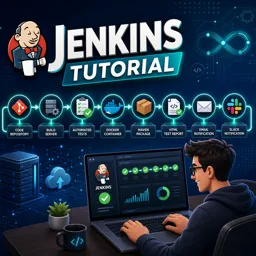
Duration of the online course: 2 hours and 40 minutes
New
Automate test runs and deployments with this free Jenkins course—learn installation, pipelines, reports, plugins and alerts to speed up QA delivery.
Improve the speed and reliability of your testing workflow by learning how Jenkins fits into a modern QA and software development environment. This free online course guides you through using Jenkins to automate repetitive tasks, trigger builds, and keep your team informed when something changes. You will understand why Jenkins matters for software testing, what types of activities can be automated, and how continuous integration practices can reduce manual effort while increasing confidence in every release.
Starting from the basics, you will set up Jenkins on common operating systems and create practical jobs that mirror real testing scenarios. You will also explore running Jenkins with Docker, a valuable approach when you want consistent environments or quick, reproducible setups. As your skills grow, you will connect Jenkins with typical build tools and address common configuration issues, such as build failures caused by missing dependencies, so you can troubleshoot with clarity instead of guesswork.
The course places strong emphasis on the needs of software testers: managing users and roles for safer collaboration, choosing helpful plugins, publishing HTML reports, and linking source control so builds and test executions stay traceable. You will move beyond one-off jobs into pipeline-based automation, learning how a pipeline helps teams standardize steps, reduce human error, and scale test execution as projects expand. You will also practice working with the Jenkins command line, job parameters, and pipeline patterns that support branching strategies in real repositories.
To keep automation useful day to day, you will configure notifications that help teams react quickly, including email and Slack updates that can include report links or custom messages. You will also learn habits that keep Jenkins healthy over time, such as backing up test reports and cleaning workspaces to avoid bloated storage and confusing build artifacts. By the end, you will be prepared to build a maintainable Jenkins setup for automated testing, reporting, and team communication, using approaches that map directly to real CI pipelines.

2 hours and 40 minutes of online video course

Digital certificate of course completion (Free)

Exercises to train your knowledge

100% free, from content to certificate
How do I fix the 'Maven not found' error in a Jenkins build?
Install or configure Maven in Jenkins under Global Tool Configuration, then ensure the job or pipeline uses the configured Maven installation.
How can Jenkins publish Selenium HTML test reports?
Add the HTML Publisher plugin, configure the report directory and index file in the job, and publish the report after the test build runs.
What is the first step for sending Jenkins notifications to Slack?
Install the Slack Notification plugin and create a Slack app or webhook token with permission to post messages to the target channel.
Ready to get started?Download the app and get started today.
Install the app now
to access the course
Over 5,000 free courses
Programming, English, Digital Marketing and much more! Learn whatever you want, for free.

Study plan with AI
Our app's Artificial Intelligence can create a study schedule for the course you choose.

From zero to professional success
Improve your resume with our free Certificate and then use our Artificial Intelligence to find your dream job.
You can also use the QR Code or the links below.




Free CourseSoftware Testing course
5

(1)

10h18m

Free CourseIT Automation
5
(4)
6h20m

9 exercises
Free CourseSoftware Testing full course
5
(2)
4h55m
6 exercises
Free CourseJavaScript Testing
5
(1)
1h00m
6 exercises
Free CourseSoftware testing for begginers
4.7

(214)
1h01m
21 exercises
Free CourseManual Testing in softwares
4.6
(5)
19h40m
4 exercises
Free CourseSoftware testing tutorials
4.4
(44)
8h02m
27 exercises
Free CourseSoftware testing complete
4.2
(9)
10h41m
33 exercises
Free CoursePostman tutorial to test requisitions
4
(1)
1h31m
9 exercises
Free CourseSoftware Testing using Cypress
New
4h18m
21 exercises
Carry knowledge in your pocket.
Download the Cursa app.
There are hundreds of free courses available, with a free certificate of completion that is saved in your mobile image gallery.
Download the app to access the Course Completion Certificate for Free.


+ 10 million
students

Free and Valid
Certificate

60 thousand free
exercises

4.8/5 rating in
app stores

Free courses in
video and ebooks