What is ChatGPT?
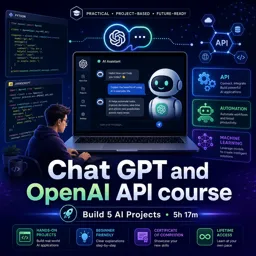
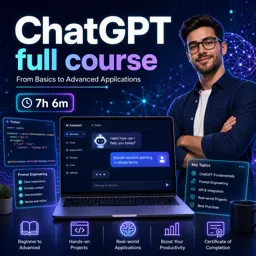
ChatGPT is a state-of-the-art conversational AI developed by OpenAI, designed to understand and generate human-like text responses. Built on the foundation of large language models, ChatGPT can simulate natural conversations, answer questions, assist with brainstorming, and much more. This technology represents a major advance in the field of Artificial Intelligence (AI), especially in human-computer interaction.
How ChatGPT Works
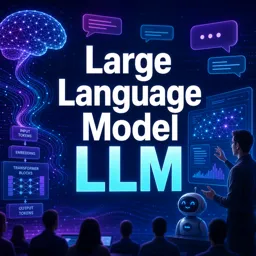
ChatGPT is powered by a machine learning architecture known as a transformer. It is trained on vast amounts of text data, learning grammar, facts, reasoning abilities, and nuanced patterns of conversation. When you type a prompt, ChatGPT analyzes the input, predicts the next words, and generates a logical, contextually relevant response.
Core Features of ChatGPT
- Natural Language Understanding: ChatGPT interprets user queries, understanding intent, context, and subtle cues.
- Human-like Responses: The model generates text that closely mimics human writing and conversation styles.
- Wide Knowledge Base: Trained on diverse sources, ChatGPT offers insights, explanations, and creative suggestions on many topics.
- Flexible Integration: ChatGPT can be embedded in websites, apps, customer support tools, and virtual assistants.
Benefits of Using ChatGPT
Whether you’re an enterprise, educator, or hobbyist, ChatGPT offers valuable advantages:
- Improved Engagement: It enables interactive, personalized experiences with users.
- Productivity Boost: ChatGPT can automate repetitive queries, freeing up human resources for complex tasks.
- 24/7 Availability: As a digital solution, it can handle queries at any hour, supporting global audiences.
- Learning Aid: ChatGPT assists learners in finding information, practicing language skills, and exploring new concepts.
Tips for Effective Interaction
- Be Clear and Specific: The more precise your input, the more detailed and relevant ChatGPT’s response will be.
- Ask Follow-up Questions: Don’t hesitate to clarify or dive deeper tailored to your needs.
- Use for Brainstorming: ChatGPT can help generate ideas or provide diverse perspectives on creative projects.
Ethical Considerations
AI tools like ChatGPT are powerful but should be used responsibly. Always verify critical information, be mindful of privacy, and use the technology constructively to maximize its positive impact.
Conclusion
ChatGPT marks a transformative step in how we interact with technology. By learning how to communicate with such advanced AI tools, users can unlock new levels of productivity, creativity, and problem-solving across countless industries.