INTRODUCTION
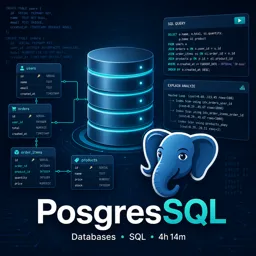
PostgreSQL is renowned for its robustness, reliability, and advanced feature set as an open-source relational database system. One of its most unique capabilities is extensibility. By leveraging PostgreSQL extensions, users can enhance core database functionality, adapt it to specialized needs, and unlock tools that improve productivity and drive innovation.
WHAT ARE POSTGRESQL EXTENSIONS?
PostgreSQL extensions are optional modules that add new features, data types, functions, or optimizations not available in the base installation. Instead of modifying the database core, extensions allow developers to plug in additional capabilities modularly. This fosters a vibrant ecosystem and encourages innovation around PostgreSQL.
POPULAR EXTENSIONS AND THEIR USE CASES
- PostGIS: Adds geographic objects and spatial queries, turning PostgreSQL into a powerful spatial database for GIS applications.
- CITEXT: Provides case-insensitive text columns, simplifying text search and comparisons.
- pg_trgm: Enables trigram matching, improving fuzzy string search and similarity measurement.
- hstore: Stores key-value pairs within a single PostgreSQL value, ideal for semi-structured data.
- uuid-ossp: Generates universally unique identifiers (UUIDs) for distributed systems and integrations.
- pg_partman: Provides advanced table partitioning management, essential for high-volume datasets.
HOW TO USE EXTENSIONS IN POSTGRESQL
- Install the extension package if not already included with your PostgreSQL installation (via OS package manager or source compilation).
- Create the extension in your database:
CREATE EXTENSION IF NOT EXISTS extension_name;
Once installed, the new features are available via SQL commands or your preferred programming language interface.
BENEFITS OF USING POSTGRESQL EXTENSIONS
- Extend database capabilities without modifying the core system.
- Tap into a vast ecosystem of community-developed modules.
- Customize your database for specialized or uncommon tasks.
- Safely experiment with non-standard features in a modular way.
CONSIDERATIONS AND BEST PRACTICES
- Prefer widely adopted and actively maintained extensions for better support and security.
- Document dependencies on extensions to simplify future migrations or upgrades.
- Test compatibility with your PostgreSQL version before deploying to production.
CONCLUSION
PostgreSQL extensions showcase the flexibility and power of this database system. Whether you need geospatial support, enhanced search capabilities, or ways to manage semi-structured data, there’s likely an extension to meet your needs. Leveraging extensions effectively allows you to unlock advanced functionality and build more powerful, customized PostgreSQL solutions.