Introduction
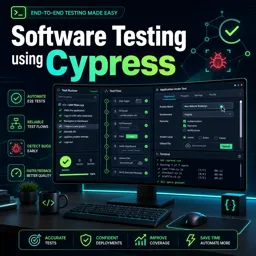
Modern web applications demand robust testing solutions to ensure reliability and consistent user experiences. Cypresshas emerged as a popular open-source tool for end-to-end testing, offering developers a fast, reliable, and easy-to-use framework. This article explores Cypress’s key features, how it streamlines automation workflows, and best practices for leveraging its capabilities in real-world projects.
What Makes Cypress Unique?
- Real-Time Reloads: Cypress automatically watches test files for changes and reruns tests in real time, making for rapid development cycles.
- Time Travel Debugging: It offers an intuitive UI to step through every operation and snapshot, so you can visually analyze what happened at each stage of your test.
- Automatic Waiting: Unlike many other frameworks, Cypress automatically waits for elements to appear and animations to finish, reducing the need for custom waits or sleep commands.
- Network Traffic Control: Cypress allows you to stub and intercept API requests, making it easy to simulate different backend conditions for front-end tests.
Automating Real-World Web Testing Workflows
Cypress can streamline many aspects of your development and deployment pipelines. Here’s how:
Comprehensive UI & API Testing
With Cypress, you can test both user interfaces and underlying APIs, ensuring your application is tested from all angles. This enables confidence in both front-end and back-end integrations.
Continuous Integration Compatibility
Cypress easily integrates with CI/CD platforms (like Jenkins, GitHub Actions, or GitLab CI). Tests are run automatically on code changes, providing fast feedback and reducing the risk of regressions.
Best Practices for Effective Cypress Testing
- Isolate Tests: Write independent tests without reliance on previous state to avoid cascading failures and improve maintainability.
- Use Custom Commands: Abstract repetitive actions into custom Cypress commands to make tests more readable and reusable.
- Leverage Fixtures: Use the built-in fixture support for predictable and repeatable test data.
- Organize Test Structure: Group tests logically using
describeanditblocks for better clarity. - Utilize Tagging: Tag tests for selective execution in different environments or scenarios.
Conclusion
Cypress stands out for its modern approach to automated web testing, offering developers intuitive workflows, real-time feedback, and advanced debugging tools. By incorporating Cypress into your quality assurance pipeline and adhering to proven best practices, you can deliver higher-quality web applications with greater efficiency and confidence.