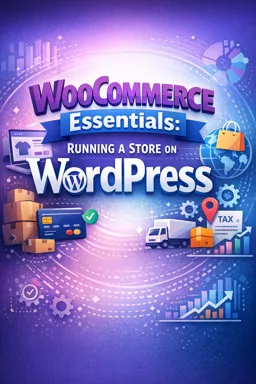

Free ebook on running a WooCommerce store on WordPress, covering setup, products, payments, shipping, taxes, security, and performance.
Free ebook content
-

WooCommerce Essentials on WordPress: Store Setup and Key Concepts
+ Exercise: A customer reports that product pages and My Account endpoints (like orders) return 404 errors right after a WooCommerce setup. What is the most appropriate first troubleshooting step?
-
WooCommerce Store Settings: Currency, Checkout, Accounts, Emails, and Advanced Options
+ Exercise: To reduce rework when configuring a new WooCommerce store, which settings sequence is recommended because later panels depend on earlier choices like currency, tax basis, shipping zones, and checkout behavior?
-
Products in WooCommerce: Simple, Variable, Downloadable, and Grouped Products
+ Exercise: When setting up a WooCommerce Variable product, what is the best way to manage SKUs and stock for items like a T-shirt that comes in multiple sizes and colors?
-
Storefront Organization: Navigation, Search, Filtering, and Product Pages that Convert
+ Exercise: Which approach best improves category page filtering (layered navigation) in a WooCommerce store?


-
Payments for WooCommerce: Gateways, Testing, Fraud Basics, and Payout Reconciliation
+ Exercise: A store owner sees successful payments in the gateway dashboard, but the related WooCommerce orders stay in "Pending payment." What is one of the first things they should check?
-
Shipping in WooCommerce: Zones, Methods, Rates, Labels, and Fulfillment Workflows
+ Exercise: A customer reports “No shipping options were found” at checkout. What is the best first troubleshooting step?
-
Taxes Basics for WooCommerce: Tax Settings, Rates, and Practical Compliance Boundaries
+ Exercise: For a store shipping physical goods where tax should be calculated based on the destination, which setting is typically the most appropriate choice for "Calculate tax based on"?
-
Orders, Customers, and Operations: Managing the Day-to-Day Store
+ Exercise: A customer says they changed their shipping address after paying. What is the safest operational approach before editing the address in the order?
-
Essential Plugins and Extensions: Making Reliable Decisions Without Overloading the Site
+ Exercise: When deciding whether to add a new WooCommerce plugin, which approach best reduces risk of plugin bloat while still meeting a business need?
-
Performance and Scalability for WooCommerce: Speed, Caching, Images, and Database Health
+ Exercise: A WooCommerce store is fast for anonymous browsing but becomes slow on cart and checkout. Which action is most likely to improve these dynamic flows that can’t be fully served from full-page cache?
-
Security and Maintenance for WooCommerce Stores: Updates, Backups, Hardening, and Monitoring
+ Exercise: Which workflow best reduces the risk of a WooCommerce update breaking checkout while keeping recovery options available?
About the free ebook
WooCommerce Essentials: Running a Store on WordPress
This free ebook provides a practical foundation for building, operating, and maintaining a WooCommerce store on WordPress. It explains the core decisions behind a reliable online sales operation, from initial configuration to daily order management.
Build a store that customers can use with confidence
Learn how store settings affect currency display, customer accounts, checkout behavior, transactional emails, and advanced store options. The ebook also examines the product types WooCommerce supports, including simple, variable, downloadable, and grouped products, so you can structure a catalog around what you sell.
Create a smoother shopping experience
Effective e-commerce depends on more than adding products. Discover how navigation, search, filters, and well-designed product pages help shoppers find items and complete purchases. You will also explore payment gateways, test transactions, basic fraud awareness, and payout reconciliation.
Manage shipping, taxes, and daily operations
- Set up shipping zones, methods, rates, labels, and fulfillment workflows.
- Understand WooCommerce tax settings, tax rates, and practical compliance limits.
- Process orders, support customers, and establish consistent operational routines.
Keep WooCommerce dependable as your store grows
The ebook covers choosing plugins and extensions without overloading the site, plus key practices for performance, scalability, security, updates, backups, hardening, and monitoring. Use these principles to make thoughtful decisions for a store that is easier to manage and better prepared for growth.
Who this ebook is for
It is designed for WordPress site owners, new store operators, freelancers, and small businesses that want a clear overview of the systems required to run WooCommerce responsibly.
How do WooCommerce shipping zones and methods work?
Shipping zones match customer locations, while methods and rates define the delivery choices available in each zone.
What is the difference between simple and variable WooCommerce products?
A simple product has one configuration; a variable product offers selectable variations such as size, color, price, or stock.
Which WooCommerce maintenance tasks help protect a store?
Keep WordPress, WooCommerce, and plugins updated; maintain tested backups; use secure access controls; and monitor site health.
This ebook includes:

11 content chapters

Digital certificate of course completion (Free)

Exercises to train your knowledge

100% free, from content to certificate
Ready to get started?

 recommended
In the app you will also find...

Over 5,000 free courses
Programming, English, Digital Marketing and much more! Learn whatever you want, for free.

Study plan with AI
Our app's Artificial Intelligence can create a study schedule for the course you choose.

From zero to professional success
Improve your resume with our free Certificate and then use our Artificial Intelligence to find your dream job.
You can also use the QR Code or the links below.