By default, the component accepts a modelValue prop and emits an update:modelValue event when the value changes.

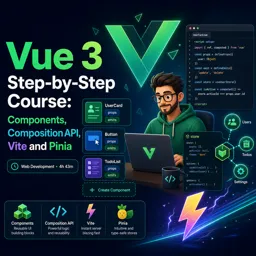
Duration of the online course: 4 hours and 43 minutes
New
Build modern Vue 3 apps faster with components, Composition API, Vite and Pinia. Take this free course and level up your frontend skills with practice.
If you want to build modern, maintainable web interfaces, Vue 3 is one of the most practical ways to get there. This free online course guides you from the very first Vue fundamentals to the patterns developers rely on in real projects, helping you move beyond copy-pasting snippets and toward confidently designing your own app structure.
You’ll start by learning how Vue thinks: reactive state, data binding with directives, event handling, and the everyday building blocks that make forms and UI interactions feel effortless. As you progress, you’ll shift from small examples to a cleaner, component-based mindset, learning how to split your interface into reusable parts, pass data with props, and keep parent and child components aligned without turning your code into a tangled mess.
From there, you’ll deepen your understanding of productivity-focused features that make Vue stand out. You’ll work with computed properties for derived values, manage lists and conditionals the right way, and use keys to keep rendering predictable and efficient. You’ll also explore how slots unlock flexible component design, letting you create reusable UI pieces while still customizing content where you need it.
Once the foundation is solid, the course transitions into Vue 3’s Composition API and script setup, showing you how to build more scalable logic with refs and composables. You’ll see why some values update automatically and others don’t, how to structure reusable logic that can be shared across components, and how to react to changes over time using the right reactive tools.
To round out a workflow that matches modern frontend development, you’ll use Vite for a smoother developer experience with rapid feedback, then step into application-wide state management with Pinia. Instead of scattering shared data across components, you’ll learn to centralize state, create computed-like store values, and build a more reliable architecture for features like dashboards, counters, and shared app data. Along the way, short exercises reinforce key concepts so you’re not just watching, but actively building confidence you can apply immediately to your own Vue projects.

Explore the best free online VueJS courses and learn to build fast, interactive web applications with this popular JavaScript framework. Study Vue fundamentals, components, routing, state management, and real-world app development at your own pace. Enroll for free, improve your front-end skills, and earn a certificate upon completion.

Explore the best free online JavaScript courses with certificates and build in-demand web development skills at your own pace. Learn JavaScript fundamentals, DOM manipulation, ES6, APIs, frameworks, and more through beginner-friendly and advanced classes. Enroll today, earn a certificate, and strengthen your resume for developer career opportunities.

4 hours and 43 minutes of online video course

Digital certificate of course completion (Free)

Exercises to train your knowledge

100% free, from content to certificate
How do you use v-model with a custom Vue 3 component?
By default, the component accepts a modelValue prop and emits an update:modelValue event when the value changes.
What does Vite hot module replacement do in a Vue 3 project?
It updates changed modules in the browser instantly during development while preserving application state when possible.
How are computed values defined in a Pinia store?
Use the getters section of a Pinia store for computed-like values, such as filtered data or a remaining-item count.
Ready to get started?Download the app and get started today.
Install the app now
to access the course
Over 5,000 free courses
Programming, English, Digital Marketing and much more! Learn whatever you want, for free.

Study plan with AI
Our app's Artificial Intelligence can create a study schedule for the course you choose.

From zero to professional success
Improve your resume with our free Certificate and then use our Artificial Intelligence to find your dream job.
You can also use the QR Code or the links below.




Free CourseLaravel
5

(2)

4h04m

20 exercises

Free CourseProgressive Web Application PWA for Beginners
5
(5)
3h24m
15 exercises

Free CourseLearn Laravel in 30 Days: Beginner to Pro
5
(1)
17h00m
30 exercises

Free CoursePHP for Beginners: Learn PHP, MySQL, MVC, Routing, Authentication and Testing
5
(1)
10h45m
49 exercises

Free CourseLaravel Full Course: Build, CRUD, Auth, Email and Deploy to Live Server
5
(1)
3h52m
15 exercises

Free CourseWeb Development Foundations: HTML, CSS, Git and Command Line
5
(3)
14h11m
37 exercises

Free CourseCSS Complete Tutorial
5
(1)
8h30m
49 exercises

Free CoursePHP for Beginners: Learn PHP, MySQL and Login Systems
5
(3)
10h49m
29 exercises

Free CourseJavaScript for beginners
4.9
(27)
1h40m
2 exercises

Free CourseUmbraco CMS
4.9
(22)
6h21m
19 exercises
Carry knowledge in your pocket.
Download the Cursa app.
There are hundreds of free courses available, with a free certificate of completion that is saved in your mobile image gallery.
Download the app to access the Course Completion Certificate for Free.


+ 10 million
students

Free and Valid
Certificate

60 thousand free
exercises

4.8/5 rating in
app stores

Free courses in
video and ebooks





