HTML provides page structure and content, CSS controls presentation and layout, and JavaScript adds behavior and interactivity.

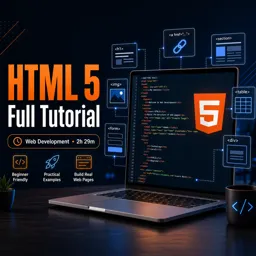
Duration of the online course: 2 hours and 29 minutes
4.5


(2)
Build real web pages from scratch with this free HTML5 course—learn structure, links, images, forms, and best practices, plus quizzes for faster progress.
Want to build web pages that load fast, look consistent, and make sense to browsers and search engines? This free HTML5 course is a practical introduction to the language that gives every site its structure. You will learn how HTML fits into the web development workflow alongside CSS and JavaScript, so you understand what each technology is responsible for and how they work together on real projects.
Starting from the basics, you will set up a comfortable text editor workflow and write clean, readable markup using the standard document structure. As you progress, you will develop confidence with core concepts like elements, attributes, and semantic choices that improve clarity and maintainability. You will also understand the purpose of the head and body sections, how browsers interpret whitespace, and why certain tags are better for meaning than purely visual formatting.
Step by step, you will build the skills needed to create common website components: headings and paragraphs for content, links for navigation, images for visual communication, and lists and tables for organizing information. You will also learn the difference between block and inline elements, how to use comments appropriately, and when span and div are useful for grouping and styling hooks. Along the way, quick practice questions help you confirm that you truly understand what you are writing, not just copying code.
The course also introduces forms, showing how users submit data and what key attributes control where it goes. You will explore modern HTML5 inputs, including techniques like providing predefined options to improve user experience. Finally, you will connect your HTML knowledge to styling workflows by understanding why external CSS is preferred over repetitive inline styles, and you will clarify the real differences between class and id so you can collaborate smoothly with CSS and JavaScript later.
By the end, you will be able to structure a complete page confidently, use the right tags for the job, and create a solid foundation for front-end development projects.
Explore free online HTML courses designed for beginners and aspiring web developers. Learn HTML basics, semantic markup, forms, tables, accessibility, and modern web page structure at your own pace. Build practical coding skills with expert-led lessons and hands-on projects, and earn a certificate upon completion to showcase your HTML knowledge.
Explore free online CSS courses designed to help beginners and aspiring web developers master styling, layouts, responsive design, Flexbox, Grid, animations, and modern best practices. Learn at your own pace, build practical front-end skills, and earn a certificate with every course to showcase your CSS expertise.

2 hours and 29 minutes of online video course

Digital certificate of course completion (Free)

Exercises to train your knowledge

100% free, from content to certificate
What is the difference between HTML, CSS, and JavaScript in web development?
HTML provides page structure and content, CSS controls presentation and layout, and JavaScript adds behavior and interactivity.
What is the basic structure of an HTML5 document?
A basic document includes , an element, a
section for metadata, and a section for visible content.How do you create an HTML form that sends data to a specific page?
Use a
Ready to get started?Download the app and get started today.
Install the app now
to access the course
Over 5,000 free courses
Programming, English, Digital Marketing and much more! Learn whatever you want, for free.

Study plan with AI
Our app's Artificial Intelligence can create a study schedule for the course you choose.

From zero to professional success
Improve your resume with our free Certificate and then use our Artificial Intelligence to find your dream job.
You can also use the QR Code or the links below.




Free CourseLaravel
5
(2)

4h04m

20 exercises

Free CourseProgressive Web Application PWA for Beginners
5
(5)
3h24m
15 exercises

Free CourseLearn Laravel in 30 Days: Beginner to Pro
5
(1)
17h00m
30 exercises

Free CoursePHP for Beginners: Learn PHP, MySQL, MVC, Routing, Authentication and Testing
5
(1)
10h45m
49 exercises

Free CourseLaravel Full Course: Build, CRUD, Auth, Email and Deploy to Live Server
5
(1)
3h52m
15 exercises

Free CourseWeb Development Foundations: HTML, CSS, Git and Command Line
5
(3)
14h11m
37 exercises

Free CourseCSS Complete Tutorial
5
(1)
8h30m
49 exercises

Free CoursePHP for Beginners: Learn PHP, MySQL and Login Systems
5
(3)
10h49m
29 exercises

Free CourseJavaScript for beginners
4.9
(27)
1h40m
2 exercises

Free CourseUmbraco CMS
4.9
(22)
6h21m
19 exercises
Carry knowledge in your pocket.
Download the Cursa app.
There are hundreds of free courses available, with a free certificate of completion that is saved in your mobile image gallery.
Download the app to access the Course Completion Certificate for Free.


+ 10 million
students

Free and Valid
Certificate

60 thousand free
exercises

4.8/5 rating in
app stores

Free courses in
video and ebooks





Course comments: HTML 5 Full Tutorial
MBCA Course
very interesting and hands on practice course