
Pass an options object with method, headers including Content-Type: application/json, and a body created with JSON.stringify().

Duration of the online course: 1 hours and 14 minutes
New
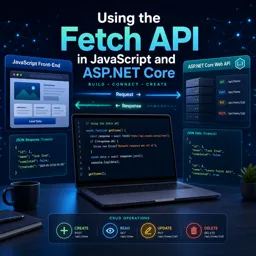
Build real-world CRUD skills with Fetch API and ASP.NET Core Web APIs. Join this free course and learn to send JSON, handle errors, and ship faster.
Modern web apps live and breathe through APIs, and knowing how to connect a JavaScript front end to a server is a must-have skill for web development. In this free course, you will learn how to use the Fetch API to communicate with an ASP.NET Core minimal Web API, turning simple HTTP requests into a clean workflow for real applications. The goal is to help you move beyond basic examples and become comfortable making requests that are reliable, readable, and ready for production-style projects.
You will start by understanding what Fetch is, how it differs from older approaches, and how its promise-based model affects the way you structure code. From there, you will stand up a lightweight ASP.NET Core API so you have a realistic backend to work with, then practice retrieving data from endpoints and interpreting the response object correctly. That includes learning how to reason about status codes, determine whether a response is truly successful, and avoid common pitfalls where an HTTP error does not automatically behave like a thrown exception.
As you progress, you will develop confidence handling different response shapes such as JSON responses with a body, empty responses, and text-only replies. You will also learn to send JSON payloads properly, set headers in a natural way, and pass the right options to fetch for POST, PUT, and DELETE operations. By the end, you will bring these pieces together to build a simple CRUD page that renders dynamic data in the browser using a templating approach, reinforcing the complete loop from UI to API and back.
This course is a practical step toward stronger front-end and back-end integration skills, ideal for learners who want to understand how modern JavaScript talks to ASP.NET Core services and how to build small features that scale into bigger projects.

1 hours and 14 minutes of online video course

Digital certificate of course completion (Free)

Exercises to train your knowledge

100% free, from content to certificate
How do you send JSON data in a Fetch API POST request to an ASP.NET Core Web API?
Pass an options object with method, headers including Content-Type: application/json, and a body created with JSON.stringify().
When does fetch().catch() run when calling an ASP.NET Core API?
It runs for network-level failures, such as connectivity or CORS issues; HTTP errors like 404 or 500 must be checked through response.ok or response.status.
How can a Fetch API CRUD page handle JSON, empty, and text-only responses?
Check the response status and Content-Type header before choosing response.json(), response.text(), or handling an empty response.
Ready to get started?Download the app and get started today.
Install the app now
to access the course
Over 5,000 free courses
Programming, English, Digital Marketing and much more! Learn whatever you want, for free.

Study plan with AI
Our app's Artificial Intelligence can create a study schedule for the course you choose.

From zero to professional success
Improve your resume with our free Certificate and then use our Artificial Intelligence to find your dream job.
You can also use the QR Code or the links below.




Free CourseLaravel
5

(2)

4h04m

20 exercises

Free CourseProgressive Web Application PWA for Beginners
5
(5)
3h24m
15 exercises

Free CourseLearn Laravel in 30 Days: Beginner to Pro
5
(1)
17h00m
30 exercises

Free CoursePHP for Beginners: Learn PHP, MySQL, MVC, Routing, Authentication and Testing
5
(1)
10h45m
49 exercises

Free CourseLaravel Full Course: Build, CRUD, Auth, Email and Deploy to Live Server
5
(1)
3h52m
15 exercises

Free CourseWeb Development Foundations: HTML, CSS, Git and Command Line
5
(3)
14h11m
37 exercises

Free CourseCSS Complete Tutorial
5
(1)
8h30m
49 exercises

Free CoursePHP for Beginners: Learn PHP, MySQL and Login Systems
5
(3)
10h49m
29 exercises

Free CourseJavaScript for beginners
4.9
(27)
1h40m
2 exercises

Free CourseUmbraco CMS
4.9
(22)
6h21m
19 exercises
Carry knowledge in your pocket.
Download the Cursa app.
There are hundreds of free courses available, with a free certificate of completion that is saved in your mobile image gallery.
Download the app to access the Course Completion Certificate for Free.


+ 10 million
students

Free and Valid
Certificate

60 thousand free
exercises

4.8/5 rating in
app stores

Free courses in
video and ebooks





